
Presentation Tabs for PowerPoint - X 64-bit Download
Popular x64 Tags
- office x64 download
- exporting x64 download
- importing x64 download
- microsoft x64 download
- xls x64 download
- acrobat x64 download
- pdf x64 download
- printer x64 download
- pdf converter x64 download
- outlook x64 download
- word x64 download
- software x64 download
- powerpoint x64 download
- tool x64 download
- excel x64 download
- adobe x64 download
- convert x64 download
- spreadsheet x64 download
- doc x64 download
- create x64 download
- text x64 download
- printing x64 download
- ppt x64 download
- files x64 download
- open x64 download
- add in x64 download
- document x64 download
- data x64 download
- export x64 download
- saving x64 download
You are here: X-64-bit Download
\ Business
\ Office Suites & Tools \ Presentation Tabs for PowerPoint
Presentation Tabs for PowerPoint 6.50
Sponsored links:
license: Shareware ($15.00)
downloads: 398
size: 2.60 MB
updated: 2011-01-10
tags: Microsoft Office PowerPoint 2007, PowerPoint 2003, PowerPoint presentations, office add-ins, presentation tabs, PowerPoint tab, Microsoft PowerPoint software, PowerPoint slide, PowerPoint add-ins, Office add-ins
Add to Basket

Detong Technology Ltd.

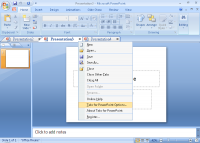
Using Presentation Tabs for PowerPoint (original name is PowerPoint Tab) in Microsoft PowerPoint, users can easily open new presentations on the tab bar by several ways. Right click the tab and select "new" in the pop-up menu. Or you can double click Left Mouse Button on the blank area of Tab bar to create new document. The quick way is to double click on the blank area of the tab bar to open new slide. All opened presentations can be closed simultaneously only by one click. To close a presentation is so easy by right-click menu or double-click on the menu. Moreover, you don't need to close presentations before rename this slide, its pop-up menu allows you to rename, save as, open and close presentation slideshow in a convenient way. Function Specifications: Users may enable or disable the following functions (Note that the default status is "enabled") 1) A confirmation dialog box will appear when you choose to close all the tabs 2) Hide the tab bar when there is only one tab 3) Close a tab by clicking the middle mouse button once 4) Close a tab by double-clicking the left button on it 5) Create a document by double clicking the left button in the blank space of the tab bar 6) Tabs may be moved and dragged conveniently 7) Choose a tab by pressing Alt+N 8) Show and hide the tab bar with user-defined, customizable shortcut keys. The default shortcut key is "Win + Q" 9) Switch among different tabs with user-defined, customizable shortcut keys. The default shortcut key is "Ctrl + Tab" 10) Powerful functionality exists for customizing tab colors as well as the tab bar
OS: Windows XP, Windows Vista, Windows Vista x64, Windows 7 x32, Windows 7 x64, Win2000, WinOther, WinServer
Requirements: Microsoft Office Powerpoint or Office 2003, 2007 or 2010 installed
Add Your Review or 64-bit Compatibility Report
Top Office Suites & Tools 64-bit downloads


Microsoft Office 2016 x64 2403 B17425.201
Powerful new tools to express your ideas and connect with people
Trialware | $149.99

Microsoft Office 2007
Helps professionals work faster, stay organized, and manage contacts
Trialware | $449.00

OpenOffice.org 4.1.15
Is the leading open-source office software suite for word processing
Open Source

Microsoft Office 2003
Microsoft Office 2003 represents a major upgrade to previous versions
Commercial

Microsoft Office 2010 x64 14.0.6023.1000
Powerful new tools to express your ideas and connect with people
Trialware | $499.99


Adobe Reader 9 9.5.1
Is the tool for opening and using Adobe PDFs that are created in Adobe Acrobat
Freeware
Microsoft Office 2013 x64 15.0.4420.1017
Powerful new tools to express your ideas and connect with people
Trialware

Members area
Top 64-bit Downloads
-
Microsoft Office 2016
x64 2403 B17425.201
x64 trialware download -
Microsoft Office 2010
x64 14.0.6023.1000
x64 trialware download -
Microsoft Office 2013
x64 15.0.4420.1017
x64 trialware download -
PSPP x64 1.6.2
x64 open source download -
Microsoft OneNote 2013
x64 15.0.4641.1001
x64 freeware download -
MiKTeX 64bit 24.1
x64 open source download -
GS-Base x64 20.3
x64 trialware download -
Rons Data Stream 2024.04.02.0829
x64 freeware download -
mbFXWords 2.80
x64 freeware download -
LibreOffice x64 24.2.2
x64 open source download
Top Downloads
-
Microsoft Office 2016
x64 2403 B17425.201
trialware download -
Microsoft Office 2007
trialware download -
OpenOffice.org 4.1.15
open source download -
Microsoft Office 2003
commercial download -
Microsoft Office 2010
x64 14.0.6023.1000
trialware download -
Quite Imposing Plus 5.3n
demo download -
Talend Open Studio 8.0.1
open source download -
Grammarly 6.8.263
freeware download -
Adobe Reader 9 9.5.1
freeware download -
Microsoft Office 2013
x64 15.0.4420.1017
trialware download -
JSignPdf 2.2.0
freeware download -
TotalReminder 8.2
trialware download -
PSPP x64 1.6.2
open source download -
SmarThru Office 2.07.10
freeware download -
Adobe Acrobat XI Pro 11.0.10
trialware download