
Image for Windows - X 64-bit Download
Popular x64 Tags
- windows x64 download
- backup x64 download
- files x64 download
- data x64 download
- file backup x64 download
- file recovery x64 download
- file x64 download
- zip x64 download
- transfer x64 download
- restore x64 download
- outlook x64 download
- mail x64 download
- ftp x64 download
- office x64 download
- address x64 download
- data recovery x64 download
- backup software x64 download
- disk x64 download
- data backup x64 download
- contacts x64 download
- synchronize x64 download
- bookmarks x64 download
- storage x64 download
- save x64 download
- offsite backup x64 download
- express x64 download
- book x64 download
- outlook backup x64 download
- online backup x64 download
- remote backup x64 download
Image for Windows 4.10
Sponsored links:
license: Trialware ($49.98)
downloads: 54
size: 197.00 MB
updated: 2026-01-30
tags: Image for Windows, download Image for Windows, Image for Windows free download, win32 backup, data restore, partition snapshot, backup, restore, partition, recover
Add to Basket

Terabyte

"Image for Windows" by Terabyte is a robust and versatile disk imaging software designed to cater to both novice users and IT professionals. This powerful tool allows you to create exact backups of all your hard drive's data, ensuring that your valuable information is secure and easily recoverable in case of system failures or data corruption.
One of the standout features of Image for Windows is its ability to create complete, reliable, and restorable backups of your entire system, including the operating system, applications, and personal files. The software supports a wide range of file systems, including FAT, FAT32, NTFS, and more, making it highly adaptable to various computing environments.
Image for Windows excels in its ease of use. The intuitive interface guides you through the backup process with clear, step-by-step instructions, making it accessible even for users with limited technical expertise. For advanced users, the software offers a plethora of customization options, allowing you to fine-tune your backup settings to meet specific needs.
One of the key advantages of Image for Windows is its speed and efficiency. The software employs advanced compression techniques to minimize the size of your backup files, saving valuable storage space. Additionally, it supports differential and incremental backups, which significantly reduce the time and resources required for subsequent backups by only saving changes made since the last backup.
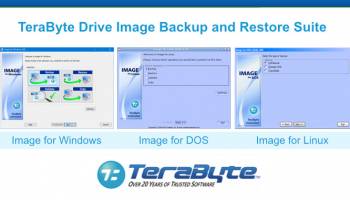
Security is a top priority for Image for Windows. The software includes robust encryption options to protect your backups from unauthorized access, ensuring that your sensitive data remains confidential. Furthermore, it offers seamless integration with Terabyte's other products, such as Image for DOS and Image for Linux, providing a comprehensive backup solution across different operating systems.
Another noteworthy feature is the software's ability to create bootable rescue media. In the event of a catastrophic system failure, you can use this media to boot your computer and restore your system to its previous state, minimizing downtime and data loss.
Image for Windows also supports a wide range of storage devices, including internal and external hard drives, network drives, and even cloud storage solutions. This flexibility ensures that you can store your backups in the most convenient and secure location for your needs.
In summary, Image for Windows by Terabyte is a reliable, efficient, and user-friendly disk imaging solution that provides comprehensive backup and recovery capabilities. Its combination of advanced features, ease of use, and robust security measures make it an excellent choice for anyone looking to safeguard their data and ensure business continuity. Whether you're a home user or an IT professional, Image for Windows offers the peace of mind that comes with knowing your data is protected.
One of the standout features of Image for Windows is its ability to create complete, reliable, and restorable backups of your entire system, including the operating system, applications, and personal files. The software supports a wide range of file systems, including FAT, FAT32, NTFS, and more, making it highly adaptable to various computing environments.
Image for Windows excels in its ease of use. The intuitive interface guides you through the backup process with clear, step-by-step instructions, making it accessible even for users with limited technical expertise. For advanced users, the software offers a plethora of customization options, allowing you to fine-tune your backup settings to meet specific needs.
One of the key advantages of Image for Windows is its speed and efficiency. The software employs advanced compression techniques to minimize the size of your backup files, saving valuable storage space. Additionally, it supports differential and incremental backups, which significantly reduce the time and resources required for subsequent backups by only saving changes made since the last backup.
Security is a top priority for Image for Windows. The software includes robust encryption options to protect your backups from unauthorized access, ensuring that your sensitive data remains confidential. Furthermore, it offers seamless integration with Terabyte's other products, such as Image for DOS and Image for Linux, providing a comprehensive backup solution across different operating systems.
Another noteworthy feature is the software's ability to create bootable rescue media. In the event of a catastrophic system failure, you can use this media to boot your computer and restore your system to its previous state, minimizing downtime and data loss.
Image for Windows also supports a wide range of storage devices, including internal and external hard drives, network drives, and even cloud storage solutions. This flexibility ensures that you can store your backups in the most convenient and secure location for your needs.
In summary, Image for Windows by Terabyte is a reliable, efficient, and user-friendly disk imaging solution that provides comprehensive backup and recovery capabilities. Its combination of advanced features, ease of use, and robust security measures make it an excellent choice for anyone looking to safeguard their data and ensure business continuity. Whether you're a home user or an IT professional, Image for Windows offers the peace of mind that comes with knowing your data is protected.
OS: Windows 11, Windows Server 2022, Windows Server 2019, Windows Server 2016, Windows 10 32/64 bit, Windows Server 2012 R2, Windows 2008 R2, Windows 8 32/64 bit, Windows 7 32/64 bit
Add Your Review or 64-bit Compatibility Report
Top Backup & Restore 64-bit downloads


AnyMP4 Data Recovery 1.5.12
Recover or rescue data from computer, flash media drive and other devices
Shareware | $24.50

PCtransfer 1.0.0.1033
the best free, secure and portable transfer assistant for Windows XP/Vista/7/8
Freeware

EaseUS Key Finder 4.1.6 Build 20240910
Effortlessly recover lost product keys for software and operating systems.
Demo

Drive Snapshot 1.51 - March 03 2025
Drive Snapshot: Effortless disk imaging and backup solution for Windows systems.
Trialware | $39.00

SyncBreeze 17.8.26
SyncBreeze is a free, easy-to-use and fast file synchronization utility.
Freeware
tags: File Synchronization, Backup


GoodSync 12.9.26
Backup and synchronization software for all your important files and folders
Freeware

Software to Data Recovery 5.8.4.1
Download Software to Data Recovery for instant salvage of lost memorable snaps
Shareware | $79.00

Backup4all Monitor 1.2.292
Realtime and historical monitoring for Backup4all backups and other actions.
Shareware | $4.99


BlindWrite - CD and DVD copy 7.0.0.0
copying DVD and CD to create a backup for a private copy
Shareware | $19.99
tags: backup, private copy, clone, duplicate, save, cd audio, mp3, games, VSO Software, Blindwrite, ISO, CUE, BIN, MDS, daemon tools, blu-ray
Members area
Top 64-bit Downloads
-
EasyTune6 B24.0119.1
x64 freeware download -
HWMonitor (64-bit) 1.53
x64 freeware download -
Disk Pulse Pro x64 16.1.28
x64 trialware download -
HWiNFO64 6.28 B4200
x64 freeware download -
7z SFX Builder x64 2.1
x64 freeware download -
PhotoRenamer 4.1
x64 freeware download -
XtraTools Professional
x64 26.2.1
x64 shareware download -
Windows 7 x64
x64 trialware download -
SoftPerfect RAM Disk 26.2
x64 shareware download -
O&O MediaRecovery
64-bit 14.0.17
x64 demo download
Top Downloads
-
Open Files from XLSX to
XLS 5.2
shareware download -
Shell Tools 2.0.1
freeware download -
File Compression 1.0
commercial download -
WinToUSB 10.5 Build January 2
shareware download -
Vim 9.2.0148
open source download -
Caffeine 1.98
freeware download -
AnyMP4 Data Recovery 1.5.12
shareware download -
PCtransfer 1.0.0.1033
freeware download -
EaseUS Key Finder 4.1.6 Build 20240910
demo download -
Pitara 4.0.9567.41753
open source download -
Tags4Docs 1.1
shareware download -
Office 365 Backup 3.0
shareware download -
DRevitalize 4.10
demo download -
WinFindr 1.8
shareware download -
WinArchiver 6.1
freeware download