
LopeEdit Pro - X 64-bit Download
Popular x64 Tags
- notepad x64 download
- css x64 download
- development x64 download
- perl x64 download
- html editor x64 download
- programming x64 download
- syntax highlighting x64 download
- hex editor x64 download
- highlighting x64 download
- text editor x64 download
- editors x64 download
- javascript x64 download
- ascii x64 download
- html x64 download
- free x64 download
- java x64 download
- editor x64 download
- delphi x64 download
- code x64 download
- php x64 download
- ftp x64 download
- programmers x64 download
- hex x64 download
- text x64 download
- spell checker x64 download
- ide x64 download
- syntax x64 download
- search x64 download
- unix x64 download
- c++ x64 download
LopeEdit Pro 5.8.1
Sponsored links:

LopeSoft

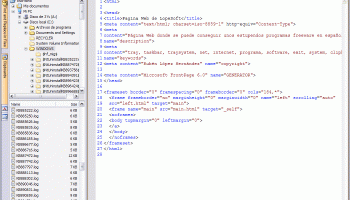
LopeEdit is a powerful programmer's editor and a replacement of Windows Notepad. It has tabs to select between open files, supports syntax highlighting of multiple programing languages (C/C++, Java, JavaScript, Visual Basic, VBScript, XML, HTML, ASP, JSP, SQL, Cobol, C#, CSS, Pascal, Perl, PHP), incorporates build-in hexadecimal editor, some util docking windows (File Browser, FTP Browser, Favorites, Projects Manager, Multiple Clipboards, Code Templates Manager, ASCII Table, MS-DOS console), and more...
LopeEdit is a powerful programmer's editor and a replacement of Windows Notepad.
There are two editions of LopeEdit: LopeEdit Lite (freeware) and LopeEdit Pro (shareware). LopeEdit Lite is fully functional but does not contain all features, and LopeEdit Pro includes all features. You must purchase LopeEdit Pro if you wish to use it. You can try LopeEdit Pro for 30 days if you don't register it.
Advanced Features (LopeEdit Pro only)
* Built-in hexadecimal editor. It supports the following features:
o Edit values in both hexadecimal and ASCII.
o Insert and delete blocks.
o Multiple Undo/Redo.
o Bookmarks.
o Edit marks.
o Find and replace.
o Opens files of any size until 4GB.
* External Tools support.
o Tools can be run from Tools menu , from External Tools Bar , or by using hotkeys.
o Several variables can be specified as parameters (file path, file name, etc.).
* Built-in FTP Browser. Explores FTP sites and opens files directly in the editor.
* Projects Manager.
* Multiple Clipboards. It manages multiple clipboards. Every time you copy a text from any application, will be inserted a new clipboard to paste in the editor when you wish.
* Code Templates Manager. It allows inserting code templates in the editor.
o The code templates are organized in categories and are totally configurable. You can add, delete, modify and move code templates.
o There are pre-configured code templates for C/C++, Java, Visual Basic and HTML.
o The code templates can contain several variables that will be replaced for his value when inserting the template in a document. There are fixed variables (current time, current date, file path, file name, etc.) and customized variables (his values will be asked when inserting the template).
o An icon can be configured for each template. All templates of HTML have an icon.
o A shortcut can be configured for each template in order to insert templates quickly. When typing in a template shortcut and then TAB key, the shortcut will be replaced with template content.
o Code templates are also accessible since Code Templates Menu and Code Templates Bar .
* Console Windows. It runs MS-DOS command line.
o Command history support.
o Auto-complete files and folders by pressing TAB key .
* Column mode support.
o Columns selection.
o Insert/fill columns.
o Delete/cut columns.
o Copy columns.
o Insert sequential numbers.
* File Compare and Folder Compare support.
* IntelliSense support.
o Display the keywords list of current programming language.
o Display the code templates list.
o Suggest keywords and/or code templates while typing in.
o Auto-complete the code templates. When typing in a template shortcut and then TAB key, the shortcut will be replaced with template content.
o Auto-repair case when typing in keywords.
o Auto-format after pasting.
LopeEdit is a powerful programmer's editor and a replacement of Windows Notepad.
There are two editions of LopeEdit: LopeEdit Lite (freeware) and LopeEdit Pro (shareware). LopeEdit Lite is fully functional but does not contain all features, and LopeEdit Pro includes all features. You must purchase LopeEdit Pro if you wish to use it. You can try LopeEdit Pro for 30 days if you don't register it.
Advanced Features (LopeEdit Pro only)
* Built-in hexadecimal editor. It supports the following features:
o Edit values in both hexadecimal and ASCII.
o Insert and delete blocks.
o Multiple Undo/Redo.
o Bookmarks.
o Edit marks.
o Find and replace.
o Opens files of any size until 4GB.
* External Tools support.
o Tools can be run from Tools menu , from External Tools Bar , or by using hotkeys.
o Several variables can be specified as parameters (file path, file name, etc.).
* Built-in FTP Browser. Explores FTP sites and opens files directly in the editor.
* Projects Manager.
* Multiple Clipboards. It manages multiple clipboards. Every time you copy a text from any application, will be inserted a new clipboard to paste in the editor when you wish.
* Code Templates Manager. It allows inserting code templates in the editor.
o The code templates are organized in categories and are totally configurable. You can add, delete, modify and move code templates.
o There are pre-configured code templates for C/C++, Java, Visual Basic and HTML.
o The code templates can contain several variables that will be replaced for his value when inserting the template in a document. There are fixed variables (current time, current date, file path, file name, etc.) and customized variables (his values will be asked when inserting the template).
o An icon can be configured for each template. All templates of HTML have an icon.
o A shortcut can be configured for each template in order to insert templates quickly. When typing in a template shortcut and then TAB key, the shortcut will be replaced with template content.
o Code templates are also accessible since Code Templates Menu and Code Templates Bar .
* Console Windows. It runs MS-DOS command line.
o Command history support.
o Auto-complete files and folders by pressing TAB key .
* Column mode support.
o Columns selection.
o Insert/fill columns.
o Delete/cut columns.
o Copy columns.
o Insert sequential numbers.
* File Compare and Folder Compare support.
* IntelliSense support.
o Display the keywords list of current programming language.
o Display the code templates list.
o Suggest keywords and/or code templates while typing in.
o Auto-complete the code templates. When typing in a template shortcut and then TAB key, the shortcut will be replaced with template content.
o Auto-repair case when typing in keywords.
o Auto-format after pasting.
OS: Windows XP, Windows Vista, Windows Vista x64, Windows 7, Windows 7 x64, Windows 8, Windows 8 x64, Windows 10, Windows 10 x64, Windows 11
Add Your Review or 64-bit Compatibility Report
Top Source Editors 64-bit downloads


PSPad editor 5.0.7.775
PSPad editor is a programmers editor supporting multiple syntax highlighting.
Freeware
tags: free, freeware, editor, pspad, download, editors, zadarmo, zdarma, hex editor, HEX, HTML, PHP editor, XHTML, JavaScript, ASP, Perl, HEX editor

Depeche View Pro 1.7.2
Browse, search and edit all source code of a folder very fast and easy.
Shareware | $39.95


MyEclipse 2023.1.1
Eclipse plugin development tools for Java, JSP, XML, Struts, HTML, CSS and EJB
Trialware | $31.75
tags: IBM, WebSphere, Java, SQL, Eclipse, Eclipse Foundation, development environment, Java Profiler, Visual SQL Query Builder, J2EE, Web development, UML, Ajax, Web, Web Services, J2EE, JSP, XML, Struts, JSF, Java Persistence, EJB, My Eclipse

Oxygen XML Author 26.1
Oxygen XML Author sets new standards among content authoring tools.
Shareware | $549.00


Powershell Snippet Manager and Injector 3.01
Makes Powershell scripting faster, easier and simply more comfortable.
Freeware

VbsEdit 9.0868
VBScript editor that dramatically reduces the time you spend writing VBS scripts
Shareware | $59.00
Members area
Top 64-bit Downloads
-
dotNet Sniffer 64-bit
x64 2.0
x64 freeware download -
Dart Editor 2.19.6
x64 open source download -
PDF Viewer SDK ActiveX
x64 8.5
x64 shareware download -
Software Ideas Modeler
Portable x64 14.55
x64 freeware download -
TortoiseSVN for 64-bit
System 1.14.7.29687
x64 freeware download -
DotNetBrowser 3.5.0
x64 commercial download -
HPC Pack 2008 R2 SDK x64 3.3.3950 SP3
x64 freeware download -
Microsoft Speech SDK 11
x64 freeware download -
HDFView x64 3.3.2
x64 freeware download -
SlickEdit x64 2023 28.0.0.6
x64 trialware download
Top Downloads
-
NASM 2.16.01
open source download -
Library .NET 19.8.8201
trialware download -
WebData 10.2.4.0
shareware download -
jPDFImages 2021R1
demo download -
Delphi 12.0
shareware download -
IdleX 1.11.2
freeware download -
OpenWire 8.0.0.156
freeware download -
Python 3.14.3
open source download -
PHP 8.5.4
open source download -
.NET Logging Library 2.20
shareware download -
Document .Net 2026.3.5
demo download -
Swapy 0.5.4
open source download -
GeeXLab 0.32.0
freeware download -
UtilsLib 7.2
demo download -
eWorld 0.9.3 Beta
freeware download