
Microsoft Access - X 64-bit Download
Popular x64 Tags
- server x64 download
- web server x64 download
- software x64 download
- log analysis x64 download
- raid x64 download
- analysis x64 download
- manage x64 download
- database driven x64 download
- file server x64 download
- cd rom x64 download
- mail server x64 download
- ftp server x64 download
- log x64 download
- client server x64 download
- virtualization x64 download
- network disk x64 download
- idisk x64 download
- smtp server x64 download
- iscsi target x64 download
- live reports x64 download
- windows 2008 ts gateway x64 download
- history x64 download
- disk mapping x64 download
- iscsi x64 download
- active directory management x64 download
- dscsi x64 download
- virtualized disk x64 download
- pop3 server x64 download
- ipds printing x64 download
- ipds x64 download
Microsoft Access 2016 16.0.9001.2144
Sponsored links:

Microsoft

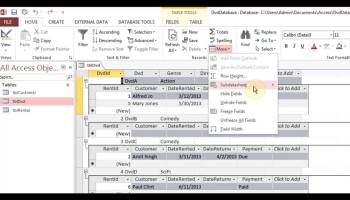
Microsoft Access comes with an advanced report designer tool to prepare your data for online viewing and printing. After choosing the report source, the built-in wizard can guide you step-by-step through the entire process. And if you don't want to use the wizard, you can simply start creating a report manually. Microsoft Access is one of the reference tools on the market. Around since 1992, Access is integrated into the Microsoft Office suite.
Microsoft Access comes with an advanced report designer tool to prepare your data for online viewing and printing. After choosing the report source, the built-in wizard can guide you step-by-step through the entire process. And if you don't want to use the wizard, you can simply start creating a report manually.
FEATURES
Beyond desktop databases:
Access is now much more than a way to create desktop databases. It’s an easy-to-use tool for quickly creating browser-based database applications that help you run your business. Your data is automatically stored in a SQL database, so it’s more secure than ever, and you can easily share your applications with colleagues.
App templates:
Easily get started by creating a custom app or get inspired by a collection of new and professionally-designed app templates.
Table templates:
Know what you would like to track with your custom app? Simply start typing it in the “Add tables” textbox and then choose from relevant tables to quickly define fields, relationships, and rules between them. You will have a new app running in minutes!
The “App experience”:
Never again worry about users getting “lost in the data” with apps that automatically keep an attractive, easy-to-use interface and consistent user experience. Access deals with the code that creates this professional look and feel.
Related items control:
Users can take a peek at additional relevant information in the database without changing screens, so they have the right context when reviewing or entering information.
Autocomplete control:
Entering data is now much easier and less error-prone for app users with drop downs and recommendations made upon beginning to type in data. Lookups allow for drawing relationships between records in different tables.
Apps for SharePoint deployment:
With Access Services and SharePoint Online or on-premises SharePoint Server 2013, Access apps can now be easily managed and monitored through a company SharePoint site in a browser. This enables multi-user accessibility and the permissions control expected from SharePoint along with visibility on app usage.
Data stored in SQL:
The back end has been moved to SQL Server and Microsoft Azure SQL Database to allow for added reliability, robust security, scalability and long-term manageability. Access applications now leverage standard SQL syntax and a true mission-critical back end, whether deployed on-premises or in the cloud.
Microsoft Access comes with an advanced report designer tool to prepare your data for online viewing and printing. After choosing the report source, the built-in wizard can guide you step-by-step through the entire process. And if you don't want to use the wizard, you can simply start creating a report manually.
FEATURES
Beyond desktop databases:
Access is now much more than a way to create desktop databases. It’s an easy-to-use tool for quickly creating browser-based database applications that help you run your business. Your data is automatically stored in a SQL database, so it’s more secure than ever, and you can easily share your applications with colleagues.
App templates:
Easily get started by creating a custom app or get inspired by a collection of new and professionally-designed app templates.
Table templates:
Know what you would like to track with your custom app? Simply start typing it in the “Add tables” textbox and then choose from relevant tables to quickly define fields, relationships, and rules between them. You will have a new app running in minutes!
The “App experience”:
Never again worry about users getting “lost in the data” with apps that automatically keep an attractive, easy-to-use interface and consistent user experience. Access deals with the code that creates this professional look and feel.
Related items control:
Users can take a peek at additional relevant information in the database without changing screens, so they have the right context when reviewing or entering information.
Autocomplete control:
Entering data is now much easier and less error-prone for app users with drop downs and recommendations made upon beginning to type in data. Lookups allow for drawing relationships between records in different tables.
Apps for SharePoint deployment:
With Access Services and SharePoint Online or on-premises SharePoint Server 2013, Access apps can now be easily managed and monitored through a company SharePoint site in a browser. This enables multi-user accessibility and the permissions control expected from SharePoint along with visibility on app usage.
Data stored in SQL:
The back end has been moved to SQL Server and Microsoft Azure SQL Database to allow for added reliability, robust security, scalability and long-term manageability. Access applications now leverage standard SQL syntax and a true mission-critical back end, whether deployed on-premises or in the cloud.
OS: Windows 7, Windows 7 x64, Windows 8, Windows 8 x64, Windows 10, Windows 10 x64
Add Your Review or 64-bit Compatibility Report
Top Other Server Applications 64-bit downloads


Sawmill Enterprise 8.8.1
An application that shows you all the details of your server's traffic patterns
Trialware | $699.00

ServersCheck Monitoring Software 16.4.10
A tool running on Windows based systems for monitoring, reporting
Trialware | $199.00

Home Media Center 2.9.6042.28114
Home Media Center is a server application for UPnP / DLNA compatible devices
Open Source

Marshal Repository 1.0.3741.29745
A windows application for administration of your Marshal Repository
Shareware


Netoscope 2.75 Build 24221
Netoscope: Advanced network monitoring for seamless performance insights.
Trialware

Members area
Top 64-bit Downloads
-
Tableau Server 2023.3.6
x64 trialware download -
NetXMS x64 2.0.6
x64 open source download -
Lavasoft Personal
Firewall (64-bit) 3.0.2293
x64 trialware download -
Mullvad 2021.5
x64 trialware download -
Microsoft® SQL Server®
2012 x64 SP1
x64 freeware download -
Titan FTP Server x64 19.00 B3676
x64 trialware download -
UMove x64 1.10.974
x64 demo download -
ThreatSentry x64 4.0.25.0
x64 demo download -
Wing FTP Server For
Solaris(x64) 3.6.6
x64 shareware download -
Fortitude HTTP x 64 1.0.4.2
x64 freeware download
Top Downloads
-
ServersCheck Monitoring
Software 16.4.10
trialware download -
Sawmill Enterprise 8.8.1
trialware download -
Home Media Center 2.9.6042.28114
open source download -
smtp4dev 3.15.0
open source download -
Tableau Server 2023.3.6
trialware download -
News Solution 1.2.18.25
trialware download -
Marshal Repository 1.0.3741.29745
shareware download -
freeSSHD 1.3.1
freeware download -
Webmin 1.690
open source download -
Netoscope 2.75 Build 24221
trialware download -
VShell 4.9.4 Build 3478
trialware download -
ADaMSoft 3.32.1
open source download -
miniDBA Desktop 4.1.5415.0
trialware download -
CC Proxy 8.0
demo download -
QT SQL Monitor 1.3.7
open source download