
Right Click Enhancer Portable - X 64-bit Download
Popular x64 Tags
- free x64 download
- weather x64 download
- windows x64 download
- desktop x64 download
- news reader x64 download
- screen x64 download
- internet x64 download
- tray x64 download
- video x64 download
- monitor x64 download
- notes x64 download
- screen mate x64 download
- screen saver x64 download
- audio x64 download
- sports x64 download
- rss x64 download
- virtual girls x64 download
- dashboard x64 download
- virtual girl x64 download
- search x64 download
- desktop girls x64 download
- football x64 download
- college football x64 download
- deskmates x64 download
- virtua girl x64 download
- communicator x64 download
- college basketball x64 download
- olymipics x64 download
- usa x64 download
- athletics x64 download
Right Click Enhancer Portable 4.5.6
Sponsored links:

RBSoft

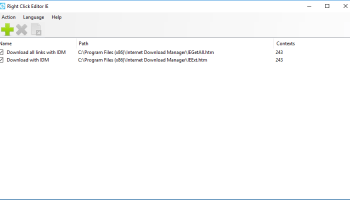
Context menus, often called pop-up menus, keep functionality high and clutter low in operating systems like Windows. RBSoft's Right Click Enhancer bundles five free tools for customizing context menus. My Computer Manager adds nondeleting files or folders to My Computer or the Control Panel, while Right Click Tweaker adds up to 10 entries to context menus. Send To Manager let us add new destinations to the Send To command, and Right Click Shortcuts Creator adds shortcuts to files and folders to context menus. The Right Click Cascading Menu Creator is a little bit more sophisticated than the other tools. Using it, we were able to add entire cascading submenus to our right-click menus.
Right Click Enhancer's main interface is a simple square box with five rectangular buttons accessing its menu of tools, which share similarly basic pop-up interfaces and wizardlike functionality. We started with the Right Click Tweaker, which offers 10 check boxes. We opted to add Encrypt, Administrator Command Prompt, System Configuration Utility, God Mode, and Problem Step Recorder to our Windows 7 menus. We applied the tweaks, right-clicked the desktop, and selected System Configuration Utility, which opened msconfig. Clicking God Mode opened that ultrahandy Win7/Vista feature, and so on. Next we tried the Right Clicks Shortcuts Creator, successfully adding shortcuts to various folders and files to menus. My Computer Manager and Send To Manager were also simple but effective in operation. The Right Click Cascading Menu Creator involves adding and naming a new menu, including an option to browse to and add a specific icon, to a dual-screen dialog. We clicked Add Cascading Menu and right-clicked our new menu to add or remove files or folders. When we opened the context menu, our new menus and their contents were in place.
These simple tools offer little in the way of options, and the only real help is an online tutorial. They proved much more useful and effective than we guessed. Right Click Enhancer proved a great little bundle that can customize and personalize Windows in ways few other tools can match.
Right Click Enhancer's main interface is a simple square box with five rectangular buttons accessing its menu of tools, which share similarly basic pop-up interfaces and wizardlike functionality. We started with the Right Click Tweaker, which offers 10 check boxes. We opted to add Encrypt, Administrator Command Prompt, System Configuration Utility, God Mode, and Problem Step Recorder to our Windows 7 menus. We applied the tweaks, right-clicked the desktop, and selected System Configuration Utility, which opened msconfig. Clicking God Mode opened that ultrahandy Win7/Vista feature, and so on. Next we tried the Right Clicks Shortcuts Creator, successfully adding shortcuts to various folders and files to menus. My Computer Manager and Send To Manager were also simple but effective in operation. The Right Click Cascading Menu Creator involves adding and naming a new menu, including an option to browse to and add a specific icon, to a dual-screen dialog. We clicked Add Cascading Menu and right-clicked our new menu to add or remove files or folders. When we opened the context menu, our new menus and their contents were in place.
These simple tools offer little in the way of options, and the only real help is an online tutorial. They proved much more useful and effective than we guessed. Right Click Enhancer proved a great little bundle that can customize and personalize Windows in ways few other tools can match.
OS: Windows XP, Windows Vista, Windows Vista x64, Windows 7, Windows 7 x64, Windows 8, Windows 8 x64, Windows 10, Windows 10 x64
Requirements: .Net Framework 3.5
Add Your Review or 64-bit Compatibility Report
Top Other 64-bit downloads


NVDA 2025.3.3
NVDA: Free, open-source screen reader for Windows, enhancing accessibility.
Open Source | $199.00

uWidgets 0.6.0 Beta
uWidgets: A versatile toolkit for creating customizable UI components.
Open Source

TidyTabs Portable 1.22.2
Organize your desktop with TidyTabs Portable's intuitive tabbed interface.
Trialware

bbLean (x64bit) 1.17.1
This application represents a powerful version of Blackbox for Windows
Freeware

Animated Christmas Trees 2014
A collection of 42 animated desktop Christmas trees to suit every taste.
Freeware
tags: desktop, christmas, tree, new, year, new year, desktop christmas tree, Desktop Enhancements, xmas


Folder2Iso 2.0
Folder2Iso just creates an iso from any kind of folder (with the subfolders).
Freeware

Caps Lock Commander Free Version 2.0.0
Customizable on-screen display and tray icons of the Caps Lock and Num Lock keys
Freeware

Ref Scheduler 6.1
Ref Scheduler will help the Assigner schedule Refs for the seasons games.
Freeware
Members area
Top 64-bit Downloads
-
bbLean (x64bit) 1.17.1
x64 freeware download -
WMP12 - BLUE Theme X64
x64 freeware download -
Pixelscope 8
x64 freeware download -
Save.me x64 2.4.0
x64 freeware download -
Synergy 64bit 1.8.8
x64 open source download -
TrayCD x64 1.2
x64 open source download -
KillKeys x64 1.2
x64 open source download -
Emerge Desktop 64bit 6.1.3
x64 open source download -
Kapow 1.6.2
x64 open source download -
TCC/LE 64-bit 14.00.9
x64 freeware download
Top Downloads
-
Bonzi Buddy 1.7.0
freeware download -
NVDA 2025.3.3
open source download -
TidyTabs Portable 1.22.2
trialware download -
uWidgets 0.6.0 Beta
open source download -
TidyTabs 1.22.2
trialware download -
Large Menu Icons 2013
shareware download -
Pretty Christmas Tree 1.0
freeware download -
Lexilogos arabic
keyboard 1.0
freeware download -
Ref Scheduler 6.1
freeware download -
Program Toolbar Icon Set 2013.1
demo download -
Free Bronze Button Icons 2013.1
freeware download -
Ordinary Menu Icons 2013
shareware download -
Small Computer Icons 2013.1
demo download -
Multimedia Toolbar Icons 2011.1
demo download -
Eye Care Software 20.07.25
freeware download