
SQL Query Manager ++ - X 64-bit Download
Popular x64 Tags
- data x64 download
- excel x64 download
- dbase x64 download
- odbc x64 download
- unix x64 download
- mysql x64 download
- sql server x64 download
- gui x64 download
- dbf x64 download
- export x64 download
- oracle x64 download
- development x64 download
- sybase x64 download
- database x64 download
- mdb x64 download
- import x64 download
- csv x64 download
- access x64 download
- tool x64 download
- server x64 download
- sql x64 download
- software x64 download
- ems x64 download
- txt x64 download
- table x64 download
- dbms x64 download
- rdbms x64 download
- query x64 download
- search x64 download
- sqlmanager x64 download
SQL Query Manager ++ 26.03.21
Sponsored links:
license: Freeware
downloads: 46
size: 758 kB
updated: 2021-03-26
tags: database, query, query tool, sql, sql server, Microsoft Dynamics CRM, fetch XML, structure, workspace, copy sql, design sql, data warehouse, data lake, build sql, select, select queries, queries, integration, textfiles, build data warehouse, manage sql, manage queries
Add to Basket

Nybbisoft

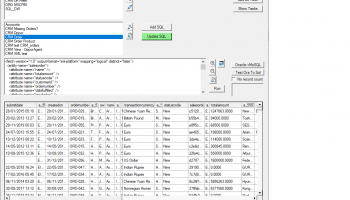
It is easy to get lost when you want to find and reuse queries that have been used before, and often several tools are included based on which database that are used. SQM++ is developed to have one central interface into your different data sources. SQM++ has 2 basic purposes, 1. Help you in the work with SQL queries, and 2. Build your own Data warehouse 1 In this interface you can easily test, save and structure your SQL queries. Then it will also be easier to find your SQLs later, change or use them as samples for new queries. Basic functions: Add SQLs using a defined connection Run the SQL to test it Save the SQL to keep it Structure your SQLs in different Workspaces (File folders) Run SQLs to make exports Run SQLs to alter databases Copy SQLs between Workspaces Find SQLs by name or content. Supported databases are all databases that can be accessed by using a connection string from an OLE DB or ADO DB connection. It is mostly used with MS SQL server and Oracle (where you need the Oracle client). In addition, it is well working with Microsoft Dynamics CRM using fetch XML, both on 365 and on premise. It works also with MS SQL Azure and Text files. 2. In addition, your queries can be used to create a Data warehouse. You then setup the queries as source for updating tables in the Warehouse, using a Schedule. SQL Query Manager ++ can help you to build your own data warehouse that can collect data from different sources into one single database. Normally companies have different systems using different databases. It could be that you shall make reports combining data from an ERP system with data from your CRM system. The CRM system could be cloud based. The task has a SQL source (SQL Query and a connection string) to extract the data that you want to insert to your warehouse table The task has a target table name and a target connection string The task has a Schedule. To define how often and when it runs.
OS: Win2000, Windows XP, Windows 7 x32, Windows 7 x64, Windows 8, Windows 10, WinServer, WinOther, Windows Vista, Windows Vista x64
Requirements: Windows
Add Your Review or 64-bit Compatibility Report
Top Databases & Tools 64-bit downloads

LiquiBase 5.0.2
Liquibase: Streamline database changes with version control and automation.
Trialware


DbGate 7.1.4

DbGate: A versatile database management tool for seamless data access.
Trialware | $12.00

PopSQL 1.0.130
Collaborative SQL editor for teams, simplifying database queries and sharing.
Shareware
FileMaker Pro 22.0.5.500
Powerful database solution for creating custom apps and managing data.
Trialware | $22.00

DataWeigher 5.0
DataWeigher compares and synchronizes the content of the MS Access databases
Shareware | $67.00
tags: MS Access, MDB, compare, comparison, synchronize, synchronization, databases, tables, files, data, content


VersionSQL 0.20
VersionSQL puts SQL Server code in source control from within Management Studio
Demo | $20.00

dataPro 2.1
Visual cross-platform database management, development and data migration tool.
Shareware | $99.95
tags: datapro, mysql, oracle, sqlite, sql, sql server, access, database conversion, convert, postgresql
Members area
Top 64-bit Downloads
-
mbFXWords 2.80
x64 freeware download -
FontAgent Pro 10.0.15.0
x64 trialware download -
Microsoft Office 2016
x64 2405 B17628.20164
x64 trialware download -
Print to PDF Toolkit Pro 3.0
x64 shareware download -
Microsoft Office 2010
Service Pack x64 SP2
x64 freeware download -
Adeptia Integration
Suite x64 5.3.3
x64 trialware download -
Hl7Spy 24.1.227
x64 trialware download -
Microsoft Deployment
Toolkit x64 6.3.8456.1000
x64 freeware download -
XLIFFChecker 7.5.0
x64 freeware download -
grepWin x64 2.1.2
x64 freeware download
Top Downloads
-
Active Barcode and QR
code Generator 1.24.8.15
freeware download -
Quite Imposing Plus 6.0d
demo download -
SilentNotes 8.7.1
open source download -
Miro for Windows 0.11.110
shareware download -
Flipping Book Writer 2.6
shareware download -
Total CSV Converter 4.0
shareware download -
LiquiBase 5.0.2
trialware download -
mbFXWords 2.80
freeware download -
CZ Excel Converter 1.9.4.6366
demo download -
SmarThru 4.04
freeware download -
DeskWork Standard 4.0.2827
trialware download -
TablePlus 6.9.2 (334)
demo download -
StockwareLite 2.0
freeware download -
LawTrust 5.1.1
shareware download -
HelpDesk 11.19.9557.25020
trialware download