
Adobe Acrobat Reader - X 64-bit Download
Popular x64 Tags
- office x64 download
- microsoft x64 download
- importing x64 download
- exporting x64 download
- acrobat x64 download
- xls x64 download
- printer x64 download
- pdf x64 download
- pdf converter x64 download
- software x64 download
- word x64 download
- outlook x64 download
- excel x64 download
- powerpoint x64 download
- tool x64 download
- ppt x64 download
- adobe x64 download
- convert x64 download
- spreadsheet x64 download
- text x64 download
- create x64 download
- doc x64 download
- printing x64 download
- files x64 download
- add in x64 download
- open x64 download
- document x64 download
- data x64 download
- export x64 download
- saving x64 download
Adobe Acrobat Reader 25.001.21288
Sponsored links:
license: Freeware
downloads: 61
size: 1.40 MB
updated: 2026-03-11
tags: Adobe Acrobat Reader, download Adobe Acrobat Reader, Adobe Acrobat Reader free download, PDF viewer, print PDF, open PDF, Adobe, Acrobat, Reader, PDF
Add to Basket

Adobe

Adobe Acrobat Reader, developed by Adobe, stands as a quintessential tool for anyone dealing with PDF documents. Renowned for its reliability and comprehensive feature set, Acrobat Reader is not just a PDF viewer but a versatile platform that enhances productivity and collaboration.
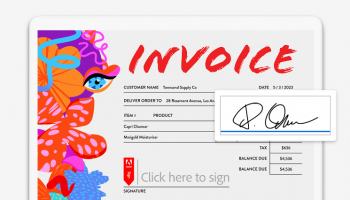
At its core, Adobe Acrobat Reader provides a seamless experience for viewing, printing, and annotating PDFs. The intuitive interface ensures that users of all skill levels can navigate through documents with ease. The software supports a wide range of PDF functionalities, including text highlighting, note-taking, and the ability to add digital signatures, making it an indispensable tool for both personal and professional use.
One of the standout features of Acrobat Reader is its robust annotation capabilities. Users can add comments, sticky notes, and even draw directly on the PDF, facilitating clear and effective communication. This is particularly useful in collaborative environments where feedback and revisions are a constant part of the workflow.
Adobe Acrobat Reader also excels in its integration with other Adobe products and services. The seamless connection with Adobe Document Cloud allows users to store and access their PDFs from anywhere, on any device. This cloud integration ensures that your documents are always up-to-date and accessible, whether you're working from your desktop, tablet, or smartphone.
Security is a paramount concern when dealing with sensitive documents, and Adobe Acrobat Reader addresses this with advanced security features. The software includes options for password protection, encryption, and secure sharing, ensuring that your documents remain confidential and protected from unauthorized access.
Moreover, Adobe Acrobat Reader supports a variety of accessibility features, making it an inclusive tool for users with disabilities. Features such as text-to-speech, screen reader support, and adjustable font sizes ensure that everyone can work with PDFs effectively.
Performance-wise, Adobe Acrobat Reader is optimized to handle large documents with ease, providing a smooth and lag-free experience. The software is regularly updated, ensuring compatibility with the latest PDF standards and operating systems.
In summary, Adobe Acrobat Reader is more than just a PDF reader; it's a comprehensive tool that enhances document management and collaboration. Its user-friendly interface, powerful annotation tools, cloud integration, and robust security features make it a top choice for individuals and businesses alike. Whether you're a student, professional, or casual user, Adobe Acrobat Reader provides the tools you need to work with PDFs efficiently and securely.
At its core, Adobe Acrobat Reader provides a seamless experience for viewing, printing, and annotating PDFs. The intuitive interface ensures that users of all skill levels can navigate through documents with ease. The software supports a wide range of PDF functionalities, including text highlighting, note-taking, and the ability to add digital signatures, making it an indispensable tool for both personal and professional use.
One of the standout features of Acrobat Reader is its robust annotation capabilities. Users can add comments, sticky notes, and even draw directly on the PDF, facilitating clear and effective communication. This is particularly useful in collaborative environments where feedback and revisions are a constant part of the workflow.
Adobe Acrobat Reader also excels in its integration with other Adobe products and services. The seamless connection with Adobe Document Cloud allows users to store and access their PDFs from anywhere, on any device. This cloud integration ensures that your documents are always up-to-date and accessible, whether you're working from your desktop, tablet, or smartphone.
Security is a paramount concern when dealing with sensitive documents, and Adobe Acrobat Reader addresses this with advanced security features. The software includes options for password protection, encryption, and secure sharing, ensuring that your documents remain confidential and protected from unauthorized access.
Moreover, Adobe Acrobat Reader supports a variety of accessibility features, making it an inclusive tool for users with disabilities. Features such as text-to-speech, screen reader support, and adjustable font sizes ensure that everyone can work with PDFs effectively.
Performance-wise, Adobe Acrobat Reader is optimized to handle large documents with ease, providing a smooth and lag-free experience. The software is regularly updated, ensuring compatibility with the latest PDF standards and operating systems.
In summary, Adobe Acrobat Reader is more than just a PDF reader; it's a comprehensive tool that enhances document management and collaboration. Its user-friendly interface, powerful annotation tools, cloud integration, and robust security features make it a top choice for individuals and businesses alike. Whether you're a student, professional, or casual user, Adobe Acrobat Reader provides the tools you need to work with PDFs efficiently and securely.
OS: Windows 11, Windows Server 2019, Windows Server 2016, Windows 10 32/64 bit, Windows Server 2012 R2, Windows Server 2012, Windows 2008 R2, Windows 8 32/64 bit, Windows 7 32/64 bit
Add Your Review or 64-bit Compatibility Report
Top Office Suites & Tools 64-bit downloads


Quite Imposing Plus 6.0d

Effortlessly create and manage complex impositions for PDF documents.
Demo | $949.00


Seavus Project Viewer 19.0
Free to experience the best viewer for Micrsoft Project. Try our Project Viewer
Trialware | $29.50

SilentNotes 8.7.1
SilentNotes: Secure, offline note-taking app with encryption and cross-device sync.
Open Source

CZ Excel Converter 1.9.4.6366
CZ V: A powerful synth emulation with rich sounds and intuitive controls.
Demo | $149.00


callas pdfaPilot 14.2.400
Powerful tool for creating, validating, and optimizing PDF/A documents.
Trialware

mini PDF to TXT OCR Converter 3.2
PDF to TXT OCR Converter is a best OCR Converter
Shareware | $59.95

Enterprise Architect 16.1.1628
Provides powerful document generation and reporting tools
Trialware | $135.00
Members area
Top 64-bit Downloads
-
mbFXWords 2.80
x64 freeware download -
FontAgent Pro 10.0.15.0
x64 trialware download -
Microsoft Office 2016
x64 2405 B17628.20164
x64 trialware download -
Print to PDF Toolkit Pro 3.0
x64 shareware download -
Microsoft Office 2010
Service Pack x64 SP2
x64 freeware download -
CSV2IIF Portable 5.0.060
x64 demo download -
Foxit Reader 2023.3
x64 freeware download -
ABBYY FineReader
Professional 16.0.13
x64 trialware download -
Zed Axis 64bit 10.0
x64 trialware download -
Microsoft Deployment
Toolkit x64 6.3.8456.1000
x64 freeware download
Top Downloads
-
Quite Imposing Plus 6.0d
demo download -
Active Barcode and QR
code Generator 1.24.8.15
freeware download -
Miro for Windows 0.11.110
shareware download -
Flipping Book Writer 2.6
shareware download -
Total CSV Converter 4.0
shareware download -
mbFXWords 2.80
freeware download -
SmarThru 4.04
freeware download -
Seavus Project Viewer 19.0
trialware download -
SilentNotes 8.7.1
open source download -
LawTrust 5.1.1
shareware download -
HelpDesk 11.19.9557.25020
trialware download -
DeskWork Standard 4.0.2827
trialware download -
LiquiBase 5.0.2
trialware download -
CZ Excel Converter 1.9.4.6366
demo download -
Odoo 19.0.20260323
demo download