
Bulk Rename Utility - X 64-bit Download
Popular x64 Tags
- files x64 download
- file manager x64 download
- zip x64 download
- tool x64 download
- software x64 download
- ntfs x64 download
- remove x64 download
- disk x64 download
- free x64 download
- duplicate x64 download
- copy x64 download
- folder x64 download
- utility x64 download
- data recovery software x64 download
- undelete x64 download
- erase x64 download
- directory x64 download
- backup x64 download
- file x64 download
- hard x64 download
- data recovery x64 download
- delete x64 download
- recovery x64 download
- find x64 download
- file recovery x64 download
- unerase x64 download
- recover x64 download
- mp3 x64 download
- space x64 download
- search x64 download
Bulk Rename Utility 4.1.0.1
Sponsored links:
license: Open Source ($92.95)
downloads: 36
size: 12.20 MB
updated: 2026-01-05
tags: Bulk Rename Utility, download Bulk Rename Utility, Bulk Rename Utility free download, bulk renamer, file renamer, rename folder, renamer, substitute, rename, time-stamp
Add to Basket

TGRMN Software

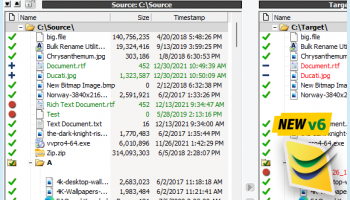
Bulk Rename Utility, developed by TGRMN Software, is a robust and versatile tool designed to streamline the often tedious process of renaming multiple files and folders. This software is particularly appealing to users who frequently manage large volumes of files, such as photographers, digital archivists, or anyone dealing with extensive data collections.
At its core, Bulk Rename Utility offers a comprehensive suite of features that provide users with unparalleled control over the renaming process. The interface, while initially appearing dense, is logically organized and allows for a high degree of customization. Users can perform a wide array of renaming tasks, from simple text replacements to complex operations involving regular expressions.
One of the standout features of Bulk Rename Utility is its flexibility. It supports a multitude of renaming criteria, including adding prefixes or suffixes, changing file extensions, inserting timestamps, and even numbering files sequentially. This flexibility is further enhanced by the software's ability to preview changes in real-time, ensuring that users can see the impact of their renaming rules before committing to them.
For power users, the software offers advanced features such as the ability to rename files based on metadata, including EXIF data for images or ID3 tags for music files. This makes it an invaluable tool for organizing media libraries. Additionally, Bulk Rename Utility supports scripting, allowing users to automate complex renaming tasks and integrate the software into larger workflows.
Despite its powerful capabilities, Bulk Rename Utility is lightweight and efficient, making it suitable for both personal and professional use. It operates swiftly, even when handling thousands of files, and its performance is consistently reliable.
However, the software's extensive feature set can be daunting for new users. The interface, while functional, is not the most modern or intuitive, which might require a learning curve for those unfamiliar with such tools. Fortunately, TGRMN Software provides comprehensive documentation and support to help users get the most out of the utility.
In summary, Bulk Rename Utility is a powerful and flexible tool that excels in its niche. It is ideal for users who need to perform complex renaming tasks with precision and efficiency. While it may require some time to master, the benefits it offers in terms of time savings and organizational capabilities are well worth the investment. Whether you're managing a personal photo collection or overseeing a large-scale digital archive, Bulk Rename Utility is a reliable choice that can significantly enhance your file management workflow.
At its core, Bulk Rename Utility offers a comprehensive suite of features that provide users with unparalleled control over the renaming process. The interface, while initially appearing dense, is logically organized and allows for a high degree of customization. Users can perform a wide array of renaming tasks, from simple text replacements to complex operations involving regular expressions.
One of the standout features of Bulk Rename Utility is its flexibility. It supports a multitude of renaming criteria, including adding prefixes or suffixes, changing file extensions, inserting timestamps, and even numbering files sequentially. This flexibility is further enhanced by the software's ability to preview changes in real-time, ensuring that users can see the impact of their renaming rules before committing to them.
For power users, the software offers advanced features such as the ability to rename files based on metadata, including EXIF data for images or ID3 tags for music files. This makes it an invaluable tool for organizing media libraries. Additionally, Bulk Rename Utility supports scripting, allowing users to automate complex renaming tasks and integrate the software into larger workflows.
Despite its powerful capabilities, Bulk Rename Utility is lightweight and efficient, making it suitable for both personal and professional use. It operates swiftly, even when handling thousands of files, and its performance is consistently reliable.
However, the software's extensive feature set can be daunting for new users. The interface, while functional, is not the most modern or intuitive, which might require a learning curve for those unfamiliar with such tools. Fortunately, TGRMN Software provides comprehensive documentation and support to help users get the most out of the utility.
In summary, Bulk Rename Utility is a powerful and flexible tool that excels in its niche. It is ideal for users who need to perform complex renaming tasks with precision and efficiency. While it may require some time to master, the benefits it offers in terms of time savings and organizational capabilities are well worth the investment. Whether you're managing a personal photo collection or overseeing a large-scale digital archive, Bulk Rename Utility is a reliable choice that can significantly enhance your file management workflow.
OS: Windows Server 2025, Windows 11, Windows Server 2022, Windows Server 2019, Windows Server 2016, Windows 10 32/64 bit, Windows Server 2012, Windows 2008 32/64 bit, Windows 2003, Windows 8 32/64 bit, Windows 7 32/64 bit, Windows Vista, Windows XP
Add Your Review or 64-bit Compatibility Report
Top File & Disk Management 64-bit downloads


Open Files from XLSX to XLS 5.2
Convert XLSX to XLS with Open files from XLSX to XLS program
Shareware | $29.00


Pitara 4.0.9568.38892

Pitara: Your all-in-one solution for seamless project management and collaboration.
Open Source


FreeCommander XE 2026 Build 941
FreeCommander XE is a versatile file manager with dual-pane support and tabs.
Shareware | $10.00

WinFindr 1.8
Effortlessly locate files and folders with WinFindr's intuitive search.
Shareware | $23.00

Members area
Top 64-bit Downloads
-
EasyTune6 B24.0119.1
x64 freeware download -
HWiNFO64 6.28 B4200
x64 freeware download -
BusDog x64 0.2
x64 freeware download -
HWMonitor (64-bit) 1.53
x64 freeware download -
Windows 7 x64
x64 trialware download -
SoftPerfect RAM Disk 26.2
x64 shareware download -
Disk Pulse Pro x64 16.1.28
x64 trialware download -
FixWin for Win 10 10.2.2.0
x64 freeware download -
7z SFX Builder x64 2.1
x64 freeware download -
PhotoRenamer 4.1
x64 freeware download
Top Downloads
-
Open Files from XLSX to
XLS 5.2
shareware download -
Shell Tools 2.0.1
freeware download -
Caffeine 1.98
freeware download -
FMDiff 4.0.5
demo download -
Nomad.NET 3.2.0.2890
freeware download -
File Compression 1.0
commercial download -
FastKeys 6.05
demo download -
WinToUSB 10.5 Build January 2
shareware download -
FURY CTRL 2.0.65.0
freeware download -
Vim 9.2.0148
open source download -
novelWriter 2.8.2
open source download -
Thaiphoon Burner 17.4.1.2
freeware download -
GoodSync 12.9.26
freeware download -
AnyMP4 Data Recovery 1.5.12
shareware download -
PCtransfer 1.0.0.1033
freeware download