
CamStudio - X 64-bit Download
Popular x64 Tags
- video x64 download
- video converter x64 download
- avi x64 download
- internet tv x64 download
- divx x64 download
- dvd x64 download
- online tv x64 download
- mov x64 download
- mpeg x64 download
- converter x64 download
- xvid x64 download
- 3gp converter x64 download
- psp x64 download
- download x64 download
- ipod x64 download
- mp4 x64 download
- wmv x64 download
- ipod video x64 download
- dvd ripper x64 download
- dvd to 3gp x64 download
- dvd to ipod x64 download
- swf x64 download
- dvd to psp x64 download
- 3gp x64 download
- asf x64 download
- iphone x64 download
- dat x64 download
- mpg x64 download
- video to ipod x64 download
- flv x64 download
CamStudio 2.7.4 r354
Sponsored links:
license: Open Source
downloads: 92
size: 10.90 MB
updated: 2016-08-10
tags: RenderSoft Camstudio, Screen Recorder, Screen Capture, Video, Camera, Tutorials, Presentations, Training, record activity create video, video recorder, record, recorder, monitor, Cam Studio
Add to Basket

RenderSoft Software

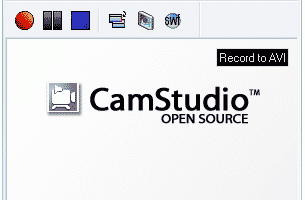
CamStudio is able to record all screen and audio activity on your computer and create industry-standard AVI video files and using its built-in SWF Producer can turn those AVIs into lean, mean, bandwidth-friendly Streaming Flash videos (SWFs)
Here are just a few ways you can use this software:
* You can use it to create demonstration videos for any software program
* Or how about creating a set of videos answering your most frequently asked questions?
* You can create video tutorials for school or college class
* You can use it to record a recurring problem with your computer so you can show technical support people
* You can use it to create video-based information products you can sell
* You can even use it to record new tricks and techniques you discover on your favourite software program, before you forget them
There's clearly a long way to go for CamStudio to catch up with commercial rivals--most grumble-worthy is the lack of file type support outside AVI and SWF files and the absent editor for trimming, splicing, and optimizing a video. If those aren't strong concerns, this freebie, with its steady playback and modicum of audio and video settings options, will provide the necessary tools for creating quick demos and screencasts.
Don't like the sound of your voice? No problem.
CamStudio can also add high-quality, anti-aliased (no jagged edges) screen captions to your recordings in seconds and with the unique Video Annotation feature you can even personalise your videos by including a webcam movie of yourself "picture-in-picture" over your desktop.
And if all that wasn't enough, CamStudio also comes with its own Lossless Codec that produces crystal clear results with a much smaller filesize compared with other more popular codecs, like Microsoft Video 1.
You have total control over the output of your video: you can choose to use custom cursors, to record the whole screen or just a section of it and can reduce or increase the quality of the recording depending on if you want smaller videos (for emailing to people, for instance) or you can have "best quality" ones for burning onto CD/DVD.
But all of these features would be worthless if CamStudio wasn't easy to use ... fortunately that's not the case. CamStudio can be learned in a matter of minutes and comes with a comprehensive built-in helpfile, so if you do manage to get stuck, you can simply hit "Help" and get the answers you need.
Here are just a few ways you can use this software:
* You can use it to create demonstration videos for any software program
* Or how about creating a set of videos answering your most frequently asked questions?
* You can create video tutorials for school or college class
* You can use it to record a recurring problem with your computer so you can show technical support people
* You can use it to create video-based information products you can sell
* You can even use it to record new tricks and techniques you discover on your favourite software program, before you forget them
There's clearly a long way to go for CamStudio to catch up with commercial rivals--most grumble-worthy is the lack of file type support outside AVI and SWF files and the absent editor for trimming, splicing, and optimizing a video. If those aren't strong concerns, this freebie, with its steady playback and modicum of audio and video settings options, will provide the necessary tools for creating quick demos and screencasts.
Don't like the sound of your voice? No problem.
CamStudio can also add high-quality, anti-aliased (no jagged edges) screen captions to your recordings in seconds and with the unique Video Annotation feature you can even personalise your videos by including a webcam movie of yourself "picture-in-picture" over your desktop.
And if all that wasn't enough, CamStudio also comes with its own Lossless Codec that produces crystal clear results with a much smaller filesize compared with other more popular codecs, like Microsoft Video 1.
You have total control over the output of your video: you can choose to use custom cursors, to record the whole screen or just a section of it and can reduce or increase the quality of the recording depending on if you want smaller videos (for emailing to people, for instance) or you can have "best quality" ones for burning onto CD/DVD.
But all of these features would be worthless if CamStudio wasn't easy to use ... fortunately that's not the case. CamStudio can be learned in a matter of minutes and comes with a comprehensive built-in helpfile, so if you do manage to get stuck, you can simply hit "Help" and get the answers you need.
OS: Windows XP, Windows Vista, Windows Vista x64, Windows 7, Windows 7 x64, Windows 8, Windows 8 x64, Windows 10, Windows 10 x64
Add Your Review or 64-bit Compatibility Report
Top Video Tools 64-bit downloads


VLC Media Player x64 3.0.20
VLC x64 is a free and open source multimedia 64bit player for Windows x64
Open Source

Screenbits 9.13.1.0
Screenbits: High-quality screen recording with intuitive controls and features.
Trialware

MonitorTest 4.0 Build 1002
Comprehensive tool for testing and calibrating monitor performance.
Trialware

Video Jaguar 1.0
Video Jaguar is the world's easiest video ad maker for businesses and agencies.
Shareware | $8.99

CamStudio 2.7.4 r354
You can use it to create demonstration videos for any software program
Open Source

4Videosoft MTS Converter 6.2.22
Convert video to audio or convert audio to AAC, AC3 , AIFF, AMR, AU, and more
Shareware | $16.16


VideoPad Free Movie and Video Editor 18.16

Free Video Editor and Movie Making Software for Windows anyone can use.
Freeware
tags: video editor, free video editor, movie maker, free movie maker, video editing, video editing software, free video editing software, free movie making software, free film editing, video editing software free pc, best video editing apps free, video cutting software mac, video production software, windows video editor, open source video editor, video and audio editing software, free video editing apps for pc, video capture and editing software, video and audio editor

MP4 Converter 6.3.0
Effortlessly convert videos to MP4 with high quality and fast processing.
Trialware | $29.99
Members area
Top 64-bit Downloads
-
Media Player Classic -
HomeCinema - 64 bit 2.3.0
x64 open source download -
VLC Media Player x64 3.0.20
x64 open source download -
MCEBuddy 2.6.3
x64 trialware download -
GUITAR RIG 5 PRO 7.0.2
x64 demo download -
Voxengo Stereo Touch x64 2.17
x64 freeware download -
PotPlayer 64bit 1.7.21397
x64 freeware download -
Voxengo Crunchessor x64 2.19
x64 demo download -
Adobe PhotoShop CC x64 2024 25.9.1
x64 trialware download -
Blue Cat's Triple EQ x64 4.45
x64 freeware download -
FabFilter Pro-L x64 2.22
x64 trialware download
Top Downloads
-
FreeTube 0.23.15 Beta
open source download -
Little AlterBoy 5.4.1
trialware download -
Auremo 0.24.9
open source download -
Syrah 23.07.0.50310
trialware download -
ft2-clone 2.12
open source download -
Nero 7 Ultra Edition 7.10.1
shareware download -
VLC Media Player x64 3.0.20
open source download -
Screenbits 9.13.1.0
trialware download -
Cyclop 1.3.7
demo download -
Melodics 5.0.139.0
demo download -
Media Player Classic -
HomeCinema - 64 bit 2.3.0
open source download -
Screenbox 0.18.1
open source download -
PlayIt Live 2.17.2.5046
shareware download -
FineCut 1.0.2
demo download -
MCEBuddy 2.6.3
trialware download