
CleanSweep - X 64-bit Download
Popular x64 Tags
- internet x64 download
- delete x64 download
- cookies x64 download
- password x64 download
- lock x64 download
- hide x64 download
- keylogger x64 download
- shredder x64 download
- history x64 download
- wipe x64 download
- security x64 download
- clean x64 download
- cache x64 download
- files x64 download
- protect x64 download
- data x64 download
- erase x64 download
- secure x64 download
- lost password x64 download
- software x64 download
- utility x64 download
- file x64 download
- privacy x64 download
- recovery x64 download
- forgotten password x64 download
- shred x64 download
- erase history x64 download
- remove x64 download
- registry repair programs x64 download
- evidence x64 download
CleanSweep 3.1.0
Sponsored links:
license: Open Source
downloads: 41
size: 686 kB
updated: 2026-03-12
tags: CleanSweep, download CleanSweep, CleanSweep free download, TEMP cleaner, delete TEMP, remove junk, TEMP, temporary file, delete, cleaner
Add to Basket

Thomas Loupe

**CleanSweep: A Comprehensive Solution for Automated File Management**
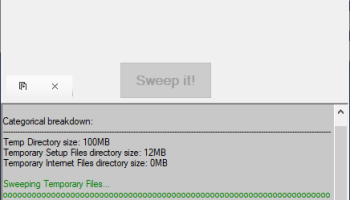
CleanSweep, developed by Thomas Loupe, is an innovative and efficient software designed to streamline and automate the process of file management on your computer. This powerful tool is perfect for users who find themselves overwhelmed by the clutter of files and folders that accumulate over time, offering a seamless way to keep their digital workspace organized and optimized.
**Key Features:**
1. **Automated File Sorting:**
CleanSweep excels in its ability to automatically sort files into designated folders based on user-defined rules. Whether it's documents, images, videos, or any other file type, CleanSweep ensures that everything is neatly organized without any manual intervention.
2. **Customizable Rules:**
One of the standout features of CleanSweep is its highly customizable rule system. Users can create specific rules based on file names, extensions, sizes, and dates, allowing for a tailored file management experience that meets individual needs.
3. **Real-Time Monitoring:**
The software continuously monitors specified directories in real-time, ensuring that new files are instantly sorted according to the established rules. This feature is particularly useful for users who frequently download or create new files and want to maintain an organized system effortlessly.
4. **User-Friendly Interface:**
CleanSweep boasts a clean and intuitive user interface, making it accessible to both tech-savvy users and those who may not be as comfortable with technology. The straightforward design allows users to set up and manage their file sorting rules with ease.
5. **Cross-Platform Compatibility:**
Understanding the diverse needs of its users, CleanSweep is designed to be compatible with multiple operating systems, including Windows, macOS, and Linux. This ensures that users can benefit from its powerful features regardless of their preferred platform.
6. **Performance Optimization:**
By keeping files organized and reducing clutter, CleanSweep helps improve overall system performance. Users will notice faster file retrieval times and a more responsive computer, as the software minimizes the chaos that can slow down a system.
7. **Security and Privacy:**
CleanSweep prioritizes user security and privacy. The software operates locally on your machine, ensuring that your files and data remain private and secure. There is no need to worry about sensitive information being uploaded to the cloud or accessed by third parties.
**Conclusion:**
CleanSweep by Thomas Loupe is a must-have tool for anyone looking to take control of their digital clutter. Its robust feature set, coupled with an easy-to-use interface and real-time monitoring capabilities, makes it an invaluable asset for maintaining an organized and efficient digital workspace. Whether you're a professional managing large volumes of files or a casual user looking to keep your computer tidy, CleanSweep offers a comprehensive solution that adapts to your needs. Embrace the future of file management with CleanSweep and experience the benefits of a cleaner, more organized digital life.
CleanSweep, developed by Thomas Loupe, is an innovative and efficient software designed to streamline and automate the process of file management on your computer. This powerful tool is perfect for users who find themselves overwhelmed by the clutter of files and folders that accumulate over time, offering a seamless way to keep their digital workspace organized and optimized.
**Key Features:**
1. **Automated File Sorting:**
CleanSweep excels in its ability to automatically sort files into designated folders based on user-defined rules. Whether it's documents, images, videos, or any other file type, CleanSweep ensures that everything is neatly organized without any manual intervention.
2. **Customizable Rules:**
One of the standout features of CleanSweep is its highly customizable rule system. Users can create specific rules based on file names, extensions, sizes, and dates, allowing for a tailored file management experience that meets individual needs.
3. **Real-Time Monitoring:**
The software continuously monitors specified directories in real-time, ensuring that new files are instantly sorted according to the established rules. This feature is particularly useful for users who frequently download or create new files and want to maintain an organized system effortlessly.
4. **User-Friendly Interface:**
CleanSweep boasts a clean and intuitive user interface, making it accessible to both tech-savvy users and those who may not be as comfortable with technology. The straightforward design allows users to set up and manage their file sorting rules with ease.
5. **Cross-Platform Compatibility:**
Understanding the diverse needs of its users, CleanSweep is designed to be compatible with multiple operating systems, including Windows, macOS, and Linux. This ensures that users can benefit from its powerful features regardless of their preferred platform.
6. **Performance Optimization:**
By keeping files organized and reducing clutter, CleanSweep helps improve overall system performance. Users will notice faster file retrieval times and a more responsive computer, as the software minimizes the chaos that can slow down a system.
7. **Security and Privacy:**
CleanSweep prioritizes user security and privacy. The software operates locally on your machine, ensuring that your files and data remain private and secure. There is no need to worry about sensitive information being uploaded to the cloud or accessed by third parties.
**Conclusion:**
CleanSweep by Thomas Loupe is a must-have tool for anyone looking to take control of their digital clutter. Its robust feature set, coupled with an easy-to-use interface and real-time monitoring capabilities, makes it an invaluable asset for maintaining an organized and efficient digital workspace. Whether you're a professional managing large volumes of files or a casual user looking to keep your computer tidy, CleanSweep offers a comprehensive solution that adapts to your needs. Embrace the future of file management with CleanSweep and experience the benefits of a cleaner, more organized digital life.
OS: Windows 11, Windows 10 32/64 bit, Windows 8 32/64 bit, Windows 7 32/64 bit
Add Your Review or 64-bit Compatibility Report
Top Other 64-bit downloads


Windows Defender Definition Updates March 27, 2026

Essential security updates for Windows Defender.
Freeware

2FAGuard 1.7.2
Secure your accounts effortlessly with 2FAGuard's intuitive two-factor authentication.
Open Source

IPVanish 4.3.9.1
Secure and fast VPN service with user-friendly interface and robust features.
Shareware


Process Magic 2.0
Command-line Tool to Hide any Windows Process or Launch New Process in Invisible
Freeware

O&O SafeErase Server x64 18.4.611
Deletes sensitive data so securely that a reconstruction
Trialware | $199.00
Members area
Top 64-bit Downloads
-
OpenVPN x64 2.6.11
x64 open source download -
VSCryptoHash 64-bit 2.5.3.509
x64 freeware download -
Prevent Restore 119.00
x64 freeware download -
O&O SafeErase Server
x64 18.4.611
x64 trialware download -
Wipe 2603.00
x64 freeware download -
Microsoft Standalone
System Sweeper (x64 bit) 1.0.856.0 Beta
x64 freeware download -
Hash Suite 4.0
x64 shareware download -
Secret Disk 320.00
x64 freeware download -
Romaco Timeout x64 3.1.4.0
x64 freeware download -
Trend Micro Internet
Security Pro 2010 (x64
bit)
x64 trialware download
Top Downloads
-
OpenVPN x64 2.6.11
open source download -
Aiseesoft Android
Unlocker 1.1.16
shareware download -
ClamWin Portable 0.103.2.1
open source download -
CmosPwd 5.0
freeware download -
NordVPN 7.56.2.0
demo download -
Video Padlock 1.20
demo download -
SymlexVPN 3.1.7
shareware download -
Portable SafeInCloud 24.14.1
freeware download -
OSV-Scanner 2.3.5
open source download -
WebPost Tools 1.0.0.412
freeware download -
CRYPTO! Build 9695
freeware download -
GhostVolt 1.3.3.0
demo download -
abylon KEYSAFE 23.60.1
shareware download -
Kaspersky Virus Removal
Tool 20.0.14.0 (27.03.202
freeware download -
VSCryptoHash 64-bit 2.5.3.509
freeware download