
ConvertXtoHD - X 64-bit Download
Popular x64 Tags
- files x64 download
- file manager x64 download
- zip x64 download
- tool x64 download
- software x64 download
- ntfs x64 download
- remove x64 download
- disk x64 download
- free x64 download
- duplicate x64 download
- copy x64 download
- folder x64 download
- utility x64 download
- data recovery software x64 download
- undelete x64 download
- erase x64 download
- directory x64 download
- backup x64 download
- file x64 download
- hard x64 download
- data recovery x64 download
- delete x64 download
- recovery x64 download
- find x64 download
- file recovery x64 download
- unerase x64 download
- recover x64 download
- mp3 x64 download
- space x64 download
- search x64 download
ConvertXtoHD 3.0.0.77
Sponsored links:
license: Trialware ($39.99)
downloads: 763
size: 43.10 MB
updated: 2025-10-25
tags: download ConvertXtoHD, Burn, ConvertXtoHD free download, Blu-ray Burner, Video to Blu-ray, AVCHD, Blu-ray, VSO Software, Burner, video conversion, ConvertXtoHD, HD quality, user-friendly, multimedia, Burn Blu-ray, DVD authoring
Buy Now
Add to Basket

VSO-Software

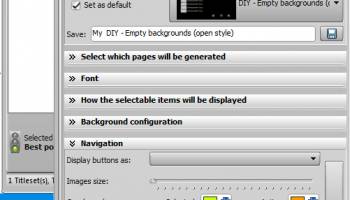
ConvertXtoHD, developed by VSO-Software, is a versatile and user-friendly application designed to convert and burn videos into high-definition formats, making it an ideal choice for users looking to enhance their video viewing experience. This software supports a wide range of video formats, allowing users to effortlessly transform their existing video files into stunning HD quality, compatible with Blu-ray players and other HD devices.
One of the standout features of ConvertXtoHD is its intuitive interface, which simplifies the conversion process for users of all skill levels. The software offers a straightforward drag-and-drop functionality, enabling users to easily add files to the conversion queue. Additionally, ConvertXtoHD provides a variety of customizable settings, allowing users to tailor the output to their specific preferences. This includes options for adjusting resolution, bitrate, and aspect ratio, ensuring the final product meets the desired quality standards.
ConvertXtoHD also includes a robust set of editing tools, empowering users to personalize their videos before conversion. Users can trim unwanted sections, merge multiple clips, add subtitles, and apply special effects to enhance the visual appeal of their videos. The software supports multi-core processing and hardware acceleration, which significantly speeds up the conversion process without compromising on quality.
Another notable feature of ConvertXtoHD is its ability to create professional-looking menus for Blu-ray discs. Users can choose from a variety of templates or customize their own menus, adding a personal touch to their video projects. This feature is particularly beneficial for those looking to create polished video presentations or home movie collections.
The software also supports batch processing, allowing users to convert multiple files simultaneously, thereby saving time and effort. Once the conversion is complete, ConvertXtoHD provides options to burn the videos directly onto Blu-ray discs or save them as ISO files for later use.
In summary, ConvertXtoHD by VSO-Software is a powerful and efficient tool for converting and enhancing video files to high-definition formats. Its user-friendly interface, comprehensive editing tools, and customizable output options make it an excellent choice for both novice and experienced users seeking to elevate their video content to HD quality. Whether you are creating a personal video library or preparing a professional presentation, ConvertXtoHD offers the tools and flexibility needed to achieve impressive results.
One of the standout features of ConvertXtoHD is its intuitive interface, which simplifies the conversion process for users of all skill levels. The software offers a straightforward drag-and-drop functionality, enabling users to easily add files to the conversion queue. Additionally, ConvertXtoHD provides a variety of customizable settings, allowing users to tailor the output to their specific preferences. This includes options for adjusting resolution, bitrate, and aspect ratio, ensuring the final product meets the desired quality standards.
ConvertXtoHD also includes a robust set of editing tools, empowering users to personalize their videos before conversion. Users can trim unwanted sections, merge multiple clips, add subtitles, and apply special effects to enhance the visual appeal of their videos. The software supports multi-core processing and hardware acceleration, which significantly speeds up the conversion process without compromising on quality.
Another notable feature of ConvertXtoHD is its ability to create professional-looking menus for Blu-ray discs. Users can choose from a variety of templates or customize their own menus, adding a personal touch to their video projects. This feature is particularly beneficial for those looking to create polished video presentations or home movie collections.
The software also supports batch processing, allowing users to convert multiple files simultaneously, thereby saving time and effort. Once the conversion is complete, ConvertXtoHD provides options to burn the videos directly onto Blu-ray discs or save them as ISO files for later use.
In summary, ConvertXtoHD by VSO-Software is a powerful and efficient tool for converting and enhancing video files to high-definition formats. Its user-friendly interface, comprehensive editing tools, and customizable output options make it an excellent choice for both novice and experienced users seeking to elevate their video content to HD quality. Whether you are creating a personal video library or preparing a professional presentation, ConvertXtoHD offers the tools and flexibility needed to achieve impressive results.
Homepage: ConvertXtoHD
OS: Windows 11, Windows 10 32/64 bit, Windows 8 32/64 bit, Windows 7 32/64 bit, Windows Vista, Windows XP 32/64 bit
Add Your Review or 64-bit Compatibility Report
Top File & Disk Management 64-bit downloads


Open Files from XLSX to XLS 5.2
Convert XLSX to XLS with Open files from XLSX to XLS program
Shareware | $29.00


Pitara 4.0.9567.41753

Pitara: Your all-in-one solution for seamless project management and collaboration.
Open Source


WinFindr 1.8
Effortlessly locate files and folders with WinFindr's intuitive search.
Shareware | $23.00


AnyMP4 DVD Creator 7.3.28
Create and customize DVDs from videos with AnyMP4 DVD Creator.
Trialware | $39.96
Members area
Top 64-bit Downloads
-
EasyTune6 B24.0119.1
x64 freeware download -
HWMonitor (64-bit) 1.53
x64 freeware download -
Disk Pulse Pro x64 16.1.28
x64 trialware download -
HWiNFO64 6.28 B4200
x64 freeware download -
7z SFX Builder x64 2.1
x64 freeware download -
PhotoRenamer 4.1
x64 freeware download -
XtraTools Professional
x64 26.2.1
x64 shareware download -
Windows 7 x64
x64 trialware download -
SoftPerfect RAM Disk 26.2
x64 shareware download -
O&O MediaRecovery
64-bit 14.0.17
x64 demo download
Top Downloads
-
Open Files from XLSX to
XLS 5.2
shareware download -
Shell Tools 2.0.1
freeware download -
Nomad.NET 3.2.0.2890
freeware download -
File Compression 1.0
commercial download -
WinToUSB 10.5 Build January 2
shareware download -
Vim 9.2.0148
open source download -
novelWriter 2.8.2
open source download -
Caffeine 1.98
freeware download -
AnyMP4 Data Recovery 1.5.12
shareware download -
PCtransfer 1.0.0.1033
freeware download -
EaseUS Key Finder 4.1.6 Build 20240910
demo download -
DiskCopy 1.4.2.0
freeware download -
Pitara 4.0.9567.41753
open source download -
Tags4Docs 1.1
shareware download -
Office 365 Backup 3.0
shareware download