
Dev-C++ - X 64-bit Download
Popular x64 Tags
- windows x64 download
- tool x64 download
- software x64 download
- view x64 download
- editor x64 download
- python x64 download
- xml x64 download
- sql x64 download
- dll x64 download
- resource x64 download
- compare x64 download
- csv x64 download
- dotnet x64 download
- uml x64 download
- table x64 download
- delphi x64 download
- xls x64 download
- perl x64 download
- html x64 download
- diff x64 download
- database x64 download
- query x64 download
- convert x64 download
- sql tools x64 download
- ide x64 download
- sql tool x64 download
- activestate x64 download
- doc x64 download
- txt x64 download
- mssql x64 download
Dev-C++ 6.3 / 5.11
Sponsored links:

Bloodshed Software

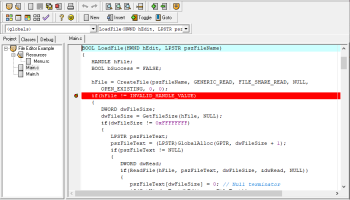
Dev-C++ is the portable version of Dev-C++. It has all the features that come with Dev-C++, but the difference is that you can directly run it from an external device, without having to install it. The small and free application supports several languages, and you can choose one when you first launch Dev-C++, as well as a theme. The user interface is simple for programmers (in comparison with newer and more complex programming platforms), but if you are new to this environment, you'll find it hard to work with if you have no kind of programming skills.
The help file only offers information on the navigational aspects of Dev-C++, so if you want to learn how to program in C/C++, you'd better get yourself some tutorials. In Dev-C++ you can create a new source file, resource file, or project. After you have finished writing the code, save the file, debug it, and create an executable file.
In addition, Dev-C++ can retrieve information from header files to help you easily find functions, classes and variables, thanks to a class browser and a code completion list, but also create a cache of the standard header files.
You have the option of searching for a specific function, line or text within the code, by enabling case sensitive or whole words only, forward or backward, global or only selected scope. Plus, you can create a to-do list (for the current file or for all files), check code syntax, toggle breakpoint, and others. Code can be exported to HTML or RTF.
Dev-C++ takes little time to compile an executable file, while using a small amount of CPU and memory resources.
So, if you want to always be able to write code, no matter where you are (like a true programmer would think), then Dev-C++ Portable is one of the simplest solutions you have at hand.
FEATURES:
· Support GCC-based compilers
· Integrated debugging (using GDB)
· Support for multiple languages (localization)
· Class Browser
· Code Completion
· Debug variable Browser
· Project Manager
· Customizable syntax highlighting editor
· Quickly create Windows, console, static libraries and DLLs
· Support of templates for creating your own project types
· Makefile creation
· Edit and compile Resource files
· Tool Manager
· Print support
· Find and replace facilities
· Package manager, for easy installation of add-on libraries
· CVS Support
· To-Do List
· CPU Window
The help file only offers information on the navigational aspects of Dev-C++, so if you want to learn how to program in C/C++, you'd better get yourself some tutorials. In Dev-C++ you can create a new source file, resource file, or project. After you have finished writing the code, save the file, debug it, and create an executable file.
In addition, Dev-C++ can retrieve information from header files to help you easily find functions, classes and variables, thanks to a class browser and a code completion list, but also create a cache of the standard header files.
You have the option of searching for a specific function, line or text within the code, by enabling case sensitive or whole words only, forward or backward, global or only selected scope. Plus, you can create a to-do list (for the current file or for all files), check code syntax, toggle breakpoint, and others. Code can be exported to HTML or RTF.
Dev-C++ takes little time to compile an executable file, while using a small amount of CPU and memory resources.
So, if you want to always be able to write code, no matter where you are (like a true programmer would think), then Dev-C++ Portable is one of the simplest solutions you have at hand.
FEATURES:
· Support GCC-based compilers
· Integrated debugging (using GDB)
· Support for multiple languages (localization)
· Class Browser
· Code Completion
· Debug variable Browser
· Project Manager
· Customizable syntax highlighting editor
· Quickly create Windows, console, static libraries and DLLs
· Support of templates for creating your own project types
· Makefile creation
· Edit and compile Resource files
· Tool Manager
· Print support
· Find and replace facilities
· Package manager, for easy installation of add-on libraries
· CVS Support
· To-Do List
· CPU Window
OS: Windows XP, Windows Vista, Windows Vista x64, Windows 7, Windows 7 x64, Windows 8, Windows 8 x64, Windows 10, Windows 10 x64
Dev-C++ Reviews
| Software: | Dev-C++ 5.4.2 |
| Reviewed by: | Terry (Sep 20, 2013) |
| Rating: |   |
| Review: | Sorry, people, but I gotta give this the lowest rating possible. I'm only moderately computer literate so I'm not trying to be a smartass when I say this looks like a ruse that has nothing but bombardment with advertisements as its true goal. While I download the 7zip program indicated as indicated by the screen prompts and required to download the Dev-C++ 64-bit version, the Dev-C++ 64-bit file does not make its way to my computer - at least not so that it's detected by the 7zip utility that supposedly was so critical to have for a successful download. I've gone through the download process twice now and ended up uninstalling twice, crossing my fingers that there's no hidden damage to my system for all the effort. Maybe this stuff is a no-brainer to computer geeks out there (no offense intended), but really, there is something missing if connection with the rest of us is a goal. My condolences. |
Add Your Review or 64-bit Compatibility Report
Top Other 64-bit downloads


JProfiler 16.0.0
JProfiler is a powerful Java profiler for performance tuning and memory analysis.
Trialware | $549.00

Android Studio 2025.3.2 Panda 2
Android Studio: Powerful IDE for Android app development with robust tools.
Freeware

Flyff 2.4.9
Vagrant simplifies environment setup for developers with portable, reproducible workflows.
Open Source

Xojo / Real Studio Plug-ins 26.0
Enhance Xojo with powerful plug-ins for advanced functionality and ease.
Shareware | $239.00


Members area
Top 64-bit Downloads
-
DotNetBrowser 3.5.0
x64 commercial download -
Microsoft Speech SDK 11
x64 freeware download -
Argyll x64 3.2.0
x64 freeware download -
PilotEdit Pro x64 20.7.0
x64 shareware download -
Software Ideas Modeler
Portable x64 14.55
x64 freeware download -
Agilian Enterprise x64 15.1 B20181102
x64 trialware download -
dotNet Sniffer 64-bit
x64 2.0
x64 freeware download -
LogFaces 64-bit 5.2.3
x64 trialware download -
TortoiseSVN for 64-bit
System 1.14.7.29687
x64 freeware download -
Lazarus x64 3.2
x64 freeware download
Top Downloads
-
NASM 2.16.01
open source download -
Delphi 12.0
shareware download -
WebData 10.2.4.0
shareware download -
.NET Logging Library 2.20
shareware download -
Swapy 0.5.4
open source download -
Python 3.14.3
open source download -
PHP 8.5.4
open source download -
Precision Language Suite 2.5
freeware download -
Prodatum 1.2.0
open source download -
AppStudio 9.2.2.1
demo download -
Devart ODAC 14.0.0
shareware download -
Zlib 1.3.1
freeware download -
.NET SFTP Library 6.13
shareware download -
.NET FontManager 1.0
freeware download -
jPDFImages 2021R1
demo download