
Displayscope - X 64-bit Download
Popular x64 Tags
- free x64 download
- weather x64 download
- windows x64 download
- desktop x64 download
- news reader x64 download
- screen x64 download
- internet x64 download
- tray x64 download
- video x64 download
- monitor x64 download
- notes x64 download
- screen mate x64 download
- screen saver x64 download
- audio x64 download
- sports x64 download
- rss x64 download
- virtual girls x64 download
- dashboard x64 download
- virtual girl x64 download
- search x64 download
- desktop girls x64 download
- football x64 download
- college football x64 download
- deskmates x64 download
- virtua girl x64 download
- communicator x64 download
- college basketball x64 download
- olymipics x64 download
- usa x64 download
- athletics x64 download
Displayscope 0.25.0
Sponsored links:
license: Open Source
downloads: 37
size: 107.00 MB
updated: 2025-12-26
tags: Displayscope, download Displayscope, Displayscope free download, screen sharing, manage emulator, screen manager, screen, emulator, sharing, manager
Add to Basket

Takeshi Katano

**Displayscope: A Versatile Display Management Tool by Takeshi Katano**
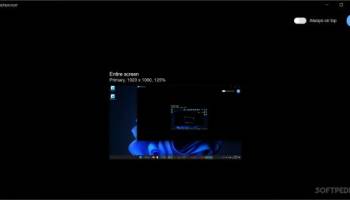
Displayscope, developed by Takeshi Katano, is a sophisticated yet user-friendly display management tool designed to cater to the needs of both casual users and professionals who require precise control over their multi-monitor setups. This open-source software stands out for its simplicity, efficiency, and robust feature set, making it an indispensable utility for anyone looking to streamline their display configurations.
**Key Features:**
1. **Intuitive Interface:**
Displayscope boasts a clean and intuitive interface that allows users to quickly understand and navigate its functionalities. The straightforward design ensures that even those with minimal technical expertise can easily manage their display settings.
2. **Multi-Monitor Management:**
One of the standout features of Displayscope is its ability to handle multiple monitors seamlessly. Users can effortlessly configure and customize their display arrangements, ensuring optimal productivity and an enhanced viewing experience. Whether you need to extend, duplicate, or arrange your screens in a specific order, Displayscope provides the tools to do so with ease.
3. **Customizable Display Settings:**
Displayscope offers a wide range of customizable settings, allowing users to adjust resolution, orientation, and refresh rates for each connected monitor. This level of control ensures that users can tailor their display setup to meet their specific needs, whether for gaming, professional work, or general use.
4. **Hotkey Support:**
For those who prefer quick access to their display settings, Displayscope includes hotkey support. This feature enables users to switch between different display configurations on the fly, enhancing efficiency and convenience.
5. **Lightweight and Efficient:**
Despite its comprehensive feature set, Displayscope is remarkably lightweight and does not consume excessive system resources. This ensures that your computer's performance remains unaffected, even when managing multiple high-resolution displays.
6. **Cross-Platform Compatibility:**
Displayscope is designed to work seamlessly across various operating systems, including Windows, macOS, and Linux. This cross-platform compatibility makes it a versatile tool for users who operate in diverse computing environments.
7. **Open-Source Community:**
As an open-source project, Displayscope benefits from the contributions of a vibrant community of developers and users. This collaborative approach ensures that the software remains up-to-date with the latest features and improvements, while also providing users with the opportunity to contribute to its ongoing development.
**Conclusion:**
Displayscope by Takeshi Katano is a powerful and versatile display management tool that excels in both functionality and ease of use. Its comprehensive feature set, combined with an intuitive interface and cross-platform compatibility, makes it an ideal choice for anyone looking to optimize their multi-monitor setup. Whether you're a gamer, a professional, or a casual user, Displayscope provides the tools you need to take full control of your display configurations, enhancing your overall computing experience.
Displayscope, developed by Takeshi Katano, is a sophisticated yet user-friendly display management tool designed to cater to the needs of both casual users and professionals who require precise control over their multi-monitor setups. This open-source software stands out for its simplicity, efficiency, and robust feature set, making it an indispensable utility for anyone looking to streamline their display configurations.
**Key Features:**
1. **Intuitive Interface:**
Displayscope boasts a clean and intuitive interface that allows users to quickly understand and navigate its functionalities. The straightforward design ensures that even those with minimal technical expertise can easily manage their display settings.
2. **Multi-Monitor Management:**
One of the standout features of Displayscope is its ability to handle multiple monitors seamlessly. Users can effortlessly configure and customize their display arrangements, ensuring optimal productivity and an enhanced viewing experience. Whether you need to extend, duplicate, or arrange your screens in a specific order, Displayscope provides the tools to do so with ease.
3. **Customizable Display Settings:**
Displayscope offers a wide range of customizable settings, allowing users to adjust resolution, orientation, and refresh rates for each connected monitor. This level of control ensures that users can tailor their display setup to meet their specific needs, whether for gaming, professional work, or general use.
4. **Hotkey Support:**
For those who prefer quick access to their display settings, Displayscope includes hotkey support. This feature enables users to switch between different display configurations on the fly, enhancing efficiency and convenience.
5. **Lightweight and Efficient:**
Despite its comprehensive feature set, Displayscope is remarkably lightweight and does not consume excessive system resources. This ensures that your computer's performance remains unaffected, even when managing multiple high-resolution displays.
6. **Cross-Platform Compatibility:**
Displayscope is designed to work seamlessly across various operating systems, including Windows, macOS, and Linux. This cross-platform compatibility makes it a versatile tool for users who operate in diverse computing environments.
7. **Open-Source Community:**
As an open-source project, Displayscope benefits from the contributions of a vibrant community of developers and users. This collaborative approach ensures that the software remains up-to-date with the latest features and improvements, while also providing users with the opportunity to contribute to its ongoing development.
**Conclusion:**
Displayscope by Takeshi Katano is a powerful and versatile display management tool that excels in both functionality and ease of use. Its comprehensive feature set, combined with an intuitive interface and cross-platform compatibility, makes it an ideal choice for anyone looking to optimize their multi-monitor setup. Whether you're a gamer, a professional, or a casual user, Displayscope provides the tools you need to take full control of your display configurations, enhancing your overall computing experience.
OS: Windows 11, Windows 10 64 bit
Add Your Review or 64-bit Compatibility Report
Top Other 64-bit downloads


Limages 2.0
Limages is a mediaplayer & slideshow program that works directly on your desktop
Shareware | $10.00
tags: slideshow, desktop, windows, tiles, widget, mediaplayer, sound volume, audio, video, DVD, player, transparency, Images, scrolled, automatically, wallpaper, style, change, photo, view, fullscreen, multiwindow


uWidgets 0.6.0 Beta
uWidgets: A versatile toolkit for creating customizable UI components.
Open Source


LightBulb 2.7
LightBulb: Adjust screen color temperature to reduce eye strain and improve sleep.
Open Source

bbLean (x64bit) 1.17.1
This application represents a powerful version of Blackbox for Windows
Freeware
Members area
Top 64-bit Downloads
-
Persclock 2.0
x64 freeware download -
bbLean (x64bit) 1.17.1
x64 freeware download -
Save.me x64 2.4.0
x64 freeware download -
magayo World Time
Weather (64-bit) 1.0.2.1
x64 freeware download -
Pixelscope 8
x64 freeware download -
TrayCD x64 1.2
x64 open source download -
KillKeys x64 1.2
x64 open source download -
VSLogonScreenCustomizer
64-bit 1.15.3.297
x64 freeware download -
Vanga Rengi Mangaro 1.2.7.875
x64 trialware download -
WMP12 - BLUE Theme X64
x64 freeware download
Top Downloads
-
Bonzi Buddy 1.7.0
freeware download -
Cloks and Time 2.0
demo download -
f.lux 4.104
freeware download -
Limages 2.0
shareware download -
uWidgets 0.6.0 Beta
open source download -
MouseScribe 1.4
trialware download -
CoordiPoint 1.0
freeware download -
EarthTime 6.32.1
trialware download -
Sim Aquarium FREE! 3.7.55
freeware download -
PictureRiver 1.7.4.2
shareware download -
LightBulb 2.7
open source download -
CamDesk 1.2.1
open source download -
IconPackager 10.03
trialware download -
Don't Panic Portable 3.1.0
freeware download -
Persclock 2.0
freeware download