
LightBulb - X 64-bit Download
Popular x64 Tags
- free x64 download
- weather x64 download
- windows x64 download
- desktop x64 download
- news reader x64 download
- screen x64 download
- internet x64 download
- tray x64 download
- video x64 download
- monitor x64 download
- notes x64 download
- screen mate x64 download
- screen saver x64 download
- audio x64 download
- sports x64 download
- rss x64 download
- virtual girls x64 download
- dashboard x64 download
- virtual girl x64 download
- search x64 download
- desktop girls x64 download
- football x64 download
- college football x64 download
- deskmates x64 download
- virtua girl x64 download
- communicator x64 download
- college basketball x64 download
- olymipics x64 download
- usa x64 download
- athletics x64 download
LightBulb 2.7
Sponsored links:
license: Open Source
downloads: 51
size: 14.90 MB
updated: 2026-03-10
tags: LightBulb, download LightBulb, LightBulb free download, adjust color temperature, adjust gamma, eye protection, color temperature, gamma, health, sleep
Add to Basket

Alexey \'Tyrrrz\' Golub

LightBulb, developed by Alexey 'Tyrrrz' Golub, is a sleek and efficient software designed to enhance your visual comfort and productivity by adjusting the color temperature of your screen. This open-source application is particularly useful for those who spend long hours in front of a computer, as it helps reduce eye strain and improve sleep quality by mimicking the natural progression of daylight.
The core functionality of LightBulb revolves around its ability to dynamically shift your screen's color temperature based on the time of day. During daylight hours, it maintains a cooler, blue-tinted light that mimics natural sunlight, which is ideal for tasks requiring focus and alertness. As evening approaches, LightBulb gradually transitions to a warmer, red-tinted light, reducing the amount of blue light emitted by your screen. This shift is crucial for minimizing disruption to your circadian rhythm, thereby promoting better sleep patterns.
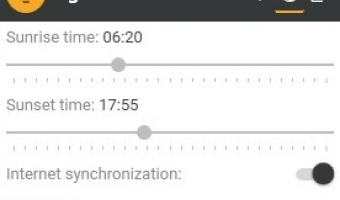
One of the standout features of LightBulb is its highly customizable settings. Users can fine-tune the color temperature ranges, transition speeds, and even set specific times for the changes to occur. This level of customization ensures that LightBulb can cater to a wide variety of personal preferences and work schedules. Additionally, the software offers a manual override option, allowing users to temporarily disable the automatic adjustments when working on color-sensitive tasks like graphic design or photo editing.
The user interface of LightBulb is minimalist and intuitive, making it accessible even for those who are not particularly tech-savvy. The main dashboard provides a clear overview of the current color temperature and the upcoming transition schedule. Advanced settings are neatly organized, ensuring that users can easily navigate through the various options without feeling overwhelmed.
Performance-wise, LightBulb is lightweight and unobtrusive. It runs quietly in the background without consuming significant system resources, ensuring that it does not interfere with other applications or slow down your computer. This efficiency makes it an excellent choice for both casual users and professionals who require a reliable solution for managing screen color temperature.
Another noteworthy aspect of LightBulb is its commitment to user privacy and security. As an open-source project, its code is publicly available for scrutiny, ensuring transparency and fostering trust among its user base. This openness also encourages community contributions, allowing for continuous improvements and feature enhancements based on user feedback.
In conclusion, LightBulb by Alexey 'Tyrrrz' Golub is a thoughtfully designed application that addresses a common yet often overlooked issue faced by modern computer users. Its ability to seamlessly adjust screen color temperature based on the time of day, combined with its customizable settings and user-friendly interface, makes it an indispensable tool for anyone looking to reduce eye strain and improve their overall well-being. Whether you're a night owl, a day worker, or someone in between, LightBulb offers a simple yet effective solution to help you maintain a healthier relationship with your screen.
The core functionality of LightBulb revolves around its ability to dynamically shift your screen's color temperature based on the time of day. During daylight hours, it maintains a cooler, blue-tinted light that mimics natural sunlight, which is ideal for tasks requiring focus and alertness. As evening approaches, LightBulb gradually transitions to a warmer, red-tinted light, reducing the amount of blue light emitted by your screen. This shift is crucial for minimizing disruption to your circadian rhythm, thereby promoting better sleep patterns.
One of the standout features of LightBulb is its highly customizable settings. Users can fine-tune the color temperature ranges, transition speeds, and even set specific times for the changes to occur. This level of customization ensures that LightBulb can cater to a wide variety of personal preferences and work schedules. Additionally, the software offers a manual override option, allowing users to temporarily disable the automatic adjustments when working on color-sensitive tasks like graphic design or photo editing.
The user interface of LightBulb is minimalist and intuitive, making it accessible even for those who are not particularly tech-savvy. The main dashboard provides a clear overview of the current color temperature and the upcoming transition schedule. Advanced settings are neatly organized, ensuring that users can easily navigate through the various options without feeling overwhelmed.
Performance-wise, LightBulb is lightweight and unobtrusive. It runs quietly in the background without consuming significant system resources, ensuring that it does not interfere with other applications or slow down your computer. This efficiency makes it an excellent choice for both casual users and professionals who require a reliable solution for managing screen color temperature.
Another noteworthy aspect of LightBulb is its commitment to user privacy and security. As an open-source project, its code is publicly available for scrutiny, ensuring transparency and fostering trust among its user base. This openness also encourages community contributions, allowing for continuous improvements and feature enhancements based on user feedback.
In conclusion, LightBulb by Alexey 'Tyrrrz' Golub is a thoughtfully designed application that addresses a common yet often overlooked issue faced by modern computer users. Its ability to seamlessly adjust screen color temperature based on the time of day, combined with its customizable settings and user-friendly interface, makes it an indispensable tool for anyone looking to reduce eye strain and improve their overall well-being. Whether you're a night owl, a day worker, or someone in between, LightBulb offers a simple yet effective solution to help you maintain a healthier relationship with your screen.
OS: Windows 11, Windows 10 32/64 bit
Add Your Review or 64-bit Compatibility Report
Top Other 64-bit downloads


Limages 2.0
Limages is a mediaplayer & slideshow program that works directly on your desktop
Shareware | $10.00
tags: slideshow, desktop, windows, tiles, widget, mediaplayer, sound volume, audio, video, DVD, player, transparency, Images, scrolled, automatically, wallpaper, style, change, photo, view, fullscreen, multiwindow


uWidgets 0.6.0 Beta
uWidgets: A versatile toolkit for creating customizable UI components.
Open Source


EarthView 7.14.0
Stunning dynamic wallpapers showcasing Earth’s beauty in real-time.
Trialware | $25.00


LightBulb 2.7
LightBulb: Adjust screen color temperature to reduce eye strain and improve sleep.
Open Source
Members area
Top 64-bit Downloads
-
Persclock 2.0
x64 freeware download -
bbLean (x64bit) 1.17.1
x64 freeware download -
Pixelscope 8
x64 freeware download -
Save.me x64 2.4.0
x64 freeware download -
TrayCD x64 1.2
x64 open source download -
KillKeys x64 1.2
x64 open source download -
VSLogonScreenCustomizer
64-bit 1.15.3.297
x64 freeware download -
magayo World Time
Weather (64-bit) 1.0.2.1
x64 freeware download -
Vanga Rengi Mangaro 1.2.7.875
x64 trialware download -
WMP12 - BLUE Theme X64
x64 freeware download
Top Downloads
-
Bonzi Buddy 1.7.0
freeware download -
Cloks and Time 2.0
demo download -
MouseScribe 1.4
trialware download -
CoordiPoint 1.0
freeware download -
uWidgets 0.6.0 Beta
open source download -
Limages 2.0
shareware download -
Persclock 2.0
freeware download -
IconPackager 10.03
trialware download -
f.lux 4.104
freeware download -
Sim Aquarium FREE! 3.7.55
freeware download -
PictureRiver 1.7.4.2
shareware download -
EarthTime 6.32.1
trialware download -
iPadian 10.1
freeware download -
Desktops 2.01
freeware download -
DesktopCal 3.16.203.6639
freeware download