
Dr. DivX OSS - X 64-bit Download
Popular x64 Tags
- audio x64 download
- audio converter x64 download
- mp3 converter x64 download
- music x64 download
- wma converter x64 download
- video x64 download
- encoder x64 download
- aac x64 download
- mp3 x64 download
- decoder x64 download
- wma x64 download
- avi x64 download
- freeware x64 download
- convert drm x64 download
- ogg x64 download
- mp4 x64 download
- drm removal x64 download
- m4a x64 download
- wav to mp3 x64 download
- drm protected x64 download
- mpeg x64 download
- convert x64 download
- remove drm x64 download
- wav converter x64 download
- mp3 to wav x64 download
- converter x64 download
- wav x64 download
- drm x64 download
- remove protection x64 download
- drm protection x64 download
Dr. DivX OSS 2.0.1 Beta 7
Sponsored links:

DivX Networks

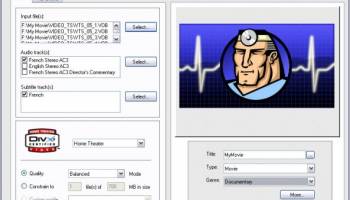
Dr. DivX software represents the first and only official DivX Encoding application. Just as DivX and DivX Pro have enabled anyone, anywhere to watch and distribute great looking digital video, this now makes the act of creating DivX video as easy as the act of watching it. It lets you create an awesome DivX video from almost any source right on your computer in just three easy steps.
Features:
* Able to convert most input files Dr. DivX can convert most input files including MPEG-1, MPEG-2, VOB, AVI, FLV, MOV, MP4, AVISynth scripts to DivX.
* Uses available DivX encoder If you install a new version of the DivX encoder, Dr. DivX automatically uses it for encoding.
* Tweak encode settings If required, encode settings can be manually configured for optimal output.
* Generates DivX files which are playable on DivX certified players Since Dr. DivX respects DivX certification constraints, all files generated by the application are guaranteed to playback on DivX certified hardware players.
* Watch folders Monitor user specified folders to automatically convert newly added files using configured output profile.
* Supports multiple audio tracks Convert multiple audio tracks using different encoder settings for each track. MP3, MP3 Surround and AC-3 are supported output audio formats.
* Supports multiple subtitle tracks in VOB input Convert DVD subtitle tracks to DivX XSUB subtitle tracks.
* Automatically configures encode settings for requested quality level User needs to choose only the required quality level, the application does the rest.
* Include MP3 surround encoder Dr. DivX can encode your multi-channels 5.1 audio and video sources to MP3 surround, MP3 surround is backward compatible with “Normal” MP3 while preserving the full 5.1 channel separation. You will need to use the DivX player 6.4 to take advantage of 5.1 audio decoding.
* Automatically configures encode settings for requested output file size User needs to choose only the required output file size, the application does the rest.
* Create and load custom profiles Manage encoding settings using custom profiles.
* Preview video crop and resize settings Real-time updations of video based on user specified crop and resize values.
* Batch control Re-order, Re-configure and Remove encodes from the batch.
* Audio track preview Playback input audio tracks to confirm correct selection for encode.
* Track information tagging Tag audio and subtitle tracks with descriptive information.
* Pause and resume encodes Resume from paused encode stage.
* Post encode plugins Add and configure plugins which will run after an encode has successfully finished.
* CLI version of application for scripting Use the CLI version of application for automated batch encodes.
Features:
* Able to convert most input files Dr. DivX can convert most input files including MPEG-1, MPEG-2, VOB, AVI, FLV, MOV, MP4, AVISynth scripts to DivX.
* Uses available DivX encoder If you install a new version of the DivX encoder, Dr. DivX automatically uses it for encoding.
* Tweak encode settings If required, encode settings can be manually configured for optimal output.
* Generates DivX files which are playable on DivX certified players Since Dr. DivX respects DivX certification constraints, all files generated by the application are guaranteed to playback on DivX certified hardware players.
* Watch folders Monitor user specified folders to automatically convert newly added files using configured output profile.
* Supports multiple audio tracks Convert multiple audio tracks using different encoder settings for each track. MP3, MP3 Surround and AC-3 are supported output audio formats.
* Supports multiple subtitle tracks in VOB input Convert DVD subtitle tracks to DivX XSUB subtitle tracks.
* Automatically configures encode settings for requested quality level User needs to choose only the required quality level, the application does the rest.
* Include MP3 surround encoder Dr. DivX can encode your multi-channels 5.1 audio and video sources to MP3 surround, MP3 surround is backward compatible with “Normal” MP3 while preserving the full 5.1 channel separation. You will need to use the DivX player 6.4 to take advantage of 5.1 audio decoding.
* Automatically configures encode settings for requested output file size User needs to choose only the required output file size, the application does the rest.
* Create and load custom profiles Manage encoding settings using custom profiles.
* Preview video crop and resize settings Real-time updations of video based on user specified crop and resize values.
* Batch control Re-order, Re-configure and Remove encodes from the batch.
* Audio track preview Playback input audio tracks to confirm correct selection for encode.
* Track information tagging Tag audio and subtitle tracks with descriptive information.
* Pause and resume encodes Resume from paused encode stage.
* Post encode plugins Add and configure plugins which will run after an encode has successfully finished.
* CLI version of application for scripting Use the CLI version of application for automated batch encodes.
OS: Windows 2000, Windows 2003, Windows XP, Windows Vista, Windows Vista x64, Windows 7, Windows 7 x64, Windows 8, Windows 8 x64, Windows 10, Windows 10 x64
Add Your Review or 64-bit Compatibility Report
Top Audio Encoders/Decoders 64-bit downloads


REAPER for Windows (x64 bit) 7.17
This utility will record, arrange, edit, and render multi-track waveform audio
Trialware | $60.00
LAME MP3 Encoder 3.100
LAME is high quality MPEG Audio Layer III (MP3) encoder licensed under the LGPL
Open Source

Replay Converter 7.0.25.0
Replay Converter is the easiest media converter for converting video and audio
Shareware | $9.95

Ashampoo Soundstage Pro 1.0.3
Experience true surround sound on your PC through regular headphones
Shareware | $70.00


SAM Cast Pro 2023.1.0
Start streaming live audio content with SAM Cast. The #1 Live Streaming Solution
Shareware | $199.00

AUDIOzilla 1.2
Convert audio MP3, WAV, AC3, OGG, WMA, FLAC, AAC, M4A, APE, VOX, VOC, AIFF.
Shareware | $29.95

SAM Cast Pro 2023.1.0
Start streaming live audio content with SAM Cast. The #1 Live Streaming Solution
Shareware | $199.00
Xiph Media Encoder 2.3
Media Encoder
Freeware
tags: encoder, encode, music, play, media, media encoder, audio encoder, audio converter, converter, convert
Members area
Top 64-bit Downloads
-
Media Player Classic -
HomeCinema - 64 bit 2.3.0
x64 open source download -
VLC Media Player x64 3.0.20
x64 open source download -
MCEBuddy 2.6.3
x64 trialware download -
PotPlayer 64bit 1.7.21397
x64 freeware download -
GUITAR RIG 5 PRO 7.0.2
x64 demo download -
Voxengo Stereo Touch x64 2.17
x64 freeware download -
Voxengo Crunchessor x64 2.19
x64 demo download -
Devastor x64 2.3.2
x64 demo download -
Adobe PhotoShop CC x64 2024 25.9.1
x64 trialware download -
Blue Cat's Triple EQ x64 4.45
x64 freeware download
Top Downloads
-
FreeTube 0.23.15 Beta
open source download -
Little AlterBoy 5.4.1
trialware download -
Syrah 23.07.0.50310
trialware download -
Auremo 0.24.9
open source download -
Nero 7 Ultra Edition 7.10.1
shareware download -
ft2-clone 2.12
open source download -
Screenbox 0.18.1
open source download -
VLC Media Player x64 3.0.20
open source download -
Screenbits 9.13.1.0
trialware download -
Cyclop 1.3.7
demo download -
Melodics 5.0.139.0
demo download -
Media Player Classic -
HomeCinema - 64 bit 2.3.0
open source download -
Soundbase 2012.10.10
freeware download -
PlayIt Live 2.17.2.5046
shareware download -
FineCut 1.0.2
demo download