
F-Rename - X 64-bit Download
Popular x64 Tags
- files x64 download
- file manager x64 download
- zip x64 download
- tool x64 download
- software x64 download
- ntfs x64 download
- remove x64 download
- disk x64 download
- free x64 download
- duplicate x64 download
- copy x64 download
- folder x64 download
- utility x64 download
- data recovery software x64 download
- undelete x64 download
- erase x64 download
- directory x64 download
- backup x64 download
- file x64 download
- hard x64 download
- data recovery x64 download
- delete x64 download
- recovery x64 download
- find x64 download
- file recovery x64 download
- unerase x64 download
- recover x64 download
- mp3 x64 download
- space x64 download
- search x64 download
F-Rename 2.108
Sponsored links:
license: Trialware
downloads: 42
size: 10.20 MB
updated: 2024-09-30
tags: Renamer, F-Rename, ASCOMP Software, automation, file renaming, Rename File, Bulk Renamer, F-Rename free download, download F-Rename, user-friendly, F-Rename, Batch Renamer, Batch, batch processing, Rename, Filename
Add to Basket

ASCOMP Software

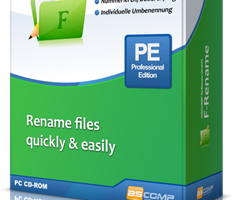
F-Rename, developed by ASCOMP Software, is a powerful and versatile file renaming utility designed to streamline the often tedious process of renaming multiple files. This software stands out with its user-friendly interface and robust feature set, making it an indispensable tool for both casual users and professionals who need to manage large volumes of files efficiently.
At its core, F-Rename offers a straightforward yet highly customizable renaming process. Users can easily define renaming rules based on a variety of criteria, such as file extensions, date and time stamps, sequential numbering, and custom text. This flexibility allows for precise control over how files are renamed, ensuring that the end result meets specific organizational needs.
One of the standout features of F-Rename is its ability to handle complex renaming tasks with ease. The software supports batch processing, enabling users to rename hundreds or even thousands of files in a single operation. This is particularly useful for photographers, graphic designers, and other professionals who frequently deal with large collections of files.
F-Rename also includes advanced options for more intricate renaming scenarios. Users can employ regular expressions for pattern-based renaming, use metadata from files (such as EXIF data from photos or ID3 tags from music files) to create meaningful file names, and even perform conditional renaming based on file attributes. These advanced capabilities make F-Rename a powerful tool for users who require a high degree of precision and customization.
In addition to its renaming prowess, F-Rename offers a preview feature that allows users to see the results of their renaming rules before applying them. This helps to prevent errors and ensures that the desired outcome is achieved. The software also includes an undo function, providing a safety net in case any mistakes are made during the renaming process.
F-Rename's intuitive interface makes it accessible to users of all skill levels. The clean design and logical layout ensure that even those new to file renaming software can quickly get up to speed. For more advanced users, the software offers a range of options and settings that can be fine-tuned to meet specific requirements.
Overall, F-Rename by ASCOMP Software is a comprehensive and reliable solution for anyone in need of a powerful file renaming tool. Its combination of ease of use, advanced features, and robust performance makes it a standout choice in the crowded field of file management utilities. Whether you're organizing personal files or managing professional projects, F-Rename provides the tools you need to get the job done efficiently and effectively.
At its core, F-Rename offers a straightforward yet highly customizable renaming process. Users can easily define renaming rules based on a variety of criteria, such as file extensions, date and time stamps, sequential numbering, and custom text. This flexibility allows for precise control over how files are renamed, ensuring that the end result meets specific organizational needs.
One of the standout features of F-Rename is its ability to handle complex renaming tasks with ease. The software supports batch processing, enabling users to rename hundreds or even thousands of files in a single operation. This is particularly useful for photographers, graphic designers, and other professionals who frequently deal with large collections of files.
F-Rename also includes advanced options for more intricate renaming scenarios. Users can employ regular expressions for pattern-based renaming, use metadata from files (such as EXIF data from photos or ID3 tags from music files) to create meaningful file names, and even perform conditional renaming based on file attributes. These advanced capabilities make F-Rename a powerful tool for users who require a high degree of precision and customization.
In addition to its renaming prowess, F-Rename offers a preview feature that allows users to see the results of their renaming rules before applying them. This helps to prevent errors and ensures that the desired outcome is achieved. The software also includes an undo function, providing a safety net in case any mistakes are made during the renaming process.
F-Rename's intuitive interface makes it accessible to users of all skill levels. The clean design and logical layout ensure that even those new to file renaming software can quickly get up to speed. For more advanced users, the software offers a range of options and settings that can be fine-tuned to meet specific requirements.
Overall, F-Rename by ASCOMP Software is a comprehensive and reliable solution for anyone in need of a powerful file renaming tool. Its combination of ease of use, advanced features, and robust performance makes it a standout choice in the crowded field of file management utilities. Whether you're organizing personal files or managing professional projects, F-Rename provides the tools you need to get the job done efficiently and effectively.
OS: Windows 11, Windows Server 2022, Windows Server 2019, Windows Server 2016, Windows 10 32/64 bit, Windows Server 2012 R2, Windows Server 2012, Windows 2008 32/64 bit, Windows 2003, Windows 8 32/64 bit, Windows 7 32/64 bit, Windows Vista, Windows
Add Your Review or 64-bit Compatibility Report
Top File & Disk Management 64-bit downloads


Open Files from XLSX to XLS 5.2
Convert XLSX to XLS with Open files from XLSX to XLS program
Shareware | $29.00


Pitara 4.0.9569.20465

Pitara: Your all-in-one solution for seamless project management and collaboration.
Open Source


Tablacus Explorer 26.2.2
Tablacus Explorer: A versatile, customizable file manager for Windows.
Open Source

Windows Surface Scanner 2.20
Free Full Version Windows Surface Scanner - Detects Bad Sectors!
Freeware


Members area
Top 64-bit Downloads
-
EasyTune6 B24.0119.1
x64 freeware download -
Windows 7 x64
x64 trialware download -
SoftPerfect RAM Disk 26.2
x64 shareware download -
HWiNFO64 6.28 B4200
x64 freeware download -
BusDog x64 0.2
x64 freeware download -
HWMonitor (64-bit) 1.53
x64 freeware download -
Disk Pulse Pro x64 16.1.28
x64 trialware download -
NiceCopier x64 13.02.03
x64 open source download -
FixWin for Win 10 10.2.2.0
x64 freeware download -
7z SFX Builder x64 2.1
x64 freeware download
Top Downloads
-
Open Files from XLSX to
XLS 5.2
shareware download -
FMDiff 4.0.5
demo download -
File Compression 1.0
commercial download -
Shell Tools 2.0.1
freeware download -
Hotkeycontrol 8.3
shareware download -
Caffeine 1.98
freeware download -
Nomad.NET 3.2.0.2890
freeware download -
Music Collection 3.9.6.0
freeware download -
FastKeys 6.05
demo download -
WinToUSB 10.5 Build January 2
shareware download -
FURY CTRL 2.0.65.0
freeware download -
Vim 9.2.0167
open source download -
novelWriter 2.8.2
open source download -
Thaiphoon Burner 17.4.1.2
freeware download -
GoodSync 12.9.26
freeware download