
Futuremark SystemInfo - X 64-bit Download
Popular x64 Tags
- cpu x64 download
- performance x64 download
- windows x64 download
- driver updates x64 download
- driver update x64 download
- cleaner x64 download
- defrag x64 download
- system x64 download
- drivers update x64 download
- tune x64 download
- tweak x64 download
- registry cleaner x64 download
- security x64 download
- video driver update x64 download
- optimizer x64 download
- registry x64 download
- uninstall x64 download
- speed x64 download
- boost x64 download
- faster x64 download
- system utilities x64 download
- utility x64 download
- optimize x64 download
- driver update software x64 download
- startup x64 download
- disk cleaner x64 download
- clean disk x64 download
- clean x64 download
- vista x64 download
- disk x64 download
Futuremark SystemInfo 5.89 Build 1404
Sponsored links:
license: Freeware
downloads: 50
size: 3.20 MB
updated: 2025-12-22
tags: Futuremark SystemInfo, download Futuremark SystemInfo, Futuremark SystemInfo free download, System Performance, Benchmark Component, System Diagnosis, Benchmark, Diagnosis, Performance, Speed
Add to Basket

UL

Futuremark SystemInfo, developed by UL, is a comprehensive diagnostic tool designed to provide detailed insights into your computer's hardware and software configuration. This utility is an essential component for anyone looking to benchmark their system's performance accurately, as it collects and reports critical system information that ensures the reliability and reproducibility of benchmark results.
At its core, Futuremark SystemInfo excels in identifying and cataloging a wide array of system components. From the CPU and GPU to storage devices and installed drivers, this software leaves no stone unturned. It supports a vast range of hardware, making it a versatile choice for both modern and legacy systems. This extensive compatibility ensures that users can trust the data collected, regardless of their system's age or configuration.
One of the standout features of Futuremark SystemInfo is its ability to seamlessly integrate with UL's suite of benchmarking tools, such as 3DMark and PCMark. This integration allows for a streamlined benchmarking process, where system information is automatically gathered and appended to benchmark results. This not only saves time but also enhances the accuracy of performance assessments by providing context to the benchmark scores.
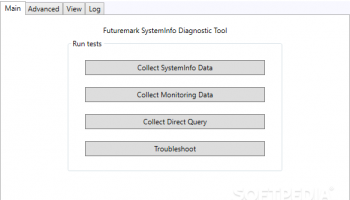
The user interface of Futuremark SystemInfo is designed with simplicity and functionality in mind. It presents detailed information in a clear and organized manner, making it easy for users to navigate through different sections and find the data they need. Whether you're a seasoned IT professional or a casual user, the intuitive layout ensures that you can quickly access and understand your system's specifications.
Security and privacy are also top priorities for UL, and Futuremark SystemInfo reflects this commitment. The software collects only the necessary information required for benchmarking and diagnostic purposes, ensuring that user data is handled responsibly. Additionally, UL regularly updates the software to support new hardware and address any potential vulnerabilities, providing users with peace of mind.
In summary, Futuremark SystemInfo is an indispensable tool for anyone serious about system benchmarking and diagnostics. Its comprehensive hardware and software detection capabilities, seamless integration with UL's benchmarking tools, and user-friendly interface make it a top choice for both professionals and enthusiasts. Whether you're looking to optimize your system's performance or simply gain a deeper understanding of your hardware, Futuremark SystemInfo delivers the detailed insights you need with the reliability and precision that UL is known for.
At its core, Futuremark SystemInfo excels in identifying and cataloging a wide array of system components. From the CPU and GPU to storage devices and installed drivers, this software leaves no stone unturned. It supports a vast range of hardware, making it a versatile choice for both modern and legacy systems. This extensive compatibility ensures that users can trust the data collected, regardless of their system's age or configuration.
One of the standout features of Futuremark SystemInfo is its ability to seamlessly integrate with UL's suite of benchmarking tools, such as 3DMark and PCMark. This integration allows for a streamlined benchmarking process, where system information is automatically gathered and appended to benchmark results. This not only saves time but also enhances the accuracy of performance assessments by providing context to the benchmark scores.
The user interface of Futuremark SystemInfo is designed with simplicity and functionality in mind. It presents detailed information in a clear and organized manner, making it easy for users to navigate through different sections and find the data they need. Whether you're a seasoned IT professional or a casual user, the intuitive layout ensures that you can quickly access and understand your system's specifications.
Security and privacy are also top priorities for UL, and Futuremark SystemInfo reflects this commitment. The software collects only the necessary information required for benchmarking and diagnostic purposes, ensuring that user data is handled responsibly. Additionally, UL regularly updates the software to support new hardware and address any potential vulnerabilities, providing users with peace of mind.
In summary, Futuremark SystemInfo is an indispensable tool for anyone serious about system benchmarking and diagnostics. Its comprehensive hardware and software detection capabilities, seamless integration with UL's benchmarking tools, and user-friendly interface make it a top choice for both professionals and enthusiasts. Whether you're looking to optimize your system's performance or simply gain a deeper understanding of your hardware, Futuremark SystemInfo delivers the detailed insights you need with the reliability and precision that UL is known for.
OS: Windows 11, Windows 10 32/64 bit, Windows 8 32/64 bit, Windows 7 32/64 bit, Windows Vista, Windows XP 32/64 bit
Add Your Review or 64-bit Compatibility Report
Top System Maintenance 64-bit downloads


Windows 7 Service Pack 1 7601.17514.1011
SP1 - all previously publicly released updates for Windows 7 and Server 2008 R2
Freeware

windows_exporter 0.31.5
Lightweight tool for exporting Windows metrics to Prometheus for monitoring.
Open Source

WinToUSB 10.5 Build January 2
Easily create bootable USB drives from Windows installations with WinToUSB.
Shareware | $29.95

XtraTools Professional x64 26.3.1

XtraTools increases productivity and makes working with MS Windows easier.
Shareware | $29.99

Microsoft Edge WebView2 Runtime 146.0.3856.78
WebView2 Runtime: Embed web content in apps with Edge's rendering engine.
Freeware

TopNotify 3.1.1
TopNotify: Real-time notifications and alerts for seamless communication.
Open Source

Fortect 7.3.5.0
Fortect repairs and optimizes your PC, enhancing performance effortlessly.
Trialware | $30.95


Members area
Top 64-bit Downloads
-
HWiNFO64 6.28 B4200
x64 freeware download -
Windows 7 x64
x64 trialware download -
GRBackPro Server Backup
x64 11.2.0
x64 shareware download -
Windows 10 x64 22H2
x64 trialware download -
XtraTools Professional
x64 26.3.1
x64 shareware download -
EasyTune6 B24.0119.1
x64 freeware download -
DAR 2.7.14
x64 open source download -
Processor X32 or X64 1.5
x64 freeware download -
O&O MediaRecovery
64-bit 14.0.17
x64 demo download -
BusDog x64 0.2
x64 freeware download
Top Downloads
-
FreeCommander XE
Portable 2026 Build 941
freeware download -
FURY CTRL 2.0.65.0
freeware download -
FMDiff 4.0.5
demo download -
Open Files from XLSX to
XLS 5.2
shareware download -
Vim 9.2.0271
open source download -
iSunshare iBypass Genius 3.1.2.1
shareware download -
Shell Tools 2.0.1
freeware download -
HWiNFO64 6.28 B4200
freeware download -
EaseUS Key Finder 4.1.6 Build 20240910
demo download -
Pitara 5.0.9583.34420
open source download -
AnyMP4 Data Recovery 1.5.12
shareware download -
PCtransfer 1.0.0.1033
freeware download -
Software to Data
Recovery 5.8.4.1
shareware download -
Music Collection 3.9.7.3
freeware download -
WinFindr 1.9
shareware download