
Incogniton - X 64-bit Download
Popular x64 Tags
- internet x64 download
- delete x64 download
- cookies x64 download
- password x64 download
- lock x64 download
- hide x64 download
- keylogger x64 download
- shredder x64 download
- history x64 download
- wipe x64 download
- security x64 download
- clean x64 download
- cache x64 download
- files x64 download
- protect x64 download
- data x64 download
- erase x64 download
- secure x64 download
- lost password x64 download
- software x64 download
- utility x64 download
- file x64 download
- privacy x64 download
- recovery x64 download
- forgotten password x64 download
- shred x64 download
- erase history x64 download
- remove x64 download
- registry repair programs x64 download
- evidence x64 download
Incogniton 4.9.0.4
Sponsored links:
license: Demo ($19.99)
downloads: 54
size: 176.00 MB
updated: 2025-12-23
tags: Incogniton, download Incogniton, Incogniton free download, Browser Profile, Browser Fingerprint, Browser Privacy, Browser, Fingerprint, Privacy, Profile
Add to Basket

Incogniton

Incogniton, developed by the eponymous company Incogniton, is a sophisticated browser automation tool designed to streamline the management of multiple online identities. This software stands out in the crowded field of digital privacy and automation tools by offering a robust suite of features tailored for marketers, researchers, and anyone needing to handle numerous browser profiles efficiently and securely.
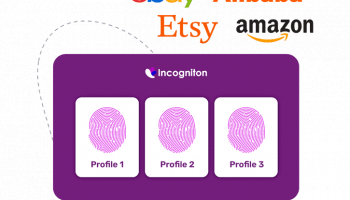
At its core, Incogniton provides a seamless experience for creating, managing, and automating multiple browser profiles. Each profile operates in a fully isolated environment, ensuring that cookies, cache, and other browsing data do not overlap, thereby maintaining the integrity and privacy of each identity. This is particularly beneficial for professionals engaged in activities such as social media management, SEO optimization, and market research, where handling multiple accounts without cross-contamination is crucial.
One of the standout features of Incogniton is its intuitive user interface, which simplifies the complex task of profile management. Users can easily create new profiles, each with its own unique browser fingerprint, including user-agent strings, screen resolution, and other customizable parameters. This level of detail ensures that each profile mimics a real, distinct user, enhancing the effectiveness of tasks that require high levels of anonymity and authenticity.
Automation is another key strength of Incogniton. The software supports the integration of various automation scripts, allowing users to automate repetitive tasks such as logging in, posting content, or scraping data. This not only saves time but also reduces the risk of human error, making workflows more efficient and reliable.
Security is a paramount concern for Incogniton, and the software addresses this with robust encryption and secure data storage. Users can rest assured that their profiles and associated data are protected against unauthorized access. Additionally, Incogniton's cloud-based infrastructure ensures that profiles can be accessed from anywhere, providing flexibility and convenience for users who need to manage their tasks on the go.
Another notable feature is the team collaboration functionality. Incogniton allows multiple users to share and manage profiles collaboratively, making it an ideal solution for teams working on joint projects. This feature includes role-based access controls, ensuring that team members have the appropriate level of access to the profiles they need.
In terms of performance, Incogniton is optimized for speed and reliability. The software is designed to handle a large number of profiles without compromising on performance, ensuring that users can scale their operations as needed. Regular updates and active customer support further enhance the user experience, addressing any issues promptly and keeping the software up-to-date with the latest technological advancements.
In summary, Incogniton by Incogniton is a powerful, user-friendly tool for managing multiple browser profiles with a high degree of security and efficiency. Its combination of intuitive design, robust automation capabilities, and strong security measures make it an invaluable asset for professionals who require reliable and scalable browser automation solutions. Whether you're a digital marketer, a researcher, or part of a collaborative team, Incogniton provides the tools you need to manage your online identities effectively.
At its core, Incogniton provides a seamless experience for creating, managing, and automating multiple browser profiles. Each profile operates in a fully isolated environment, ensuring that cookies, cache, and other browsing data do not overlap, thereby maintaining the integrity and privacy of each identity. This is particularly beneficial for professionals engaged in activities such as social media management, SEO optimization, and market research, where handling multiple accounts without cross-contamination is crucial.
One of the standout features of Incogniton is its intuitive user interface, which simplifies the complex task of profile management. Users can easily create new profiles, each with its own unique browser fingerprint, including user-agent strings, screen resolution, and other customizable parameters. This level of detail ensures that each profile mimics a real, distinct user, enhancing the effectiveness of tasks that require high levels of anonymity and authenticity.
Automation is another key strength of Incogniton. The software supports the integration of various automation scripts, allowing users to automate repetitive tasks such as logging in, posting content, or scraping data. This not only saves time but also reduces the risk of human error, making workflows more efficient and reliable.
Security is a paramount concern for Incogniton, and the software addresses this with robust encryption and secure data storage. Users can rest assured that their profiles and associated data are protected against unauthorized access. Additionally, Incogniton's cloud-based infrastructure ensures that profiles can be accessed from anywhere, providing flexibility and convenience for users who need to manage their tasks on the go.
Another notable feature is the team collaboration functionality. Incogniton allows multiple users to share and manage profiles collaboratively, making it an ideal solution for teams working on joint projects. This feature includes role-based access controls, ensuring that team members have the appropriate level of access to the profiles they need.
In terms of performance, Incogniton is optimized for speed and reliability. The software is designed to handle a large number of profiles without compromising on performance, ensuring that users can scale their operations as needed. Regular updates and active customer support further enhance the user experience, addressing any issues promptly and keeping the software up-to-date with the latest technological advancements.
In summary, Incogniton by Incogniton is a powerful, user-friendly tool for managing multiple browser profiles with a high degree of security and efficiency. Its combination of intuitive design, robust automation capabilities, and strong security measures make it an invaluable asset for professionals who require reliable and scalable browser automation solutions. Whether you're a digital marketer, a researcher, or part of a collaborative team, Incogniton provides the tools you need to manage your online identities effectively.
OS: Windows 11, Windows 10 32/64 bit
Add Your Review or 64-bit Compatibility Report
Top Other 64-bit downloads


Windows Defender Definition Updates March 30, 2026

Essential security updates for Windows Defender.
Freeware


2FAGuard 1.7.2
Secure your accounts effortlessly with 2FAGuard's intuitive two-factor authentication.
Open Source

IPVanish 4.3.9.1
Secure and fast VPN service with user-friendly interface and robust features.
Shareware


Members area
Top 64-bit Downloads
-
OpenVPN x64 2.6.11
x64 open source download -
VSCryptoHash 64-bit 2.5.3.509
x64 freeware download -
Prevent Restore 119.00
x64 freeware download -
Secret Disk 321.00
x64 freeware download -
Wipe 2603.00
x64 freeware download -
O&O SafeErase Server
x64 18.4.611
x64 trialware download -
Hash Suite 4.0
x64 shareware download -
Microsoft Standalone
System Sweeper (x64 bit) 1.0.856.0 Beta
x64 freeware download -
Romaco Timeout x64 3.1.4.0
x64 freeware download -
Trend Micro Internet
Security Pro 2010 (x64
bit)
x64 trialware download
Top Downloads
-
OpenVPN x64 2.6.11
open source download -
Aiseesoft Android
Unlocker 1.1.16
shareware download -
CmosPwd 5.0
freeware download -
ClamWin Portable 0.103.2.1
open source download -
NordVPN 7.56.2.0
demo download -
Video Padlock 1.20
demo download -
SymlexVPN 3.1.7
shareware download -
WebPost Tools 1.0.0.412
freeware download -
Portable SafeInCloud 24.14.1
freeware download -
Windows Defender
Definition Updates March 30, 2026
freeware download -
OSV-Scanner 2.3.5
open source download -
CRYPTO! Build 9695
freeware download -
GhostVolt 1.3.3.0
demo download -
abylon KEYSAFE 23.60.1
shareware download -
Portmaster 2.1.12
open source download