
IsMyMemoryOK - X 64-bit Download
Popular x64 Tags
- cpu x64 download
- performance x64 download
- windows x64 download
- driver updates x64 download
- driver update x64 download
- cleaner x64 download
- defrag x64 download
- system x64 download
- drivers update x64 download
- tune x64 download
- tweak x64 download
- registry cleaner x64 download
- security x64 download
- video driver update x64 download
- optimizer x64 download
- registry x64 download
- uninstall x64 download
- speed x64 download
- boost x64 download
- faster x64 download
- system utilities x64 download
- utility x64 download
- optimize x64 download
- driver update software x64 download
- startup x64 download
- disk cleaner x64 download
- clean disk x64 download
- clean x64 download
- vista x64 download
- disk x64 download
IsMyMemoryOK 1.33
Sponsored links:
license: Freeware
downloads: 36
size: 205 kB
updated: 2026-03-16
tags: IsMyMemoryOK, download IsMyMemoryOK, IsMyMemoryOK free download, RAM error test, RAM tester, memory test, RAM, performance, tester, test
Add to Basket

Nenad Hrg

"IsMyMemoryOK" is a lightweight and efficient utility developed by Nenad Hrg, designed to provide users with a quick and straightforward method to assess the performance and health of their computer's memory. This software stands out for its simplicity and effectiveness, making it an ideal choice for both novice and experienced users who want to ensure their system's RAM is functioning optimally.
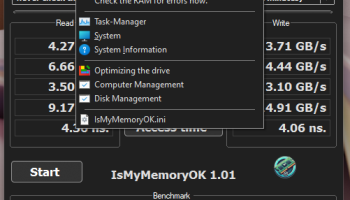
Upon launching "IsMyMemoryOK," users are greeted with an intuitive interface that emphasizes ease of use. The software does not require any complex setup or configuration, allowing users to immediately begin testing their memory. This is particularly beneficial for those who may not be technically inclined but still wish to maintain their computer's performance.
The core functionality of "IsMyMemoryOK" revolves around its ability to perform a quick test of the system's RAM. The program runs a series of checks to determine the speed and efficiency of the memory, providing users with a clear indication of its current state. The results are displayed in a straightforward manner, highlighting any potential issues that may need attention. This feature is invaluable for diagnosing problems that could lead to system slowdowns or crashes, enabling users to take proactive measures to address them.
One of the standout features of "IsMyMemoryOK" is its minimal resource usage. The software is designed to be as unobtrusive as possible, ensuring that it does not interfere with other processes or slow down the system while tests are being conducted. This makes it an excellent tool for continuous monitoring, allowing users to regularly check their memory without impacting their workflow.
Another advantage of "IsMyMemoryOK" is its portability. The software does not require installation, meaning it can be run directly from a USB drive or other portable storage device. This makes it a convenient tool for IT professionals or anyone who needs to test memory on multiple machines without the hassle of installing software on each one.
Despite its simplicity, "IsMyMemoryOK" is a powerful tool for maintaining system health. It provides users with peace of mind, knowing that they can quickly identify and address memory-related issues before they escalate into more significant problems. The software is regularly updated by Nenad Hrg, ensuring compatibility with the latest hardware and operating systems, as well as incorporating user feedback to enhance its functionality.
In conclusion, "IsMyMemoryOK" is a must-have utility for anyone looking to keep their computer's memory in check. Its user-friendly design, efficient performance, and portability make it a standout choice in the realm of system utilities. Whether you're a casual user or a seasoned IT professional, this software offers a reliable solution for monitoring and optimizing your computer's RAM, ensuring smooth and efficient operation.
Upon launching "IsMyMemoryOK," users are greeted with an intuitive interface that emphasizes ease of use. The software does not require any complex setup or configuration, allowing users to immediately begin testing their memory. This is particularly beneficial for those who may not be technically inclined but still wish to maintain their computer's performance.
The core functionality of "IsMyMemoryOK" revolves around its ability to perform a quick test of the system's RAM. The program runs a series of checks to determine the speed and efficiency of the memory, providing users with a clear indication of its current state. The results are displayed in a straightforward manner, highlighting any potential issues that may need attention. This feature is invaluable for diagnosing problems that could lead to system slowdowns or crashes, enabling users to take proactive measures to address them.
One of the standout features of "IsMyMemoryOK" is its minimal resource usage. The software is designed to be as unobtrusive as possible, ensuring that it does not interfere with other processes or slow down the system while tests are being conducted. This makes it an excellent tool for continuous monitoring, allowing users to regularly check their memory without impacting their workflow.
Another advantage of "IsMyMemoryOK" is its portability. The software does not require installation, meaning it can be run directly from a USB drive or other portable storage device. This makes it a convenient tool for IT professionals or anyone who needs to test memory on multiple machines without the hassle of installing software on each one.
Despite its simplicity, "IsMyMemoryOK" is a powerful tool for maintaining system health. It provides users with peace of mind, knowing that they can quickly identify and address memory-related issues before they escalate into more significant problems. The software is regularly updated by Nenad Hrg, ensuring compatibility with the latest hardware and operating systems, as well as incorporating user feedback to enhance its functionality.
In conclusion, "IsMyMemoryOK" is a must-have utility for anyone looking to keep their computer's memory in check. Its user-friendly design, efficient performance, and portability make it a standout choice in the realm of system utilities. Whether you're a casual user or a seasoned IT professional, this software offers a reliable solution for monitoring and optimizing your computer's RAM, ensuring smooth and efficient operation.
OS: Windows Server 2025, Windows 11, Windows Server 2022, Windows Server 2019, Windows Server 2016, Windows 10 32/64 bit, Windows Server 2012, Windows 8 32/64 bit, Windows 7 32/64 bit
Add Your Review or 64-bit Compatibility Report
Top System Maintenance 64-bit downloads


Windows 7 Service Pack 1 7601.17514.1011
SP1 - all previously publicly released updates for Windows 7 and Server 2008 R2
Freeware

XtraTools Home x64 26.3.1

XtraTools increases productivity and makes working with MS Windows easier.
Shareware | $24.99


WinToUSB 10.5 Build January 2
Easily create bootable USB drives from Windows installations with WinToUSB.
Shareware | $29.95

Lenovo Legion Toolkit 2.33.0.0
Optimize your Lenovo Legion experience with this powerful toolkit.
Open Source


FastFolders 5.14.2
Quickly access folders and files with customizable shortcuts and menus.
Trialware | $15.00

Advanced Uninstaller PRO 13.28.0.69
Effortlessly remove unwanted software and optimize your PC with Advanced Uninstaller PRO.
Trialware | $9.10

RAM Saver Pro 26.3.1
Easy-to-use RAM optimizer tool that will keep your computer running faster.
Shareware | $29.99
tags: rambooster, ram, memorybooster, memory, ramsaver, ramsaverpro, booster, tweaker, tool, tools, utilities, optimizer, optimiser
Members area
Top 64-bit Downloads
-
O&O DiskRecovery x64 14.0.17
x64 demo download -
O&O DiskRecovery
Admin Edition x64 10.0 B117
x64 demo download -
XtraTools Home x64 26.3.1
x64 shareware download -
Processor X32 or X64 1.5
x64 freeware download -
EasyTune6 B24.0119.1
x64 freeware download -
O&O DiskImage
Professional x64 19.0.109
x64 trialware download -
O&O DiskImage
Professional x64 19.0.109
x64 trialware download -
O&O CleverCache
Professional Edition x64 7.1.2737
x64 trialware download -
O&O Defrag
Professional Edition x64 28.0.10005
x64 trialware download -
ASUS Fan Xpert 4.0
x64 freeware download
Top Downloads
-
Copy Outlook Express to
Windows Live Mail 3.54
shareware download -
File Checksum Tool 1.41
freeware download -
Outlook Emails to PDF 1.2
shareware download -
Convert Yahoo Email to
PDF 2.1
shareware download -
OST Export to PST 2.2
shareware download -
EML File Converter 21.4
shareware download -
SoftTweak OST to PST 3.1
shareware download -
iTop PDF 3.6.0.4
freeware download -
SharpBoot 5.0
freeware download -
O&O DiskRecovery x64 14.0.17
demo download -
O&O DiskRecovery
Admin Edition x64 10.0 B117
demo download -
Image 4.01
trialware download -
O&O DiskImage
Professional x64 19.0.109
trialware download -
O&O DiskImage
Professional x64 19.0.109
trialware download -
AnyMP4 Data Recovery 1.5.12
shareware download