
Macrorit Disk Scanner Portable - X 64-bit Download
Popular x64 Tags
- files x64 download
- file manager x64 download
- zip x64 download
- tool x64 download
- software x64 download
- ntfs x64 download
- remove x64 download
- disk x64 download
- free x64 download
- duplicate x64 download
- copy x64 download
- folder x64 download
- utility x64 download
- data recovery software x64 download
- undelete x64 download
- erase x64 download
- directory x64 download
- backup x64 download
- file x64 download
- hard x64 download
- data recovery x64 download
- delete x64 download
- recovery x64 download
- find x64 download
- file recovery x64 download
- unerase x64 download
- recover x64 download
- mp3 x64 download
- space x64 download
- search x64 download
You are here: X-64-bit Download
\ System Utilities
\ File & Disk Management \ Macrorit Disk Scanner Portable
Macrorit Disk Scanner Portable 6.9.3
Sponsored links:
license: Shareware
downloads: 39
size: 12.50 MB
updated: 2024-11-06
tags: Macrorit Disk Scanner Portable, download Macrorit Disk Scanner Portable, Macrorit Disk Scanner Portable free download, disk scanner, scan HDD, check HDD, HDD, scan, scanner, disk
Add to Basket

Macrorit

**Macrorit Disk Scanner Portable: A Comprehensive Tool for Disk Health Monitoring**
Macrorit Disk Scanner Portable, developed by Macrorit, is a robust and efficient utility designed to help users maintain the health and integrity of their storage devices. This software stands out for its portability, allowing users to run it directly from a USB drive without the need for installation, making it an ideal choice for IT professionals and on-the-go users.
**Key Features and Functionality**
1. **User-Friendly Interface**: The software boasts an intuitive and straightforward interface, making it accessible to both novice and experienced users. The clear layout ensures that users can easily navigate through the various features without a steep learning curve.
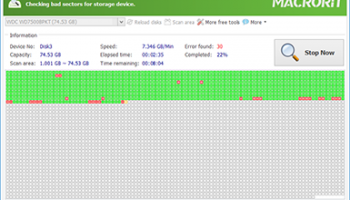
2. **Comprehensive Disk Scanning**: Macrorit Disk Scanner Portable performs thorough surface tests on hard drives, SSDs, and other storage devices. It meticulously scans for bad sectors, providing detailed reports on the health status of the disk. This feature is crucial for preventing data loss and ensuring the longevity of your storage devices.
3. **Real-Time Monitoring**: The software offers real-time monitoring of disk health, allowing users to detect issues as they arise. This proactive approach helps in taking timely actions to safeguard data and prevent potential failures.
4. **Portability**: As a portable application, it can be run from any removable storage device, making it highly convenient for users who need to diagnose multiple systems. This feature eliminates the need for installation, saving time and ensuring that the software can be used on any compatible device instantly.
5. **Detailed Reporting**: After completing a scan, Macrorit Disk Scanner Portable generates comprehensive reports that highlight any detected issues. These reports can be saved for future reference or shared with technical support for further analysis.
6. **Customizable Scanning Options**: Users can customize the scanning process according to their needs. Whether you want to scan the entire disk or just specific sections, the software provides flexible options to cater to different requirements.
7. **Low Resource Consumption**: Despite its powerful capabilities, Macrorit Disk Scanner Portable is designed to be lightweight and efficient. It consumes minimal system resources, ensuring that it does not interfere with other running applications or slow down the system.
**Performance and Reliability**
Macrorit Disk Scanner Portable is known for its high performance and reliability. The software quickly identifies bad sectors and provides accurate diagnostic information, helping users make informed decisions about their storage devices. Its ability to run seamlessly on various versions of Windows further enhances its versatility and usability.
**Conclusion**
In summary, Macrorit Disk Scanner Portable is an essential tool for anyone looking to maintain the health and performance of their storage devices. Its user-friendly interface, comprehensive scanning capabilities, and portability make it a standout choice in the realm of disk health monitoring tools. Whether you are an IT professional, a tech enthusiast, or a regular user, this software provides the necessary features to ensure your data remains safe and your storage devices function optimally.
Macrorit Disk Scanner Portable, developed by Macrorit, is a robust and efficient utility designed to help users maintain the health and integrity of their storage devices. This software stands out for its portability, allowing users to run it directly from a USB drive without the need for installation, making it an ideal choice for IT professionals and on-the-go users.
**Key Features and Functionality**
1. **User-Friendly Interface**: The software boasts an intuitive and straightforward interface, making it accessible to both novice and experienced users. The clear layout ensures that users can easily navigate through the various features without a steep learning curve.
2. **Comprehensive Disk Scanning**: Macrorit Disk Scanner Portable performs thorough surface tests on hard drives, SSDs, and other storage devices. It meticulously scans for bad sectors, providing detailed reports on the health status of the disk. This feature is crucial for preventing data loss and ensuring the longevity of your storage devices.
3. **Real-Time Monitoring**: The software offers real-time monitoring of disk health, allowing users to detect issues as they arise. This proactive approach helps in taking timely actions to safeguard data and prevent potential failures.
4. **Portability**: As a portable application, it can be run from any removable storage device, making it highly convenient for users who need to diagnose multiple systems. This feature eliminates the need for installation, saving time and ensuring that the software can be used on any compatible device instantly.
5. **Detailed Reporting**: After completing a scan, Macrorit Disk Scanner Portable generates comprehensive reports that highlight any detected issues. These reports can be saved for future reference or shared with technical support for further analysis.
6. **Customizable Scanning Options**: Users can customize the scanning process according to their needs. Whether you want to scan the entire disk or just specific sections, the software provides flexible options to cater to different requirements.
7. **Low Resource Consumption**: Despite its powerful capabilities, Macrorit Disk Scanner Portable is designed to be lightweight and efficient. It consumes minimal system resources, ensuring that it does not interfere with other running applications or slow down the system.
**Performance and Reliability**
Macrorit Disk Scanner Portable is known for its high performance and reliability. The software quickly identifies bad sectors and provides accurate diagnostic information, helping users make informed decisions about their storage devices. Its ability to run seamlessly on various versions of Windows further enhances its versatility and usability.
**Conclusion**
In summary, Macrorit Disk Scanner Portable is an essential tool for anyone looking to maintain the health and performance of their storage devices. Its user-friendly interface, comprehensive scanning capabilities, and portability make it a standout choice in the realm of disk health monitoring tools. Whether you are an IT professional, a tech enthusiast, or a regular user, this software provides the necessary features to ensure your data remains safe and your storage devices function optimally.
OS: Windows 11, Windows Server 2022, Windows Server 2019, Windows Server 2016, Windows 10 32/64 bit, Windows Server 2012 R2, Windows Server 2012, Windows 2008 R2, Windows 2008 32/64 bit, Windows 2003, Windows 8 32/64 bit, Windows 7 32/64 bit, Windows Vista
Add Your Review or 64-bit Compatibility Report
Top File & Disk Management 64-bit downloads


Open Files from XLSX to XLS 5.2
Convert XLSX to XLS with Open files from XLSX to XLS program
Shareware | $29.00

WinFindr 1.8
Effortlessly locate files and folders with WinFindr's intuitive search.
Shareware | $23.00


FileMyster 1.2.5
Admin tool for seamless automatic sychronization between folders and computers
Freeware


Pitara 5.0.9574.42157

Pitara: Your all-in-one solution for seamless project management and collaboration.
Open Source

tail for Windows 2.1
tail for Windows is a UNIX/Linux like tail DOS Command for Windows.
Shareware | $29.99


FileAnt 2024.05.018
Tabbed File Manager, Ftp Client, Pie Chart, Advanced Tools, And File Viewer
Freeware
Members area
Top 64-bit Downloads
-
HWiNFO64 6.28 B4200
x64 freeware download -
GRBackPro Server Backup
x64 11.2.0
x64 shareware download -
Windows 7 x64
x64 trialware download -
EasyTune6 B24.0119.1
x64 freeware download -
XtraTools Professional
x64 26.2.1
x64 shareware download -
SoftPerfect RAM Disk 26.2
x64 shareware download -
7z SFX Builder x64 2.1
x64 freeware download -
BusDog x64 0.2
x64 freeware download -
PhotoRenamer 4.1
x64 freeware download -
DBX Converter 2.0
x64 shareware download
Top Downloads
-
Open Files from XLSX to
XLS 5.2
shareware download -
FMDiff 4.0.5
demo download -
Vim 9.2.0198
open source download -
Shell Tools 2.0.1
freeware download -
WinFindr 1.8
shareware download -
Caffeine 1.98
freeware download -
AnyMP4 Data Recovery 1.5.12
shareware download -
Software to Data
Recovery 5.8.4.1
shareware download -
Clipstory 1.0
shareware download -
Tags4Docs 1.1
shareware download -
Nomad.NET 3.2.0.2890
freeware download -
FileMyster 1.2.5
freeware download -
Music Collection 3.9.7.0
freeware download -
File Compression 1.0
commercial download -
NirLauncher 1.30.22
freeware download