
Mazaika - X 64-bit Download
Popular x64 Tags
- image x64 download
- design x64 download
- size x64 download
- color x64 download
- graphics x64 download
- gif x64 download
- panorama x64 download
- photoshop x64 download
- software x64 download
- jpeg x64 download
- photo x64 download
- utility x64 download
- plugin x64 download
- cover x64 download
- tool x64 download
- rgb x64 download
- png x64 download
- jpg x64 download
- pictures x64 download
- images x64 download
- vanderlee x64 download
- bmp x64 download
- photos x64 download
- vdl x64 download
- picture x64 download
- scanner x64 download
- screen x64 download
- video x64 download
- scan x64 download
- dust x64 download
Mazaika 5.1
Sponsored links:

Boris A. Glazer

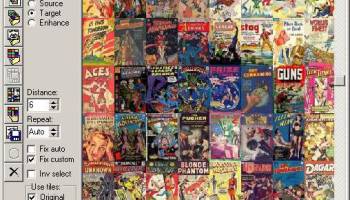
MAZAIKA is a mosaic creation application. It produced images composed from many small images (aka photomosaic), like a "Truman show" movie poster - a composite of hundreds of little pics to mimic another larger image.
To make good mosaic picture you must have collection of more that 1000 different pictures (it's easy if you have digital camera). You can use image files in in almost any format for this composition. There are many adjustable parameters for control of creation process. You can save resulting mosaic picture as one big image file. Version 2 is 20 times faster then previous version. There are wizard type interface and context help system.
How Mazaika works:
Every region of the source image is replaced with some image from a collection, that most closely resembles the original image. When searching for an appropriate image Mazaika considers not only the overall color of the source image part but also takes into account the inner color and the brightness distribution within.
The more pictures in your collection - the more accurate the match. The more different colors and brightnesses in the pictures in the collection - the more accurate the match. In the gallery section you can see some source pictures rendered with different collections.
FEATURES:
· Real time color correction and blending in the main screen.
· Option to Correct Tile Colors.
· Option to Sharpen Tiles in mosaic.
· Allows you to save a really huge files up to 10Gb and more.
· Context help system.
· Wizard type interface.
· Zoom in/out view of the mosaic.
· Right click popup to show candidates for current cell.
· Right click popup menu to view original tile image.
· Smart rendering mode to fill key image areas first.
· Manual rendering mode to change single tiles if you don't like them.
· Repetition tiles count control.
· Use All Pics rendering option.
· Tile resampling for best output quality.
· Optional blend tiles with original image.
· Custom cropping adjustments for tile library.
· Custom sampling resolution.
· Forced library option.
· Batch mosaic process for all images in the folder.
· Library Inspector screen.
· Options to add/remove pictures from an existing library.
· Options to use flipped tiles.
· Option to stretch tiles.
· Render and save only selected area of mosaic.
· Add borders and grid lines to the saved mosaic.
· Save mosaic as jpg, tiff or bmp file formats.
· Save mosaic as sequence of images.
· Save mosaic as clickable html table.
· Fast open/resize alghorithm for jpeg files.
· Direct disk writing for large tiff/bmp output files.
· TWAIN scanner support for source images.
· Recent used files menu.
To make good mosaic picture you must have collection of more that 1000 different pictures (it's easy if you have digital camera). You can use image files in in almost any format for this composition. There are many adjustable parameters for control of creation process. You can save resulting mosaic picture as one big image file. Version 2 is 20 times faster then previous version. There are wizard type interface and context help system.
How Mazaika works:
Every region of the source image is replaced with some image from a collection, that most closely resembles the original image. When searching for an appropriate image Mazaika considers not only the overall color of the source image part but also takes into account the inner color and the brightness distribution within.
The more pictures in your collection - the more accurate the match. The more different colors and brightnesses in the pictures in the collection - the more accurate the match. In the gallery section you can see some source pictures rendered with different collections.
FEATURES:
· Real time color correction and blending in the main screen.
· Option to Correct Tile Colors.
· Option to Sharpen Tiles in mosaic.
· Allows you to save a really huge files up to 10Gb and more.
· Context help system.
· Wizard type interface.
· Zoom in/out view of the mosaic.
· Right click popup to show candidates for current cell.
· Right click popup menu to view original tile image.
· Smart rendering mode to fill key image areas first.
· Manual rendering mode to change single tiles if you don't like them.
· Repetition tiles count control.
· Use All Pics rendering option.
· Tile resampling for best output quality.
· Optional blend tiles with original image.
· Custom cropping adjustments for tile library.
· Custom sampling resolution.
· Forced library option.
· Batch mosaic process for all images in the folder.
· Library Inspector screen.
· Options to add/remove pictures from an existing library.
· Options to use flipped tiles.
· Option to stretch tiles.
· Render and save only selected area of mosaic.
· Add borders and grid lines to the saved mosaic.
· Save mosaic as jpg, tiff or bmp file formats.
· Save mosaic as sequence of images.
· Save mosaic as clickable html table.
· Fast open/resize alghorithm for jpeg files.
· Direct disk writing for large tiff/bmp output files.
· TWAIN scanner support for source images.
· Recent used files menu.
Homepage: Mazaika
OS: Windows XP, Windows Vista, Windows Vista x64, Windows 7, Windows 7 x64, Windows 8, Windows 8 x64, Windows 10, Windows 10 x64, Windows 11
Add Your Review or 64-bit Compatibility Report
Top Other 64-bit downloads


Topaz DeNoise 6.0.1
A Photoshop plugin that can help you remove digital image noise
Trialware | $79.99


Just Color Picker 6.2
Free portable colour picker and editor for web-designers and digital artists.
Freeware

PDF Writer for Windows 2022 1.02
Server-based solution for deploying PDF creation ability across your company
Shareware | $700.00
tags: pdf, server, writer, print, printer, windows2022, win2022, printing, driver, feature, secure, password, vector, concurrent, client, virtual, server2022, windows, 2022, windows server 2022

iWisdom 0.0.0+2107~ga0785ce1
An application which helps you store small bits of wisdom, such as quotations
Open Source


Blue Cat's Protector x64 2.31
0dB stereo brickwall limiter with adjustable dynamics response
Demo | $99.00
Members area
Top 64-bit Downloads
-
cPicture (x64 bit) 4.1
x64 freeware download -
HyperCam (x64 bit) 2.29.00
x64 freeware download -
PhotoFiltre 11.6.1
x64 freeware download -
VanceAI 1.0.0.7
x64 shareware download -
Adobe Photoshop Elements 2024.3
x64 trialware download -
PDF Writer for Windows
2022 1.02
x64 shareware download -
Gimp for x64 Windows 2.10.38
x64 open source download -
ICO file format x64 2.1f1
x64 open source download -
Archicad 64bit 27 B3001
x64 demo download -
Portable PhotoFiltre 11.6.1
x64 freeware download
Top Downloads
-
CorelDRAW X5 2025 26.2.0.29
trialware download -
Fotosizer 3.21.0.594
freeware download -
CorelDRAW X6 16.4.0.1280
trialware download -
Scanahand 8.0.0.320
demo download -
MSU Subtitle Remover
VirtualDub plugin 3.0beta2
freeware download -
TinyPDF 3.00
freeware download -
PDF24 Creator 11.17.0
freeware download -
cPicture (x64 bit) 4.1
freeware download -
VueScan 9.8.52
demo download -
Scripthea 3.0.0
open source download -
PhotoFiltre 11.6.1
freeware download -
WinScan2PDF 9.55
freeware download -
VanceAI 1.0.0.7
shareware download -
ReaConverter Standard 8.200
demo download -
FreeFotoWorks 2026 26.0.9
freeware download