
Microsoft Visual Studio Enterprise - X 64-bit Download
Popular x64 Tags
- compile x64 download
- compiler x64 download
- pascal x64 download
- web site x64 download
- web site management x64 download
- sitemaps generator x64 download
- ide x64 download
- python debugger x64 download
- visual studio x64 download
- python x64 download
- programming x64 download
- debug x64 download
- software x64 download
- create application x64 download
- development x64 download
- python ide x64 download
- wingware x64 download
- language x64 download
- browser x64 download
- vb net x64 download
- debugger x64 download
- audio processing x64 download
- free controls x64 download
- improve x64 download
- java ide x64 download
- development environment x64 download
- javascript x64 download
- parser x64 download
- code optimization x64 download
- dll x64 download
You are here: X-64-bit Download
\ Development
\ Compilers & Interpreters \ Microsoft Visual Studio Enterprise
Microsoft Visual Studio Enterprise 2026 18.4.1
Sponsored links:
license: Trialware ($499.92)
downloads: 62
size: 4.30 MB
updated: 2026-03-18
tags: Microsoft Visual Studio Enterprise, download Microsoft Visual Studio Enterprise, Microsoft Visual Studio Enterprise free download, debug console, create application, development IDE, Visual Studio, development, compile, debug
Add to Basket

Microsoft

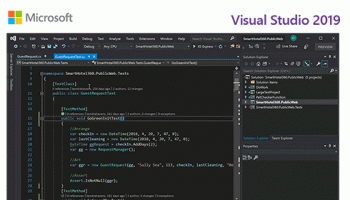
Microsoft Visual Studio Enterprise is a comprehensive, integrated development environment (IDE) designed for professional developers and large-scale enterprises. Developed by Microsoft, this robust software suite caters to the needs of developers working on complex projects, providing a rich set of tools and features that streamline the entire development lifecycle from design to deployment.
At its core, Visual Studio Enterprise offers unparalleled support for a wide array of programming languages, including C#, C++, Python, JavaScript, and more, making it a versatile choice for diverse development teams. The IDE boasts an intuitive and customizable interface, allowing developers to tailor their workspace to enhance productivity and focus on what matters most—writing high-quality code.
One of the standout features of Visual Studio Enterprise is its advanced debugging and diagnostic tools. These tools enable developers to identify and resolve issues quickly, minimizing downtime and ensuring the stability of applications. The IntelliTrace feature, for instance, allows for historical debugging, letting developers step back in time to understand the root cause of issues without needing to reproduce them.
Collaboration is at the heart of Visual Studio Enterprise, with integrated support for Azure DevOps and Git repositories. This seamless integration facilitates continuous integration and continuous deployment (CI/CD) pipelines, ensuring that code changes are automatically tested and deployed, reducing the risk of errors and accelerating the delivery of new features.
For teams working on large-scale applications, the Enterprise edition includes powerful architecture and design tools. The Code Map feature helps visualize complex codebases, making it easier to understand dependencies and relationships within the code. Additionally, the Architecture Validation tool ensures that code adheres to predefined architectural rules, maintaining consistency and quality across the project.
Visual Studio Enterprise also excels in performance and load testing, crucial for applications expected to handle high traffic and large user bases. The integrated testing tools allow for the simulation of real-world conditions, providing insights into how applications will perform under various scenarios. This proactive approach to performance testing helps identify potential bottlenecks and optimize applications before they go live.
Security is another critical aspect addressed by Visual Studio Enterprise. The software includes static code analysis tools that scan for vulnerabilities and coding errors, helping developers adhere to best practices and industry standards. This focus on security ensures that applications are robust and less susceptible to attacks.
Moreover, Visual Studio Enterprise supports cross-platform development, enabling teams to build applications for Windows, macOS, Linux, iOS, and Android from a single codebase. This flexibility is invaluable for enterprises aiming to reach a broad audience across different devices and operating systems.
In summary, Microsoft Visual Studio Enterprise is an all-encompassing IDE that empowers development teams to deliver high-quality, secure, and scalable applications efficiently. Its extensive feature set, combined with powerful collaboration, debugging, and testing tools, makes it an indispensable asset for enterprises looking to stay ahead in the competitive software development landscape. Whether you're working on a small project or a large-scale enterprise application, Visual Studio Enterprise provides the tools and support needed to succeed.
At its core, Visual Studio Enterprise offers unparalleled support for a wide array of programming languages, including C#, C++, Python, JavaScript, and more, making it a versatile choice for diverse development teams. The IDE boasts an intuitive and customizable interface, allowing developers to tailor their workspace to enhance productivity and focus on what matters most—writing high-quality code.
One of the standout features of Visual Studio Enterprise is its advanced debugging and diagnostic tools. These tools enable developers to identify and resolve issues quickly, minimizing downtime and ensuring the stability of applications. The IntelliTrace feature, for instance, allows for historical debugging, letting developers step back in time to understand the root cause of issues without needing to reproduce them.
Collaboration is at the heart of Visual Studio Enterprise, with integrated support for Azure DevOps and Git repositories. This seamless integration facilitates continuous integration and continuous deployment (CI/CD) pipelines, ensuring that code changes are automatically tested and deployed, reducing the risk of errors and accelerating the delivery of new features.
For teams working on large-scale applications, the Enterprise edition includes powerful architecture and design tools. The Code Map feature helps visualize complex codebases, making it easier to understand dependencies and relationships within the code. Additionally, the Architecture Validation tool ensures that code adheres to predefined architectural rules, maintaining consistency and quality across the project.
Visual Studio Enterprise also excels in performance and load testing, crucial for applications expected to handle high traffic and large user bases. The integrated testing tools allow for the simulation of real-world conditions, providing insights into how applications will perform under various scenarios. This proactive approach to performance testing helps identify potential bottlenecks and optimize applications before they go live.
Security is another critical aspect addressed by Visual Studio Enterprise. The software includes static code analysis tools that scan for vulnerabilities and coding errors, helping developers adhere to best practices and industry standards. This focus on security ensures that applications are robust and less susceptible to attacks.
Moreover, Visual Studio Enterprise supports cross-platform development, enabling teams to build applications for Windows, macOS, Linux, iOS, and Android from a single codebase. This flexibility is invaluable for enterprises aiming to reach a broad audience across different devices and operating systems.
In summary, Microsoft Visual Studio Enterprise is an all-encompassing IDE that empowers development teams to deliver high-quality, secure, and scalable applications efficiently. Its extensive feature set, combined with powerful collaboration, debugging, and testing tools, makes it an indispensable asset for enterprises looking to stay ahead in the competitive software development landscape. Whether you're working on a small project or a large-scale enterprise application, Visual Studio Enterprise provides the tools and support needed to succeed.
OS: Windows 11, Windows 10 32/64 bit, Windows 8 32/64 bit, Windows 7 32/64 bit
Add Your Review or 64-bit Compatibility Report
Top Compilers & Interpreters 64-bit downloads


Python 3.14.3
Python: Versatile, high-level programming language for web, data, and automation.
Open Source

AppStudio 9.4.6.1
Create cross-platform mobile apps effortlessly with AppStudio's intuitive tools.
Demo | $150.00

Wing IDE Personal 10.0.4.0
An integrated development environment (IDE) for the Python programming language
Freeware

Qt 6.11.0

Qt: A powerful framework for cross-platform application development.
Trialware | $4 110.00

Gravilux for Win8 UI 1.20.6
Antigravity: A revolutionary tool for effortless project management and collaboration.
Shareware


Understand 7.2 Build 1246
Understand: Advanced static analysis tool for code comprehension and quality.
Demo

Adobe Flash Builder 4.7
Create engaging, cross-platform rich Internet applications
Trialware | $249.00
Members area
Top 64-bit Downloads
-
dotNet Sniffer 64-bit
x64 2.0
x64 freeware download -
PDF Viewer SDK ActiveX
x64 8.5
x64 shareware download -
Software Ideas Modeler
Portable x64 14.55
x64 freeware download -
DotNetBrowser 3.5.0
x64 commercial download -
HPC Pack 2008 R2 SDK x64 3.3.3950 SP3
x64 freeware download -
Microsoft Speech SDK 11
x64 freeware download -
HDFView x64 3.3.2
x64 freeware download -
PyScripter x64 4.3.4
x64 open source download -
exe4j x64 9.0
x64 demo download -
Dart Editor 2.19.6
x64 open source download
Top Downloads
-
NASM 2.16.01
open source download -
WebData 10.2.4.0
shareware download -
Library .NET 19.8.8201
trialware download -
Delphi 12.0
shareware download -
PHP 8.5.4
open source download -
OpenWire 8.0.0.156
freeware download -
.NET Logging Library 2.20
shareware download -
jPDFImages 2021R1
demo download -
Document .Net 2026.3.5
demo download -
Swapy 0.5.4
open source download -
UtilsLib 7.2
demo download -
Python 3.14.3
open source download -
eWorld 0.9.3 Beta
freeware download -
.NET SFTP Library 6.13
shareware download -
Fiddler 5.0.20242.10753 Clas
trialware download