
MiKTeX - X 64-bit Download
Popular x64 Tags
- office x64 download
- microsoft x64 download
- importing x64 download
- exporting x64 download
- acrobat x64 download
- xls x64 download
- printer x64 download
- pdf x64 download
- pdf converter x64 download
- software x64 download
- word x64 download
- outlook x64 download
- excel x64 download
- powerpoint x64 download
- tool x64 download
- ppt x64 download
- adobe x64 download
- convert x64 download
- spreadsheet x64 download
- text x64 download
- create x64 download
- doc x64 download
- printing x64 download
- files x64 download
- add in x64 download
- open x64 download
- document x64 download
- data x64 download
- export x64 download
- saving x64 download
MiKTeX 25.12
Sponsored links:
license: Freeware
downloads: 89
size: 138.00 MB
updated: 2025-12-31
tags: MiKTeX, typesetter, open-source, cross-platform, typesetting, formula, document preparation, TEX editor, typesetting system, TeX, write formula, download MiKTeX, editor, MiKTeX free download, LaTeX
Add to Basket

Christian Schenk

MiKTeX, developed by Christian Schenk, is a comprehensive distribution of the TeX/LaTeX typesetting system, designed to facilitate the creation of high-quality documents. Ideal for users ranging from academic researchers to professional publishers, MiKTeX offers a robust and user-friendly platform for producing complex documents with precision and ease.
At its core, MiKTeX provides a complete set of tools for document preparation, including a TeX compiler, a variety of fonts, and a rich library of packages that extend its functionality. This makes it exceptionally versatile, catering to a wide array of document types, from simple reports to intricate scientific papers with extensive mathematical notations.
One of MiKTeX's standout features is its package management system, which simplifies the process of installing and updating LaTeX packages. With on-the-fly package installation, users can automatically download and install missing packages as needed, ensuring that they always have access to the latest tools and features without manual intervention. This feature significantly enhances productivity, as it minimizes disruptions during document preparation.
MiKTeX also supports a variety of operating systems, including Windows, macOS, and Linux, making it accessible to a broad user base. Its cross-platform compatibility ensures that users can maintain consistency in their document creation process, regardless of the operating system they prefer.
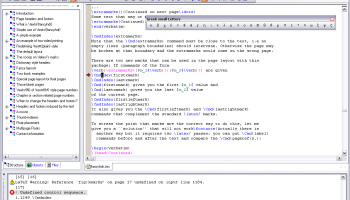
The software includes a powerful editor that integrates seamlessly with the TeX distribution, providing syntax highlighting, error checking, and a preview feature that allows users to see real-time changes to their documents. This integrated development environment (IDE) is designed to streamline the writing process, making it easier for users to focus on content creation rather than technical details.
In addition to its technical capabilities, MiKTeX is known for its active community and comprehensive documentation. Users can access a wealth of resources, including tutorials, forums, and guides, which provide valuable support and insights into best practices for using the software effectively.
Overall, MiKTeX is a reliable and efficient solution for anyone involved in document preparation. Its combination of powerful features, ease of use, and extensive support makes it a top choice for those seeking a robust LaTeX distribution. Whether you're producing academic papers, technical documentation, or complex publications, MiKTeX offers the tools and flexibility needed to achieve professional results.
At its core, MiKTeX provides a complete set of tools for document preparation, including a TeX compiler, a variety of fonts, and a rich library of packages that extend its functionality. This makes it exceptionally versatile, catering to a wide array of document types, from simple reports to intricate scientific papers with extensive mathematical notations.
One of MiKTeX's standout features is its package management system, which simplifies the process of installing and updating LaTeX packages. With on-the-fly package installation, users can automatically download and install missing packages as needed, ensuring that they always have access to the latest tools and features without manual intervention. This feature significantly enhances productivity, as it minimizes disruptions during document preparation.
MiKTeX also supports a variety of operating systems, including Windows, macOS, and Linux, making it accessible to a broad user base. Its cross-platform compatibility ensures that users can maintain consistency in their document creation process, regardless of the operating system they prefer.
The software includes a powerful editor that integrates seamlessly with the TeX distribution, providing syntax highlighting, error checking, and a preview feature that allows users to see real-time changes to their documents. This integrated development environment (IDE) is designed to streamline the writing process, making it easier for users to focus on content creation rather than technical details.
In addition to its technical capabilities, MiKTeX is known for its active community and comprehensive documentation. Users can access a wealth of resources, including tutorials, forums, and guides, which provide valuable support and insights into best practices for using the software effectively.
Overall, MiKTeX is a reliable and efficient solution for anyone involved in document preparation. Its combination of powerful features, ease of use, and extensive support makes it a top choice for those seeking a robust LaTeX distribution. Whether you're producing academic papers, technical documentation, or complex publications, MiKTeX offers the tools and flexibility needed to achieve professional results.
OS: Windows 11, Windows 10 64 bit
Add Your Review or 64-bit Compatibility Report
Top Office Suites & Tools 64-bit downloads


Quite Imposing Plus 6.0d
Effortlessly create and manage complex impositions for PDF documents.
Demo | $949.00

Seavus Project Viewer 19.0
Free to experience the best viewer for Micrsoft Project. Try our Project Viewer
Trialware | $29.50


SilentNotes 8.7.1
SilentNotes: Secure, offline note-taking app with encryption and cross-device sync.
Open Source


CZ Excel Converter 1.9.4.6366
CZ V: A powerful synth emulation with rich sounds and intuitive controls.
Demo | $149.00


callas pdfaPilot 14.2.400
Powerful tool for creating, validating, and optimizing PDF/A documents.
Trialware

mini PDF to TXT OCR Converter 3.2
PDF to TXT OCR Converter is a best OCR Converter
Shareware | $59.95
Members area
Top 64-bit Downloads
-
mbFXWords 2.80
x64 freeware download -
FontAgent Pro 10.0.15.0
x64 trialware download -
Microsoft Office 2016
x64 2405 B17628.20164
x64 trialware download -
Print to PDF Toolkit Pro 3.0
x64 shareware download -
Microsoft Office 2010
Service Pack x64 SP2
x64 freeware download -
PDFill PDF and Image
Writer x64 15.0 Build 2
x64 freeware download -
CSV2IIF Portable 5.0.060
x64 demo download -
Foxit Reader 2023.3
x64 freeware download -
Hl7Spy 24.1.227
x64 trialware download -
ABBYY FineReader
Professional 16.0.13
x64 trialware download
Top Downloads
-
Quite Imposing Plus 6.0d
demo download -
Total CSV Converter 4.0
shareware download -
Active Barcode and QR
code Generator 1.24.8.15
freeware download -
Seavus Project Viewer 19.0
trialware download -
Miro for Windows 0.11.110
shareware download -
Odoo 19.0.20260327
demo download -
Flipping Book Writer 2.6
shareware download -
mbFXWords 2.80
freeware download -
SmarThru 4.04
freeware download -
SilentNotes 8.7.1
open source download -
LawTrust 5.1.1
shareware download -
HelpDesk 11.19.9557.25020
trialware download -
DeskWork Standard 4.0.2827
trialware download -
LiquiBase 5.0.2
trialware download -
Smart Phone Recorder 3.6.5
demo download