
NetConnectChoose - X 64-bit Download
Popular x64 Tags
- software x64 download
- network x64 download
- download x64 download
- seo x64 download
- rss reader x64 download
- online tv x64 download
- internet x64 download
- freeware x64 download
- free x64 download
- identity management x64 download
- hardware inventory x64 download
- slow pc performance x64 download
- proxy x64 download
- utility x64 download
- satellite tv for pc x64 download
- password manager x64 download
- email x64 download
- password reset x64 download
- address x64 download
- security x64 download
- server x64 download
- web x64 download
- remote control software x64 download
- pages x64 download
- rss x64 download
- password management x64 download
- active directory x64 download
- why is my computer so slow x64 download
- software distribution x64 download
- software inventory x64 download
NetConnectChoose 1.10
Sponsored links:

NirSoft

NetConnectChoose is a simple tool that allows you to easily choose the default Internet connection that will be used by all Internet applications, when you have more than a single Internet connection on the same time. (Each connection on different network adapter)
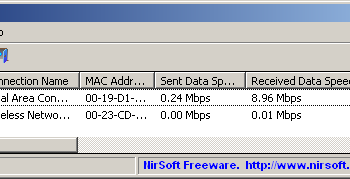
It also displays extensive information about every active network/Internet connection, including network adapter name, MAC Address, Name Servers, MTU, Interface Speed, current incoming/outgoing data speed, number of received/sent packets, received/sent bytes, and more...
Start Using NetConnectChoose
NetConnectChoose doesn't require any installation process or additional dll files. In order to start using it, simply run the executable file - NetConnectChoose.exe
After running it, the main window displays the details of all active network/internet connections. In order to change the default Internet connection, you can select the desired connection and press F8 (Set As Default Connection) or you can simply press F9 to switch between the active connections.
It also displays extensive information about every active network/Internet connection, including network adapter name, MAC Address, Name Servers, MTU, Interface Speed, current incoming/outgoing data speed, number of received/sent packets, received/sent bytes, and more...
Start Using NetConnectChoose
NetConnectChoose doesn't require any installation process or additional dll files. In order to start using it, simply run the executable file - NetConnectChoose.exe
After running it, the main window displays the details of all active network/internet connections. In order to change the default Internet connection, you can select the desired connection and press F8 (Set As Default Connection) or you can simply press F9 to switch between the active connections.
OS: Windows XP, Windows Vista, Windows Vista x64, Windows 7, Windows 7 x64, Windows 8, Windows 8 x64, Windows 10, Windows 10 x64, Windows 11
Add Your Review or 64-bit Compatibility Report
Top Other 64-bit downloads


Adobe Flash Player 10 for 64-bit Windows Preview 2
Enables native 64-bit support on Linux operating systems
Freeware


Virtual World 4.7.4
An interactive 3D Virtual World chat with live webcam and avatars support.
Commercial | $1 500.00


Advanced TCP IP Data Logger 5.1.3 Build 310
Log data from one or more Terminal Servers to disk
Demo | $100.00


Skyfiles 4.0
A client for Google Docs which enables folder drag and drop uploading.
Shareware | $29.00


Octoparse 8.9.0
Powerful web scraping tool for data extraction without coding skills.
Trialware | $83.00
Members area
Top 64-bit Downloads
-
Adobe Flash Player 10
for 64-bit Windows Preview 2
x64 freeware download -
SSuite NetSurfer Extreme
x64 2.10.16.1
x64 freeware download -
Firefox 64bit x64 127.0.2
x64 open source download -
FileZilla Server 1.8.1
x64 open source download -
SoftPerfect Bandwidth
Manager 3.3.0
x64 shareware download -
Internet Explorer 8 for
Windows Vista 64-bit and
Windows Server 2008
64-bit
x64 freeware download -
Google Chrome x64 bit 126.0.6478.127
x64 freeware download -
SoftPerfect Connection
Emulator 1.9
x64 shareware download -
iFolder x64 3.8.0.3
x64 freeware download -
AlternaTIFF x64 2.0.8
x64 freeware download
Top Downloads
-
Adobe Flash Player 10
for 64-bit Windows Preview 2
freeware download -
TheWorld Browser 7.0.0.108
freeware download -
Web Archives for Opera 7.3.0
open source download -
MusicFab 1.0.6.6
demo download -
GetRight 6.5
shareware download -
Vuze 5.7.7.0
freeware download -
LocalSend 1.17.0
open source download -
VNC for Mac and Linux 7.16.0 (r14)
demo download -
Virtual World 4.7.4
commercial download -
TORvidZ 7.20.20.18
shareware download -
Open With Photoshop 63.0
open source download -
TagSpaces Web Clipper
for Chrome 4.1.2
freeware download -
Lunascape 6.15.2.27564
freeware download -
Dooble 2024.12.31
open source download -
Yandex Browser 24.6.1.766
freeware download