
Notepad++ - X 64-bit Download
Popular x64 Tags
- docx to pdf x64 download
- to pdf x64 download
- pdf converter x64 download
- xlsx to pdf x64 download
- pdf to word x64 download
- doc to pdf x64 download
- excel to pdf x64 download
- pdf to text x64 download
- word to jpg x64 download
- convert office x64 download
- powerpoint converter x64 download
- excel converter x64 download
- image converter x64 download
- pdf conversion x64 download
- word to pdf x64 download
- editor x64 download
- rtf to pdf x64 download
- pdf to doc x64 download
- text x64 download
- txt converter x64 download
- word converter x64 download
- convert word to pdf x64 download
- jpg converter x64 download
- office converter x64 download
- txt to pdf x64 download
- htm html converter x64 download
- powerpoint to pdf x64 download
- rtf converter x64 download
- docm to pdf x64 download
- xlsm to pdf x64 download
Notepad++ 8.9
Sponsored links:
license: Open Source
downloads: 85619
size: 6.50 MB
updated: 2025-12-28
tags: Notepad++, download Notepad++, Notepad++ free download, notepad alternative, text editor, syntax highlight, editor, edit, source code, view
Add to Basket

Don HO

Notepad++: A Comprehensive Review
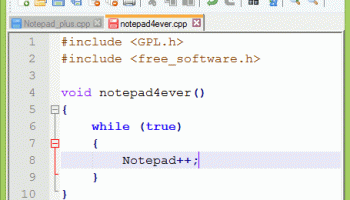
Notepad++, developed by Don HO, is a powerful and versatile text and source code editor that has garnered a loyal following among programmers, web developers, and casual users alike. This open-source software, available for Windows, is designed to be a lightweight yet robust alternative to the standard Notepad application, offering a plethora of features that cater to both basic and advanced editing needs.
### User Interface and Usability
One of the standout aspects of Notepad++ is its clean and intuitive user interface. The tabbed document interface allows users to work on multiple files simultaneously, enhancing productivity and ease of navigation. The customizable toolbar and extensive range of plugins further extend its functionality, allowing users to tailor the editor to their specific needs.
### Rich Feature Set
Notepad++ boasts an impressive array of features that make it a go-to tool for many:
1. **Syntax Highlighting and Folding**: Supports a wide range of programming languages, including C++, Java, HTML, XML, Python, and more. Syntax highlighting and code folding make it easier to read and manage complex code.
2. **Auto-Completion**: Offers intelligent code completion for various languages, reducing the likelihood of errors and speeding up the coding process.
3. **Search and Replace**: Advanced search capabilities, including regular expressions, make it simple to find and replace text across multiple files.
4. **Macro Recording and Playback**: Users can record and playback macros to automate repetitive tasks, saving time and effort.
5. **Multi-View and Multi-Editing**: Allows users to split the screen and edit multiple documents side by side, or even edit different sections of the same document simultaneously.
6. **Extensibility**: A rich plugin ecosystem enables users to add new functionalities, from FTP support to spell checking and beyond.
### Performance
Despite its extensive feature set, Notepad++ is remarkably lightweight and efficient. It launches quickly and handles large files with ease, making it suitable for a wide range of tasks, from simple text editing to complex coding projects.
### Community and Support
As an open-source project, Notepad++ benefits from a vibrant community of users and developers. Regular updates ensure that the software remains current with new features and bug fixes. Comprehensive documentation and an active forum provide ample support for both new and experienced users.
### Conclusion
Notepad++ is more than just a text editor; it is a comprehensive tool that caters to a wide array of editing and coding needs. Its combination of a user-friendly interface, powerful features, and excellent performance make it an indispensable tool for anyone who works with text or code. Whether you're a seasoned developer or just need a reliable text editor, Notepad++ is a stellar choice that won't disappoint.
Notepad++, developed by Don HO, is a powerful and versatile text and source code editor that has garnered a loyal following among programmers, web developers, and casual users alike. This open-source software, available for Windows, is designed to be a lightweight yet robust alternative to the standard Notepad application, offering a plethora of features that cater to both basic and advanced editing needs.
### User Interface and Usability
One of the standout aspects of Notepad++ is its clean and intuitive user interface. The tabbed document interface allows users to work on multiple files simultaneously, enhancing productivity and ease of navigation. The customizable toolbar and extensive range of plugins further extend its functionality, allowing users to tailor the editor to their specific needs.
### Rich Feature Set
Notepad++ boasts an impressive array of features that make it a go-to tool for many:
1. **Syntax Highlighting and Folding**: Supports a wide range of programming languages, including C++, Java, HTML, XML, Python, and more. Syntax highlighting and code folding make it easier to read and manage complex code.
2. **Auto-Completion**: Offers intelligent code completion for various languages, reducing the likelihood of errors and speeding up the coding process.
3. **Search and Replace**: Advanced search capabilities, including regular expressions, make it simple to find and replace text across multiple files.
4. **Macro Recording and Playback**: Users can record and playback macros to automate repetitive tasks, saving time and effort.
5. **Multi-View and Multi-Editing**: Allows users to split the screen and edit multiple documents side by side, or even edit different sections of the same document simultaneously.
6. **Extensibility**: A rich plugin ecosystem enables users to add new functionalities, from FTP support to spell checking and beyond.
### Performance
Despite its extensive feature set, Notepad++ is remarkably lightweight and efficient. It launches quickly and handles large files with ease, making it suitable for a wide range of tasks, from simple text editing to complex coding projects.
### Community and Support
As an open-source project, Notepad++ benefits from a vibrant community of users and developers. Regular updates ensure that the software remains current with new features and bug fixes. Comprehensive documentation and an active forum provide ample support for both new and experienced users.
### Conclusion
Notepad++ is more than just a text editor; it is a comprehensive tool that caters to a wide array of editing and coding needs. Its combination of a user-friendly interface, powerful features, and excellent performance make it an indispensable tool for anyone who works with text or code. Whether you're a seasoned developer or just need a reliable text editor, Notepad++ is a stellar choice that won't disappoint.
OS: Windows 11, Windows 10 32/64 bit, Windows 8 32/64 bit, Windows 7 32/64 bit
Notepad++ Reviews
| Software: | Notepad++ 6.6.9 |
| Reviewed by: | Moreno (Nov 5, 2014) |
| Rating: |   |
| Review: | Installed yesterday but not 64bit, runs in 32bit mode |
| Software: | Notepad++ 6.2.3 |
| Reviewed by: | faboons (Jan 27, 2013) |
| Rating: | |
| Review: | It's written 64 bits compatible ! Wake up ! |
| Software: | Notepad++ 6.1.3 |
| Reviewed by: | Niraj (Jun 17, 2012) |
| Rating: | |
| Review: | Excellent editor much better then rest...code color changing comes in handy but its a x86 version, could not find a x64. :-( |
| Software: | Notepad++ 6.1.2 |
| Reviewed by: | Infernoz (May 5, 2012) |
| Rating: | |
| Review: | A good editor, but sadly NOT 64-bit as I found out to my disgust! So, WTF is it listed here for? |
| Software: | Notepad++ 6.1.2 |
| Reviewed by: | Jim Ward (May 2, 2012) |
| Rating: | |
| Review: | NP++ that I downloaded from this site installed under ProgramFiles(x86). Is this a 32bit or a 64bit program???? |
Add Your Review or 64-bit Compatibility Report
Top Text / Document Editors 64-bit downloads

Vim 9.2.0235

A highly configurable text editor built to enable efficient text editing
Open Source
tags: Vim, download Vim, Vim free download, text editor, Unix console, Windows Terminal, console, Unix, script, Terminal


novelWriter 2.8.2
Powerful tool for writers to organize, draft, and publish their novels.
Open Source

CodeNimble 2.5.0
CodeNimble: Streamline your coding workflow with intuitive tools and features.
Open Source


BabelPad 15.1.0.4
Text editor for Win that supports the proper rendering of most complex scripts
Freeware

Members area
Top 64-bit Downloads
-
HWiNFO64 6.28 B4200
x64 freeware download -
Windows 7 x64
x64 trialware download -
GRBackPro Server Backup
x64 11.2.0
x64 shareware download -
XtraTools Professional
x64 26.2.1
x64 shareware download -
EasyTune6 B24.0119.1
x64 freeware download -
BusDog x64 0.2
x64 freeware download -
PhotoRenamer 4.1
x64 freeware download -
Laplink DiskImage
Professional x64 10.0.71
x64 trialware download -
CIB pdf brewer 4.20.0
x64 freeware download -
Windows 10 x64 22H2
x64 trialware download
Top Downloads
-
FreeCommander XE
Portable 2026 Build 941
freeware download -
FMDiff 4.0.5
demo download -
Open Files from XLSX to
XLS 5.2
shareware download -
FURY CTRL 2.0.65.0
freeware download -
Shell Tools 2.0.1
freeware download -
Vim 9.2.0235
open source download -
AnyMP4 Data Recovery 1.5.12
shareware download -
PCtransfer 1.0.0.1033
freeware download -
Software to Data
Recovery 5.8.4.1
shareware download -
EaseUS Key Finder 4.1.6 Build 20240910
demo download -
Music Collection 3.9.7.1
freeware download -
WinFindr 1.9
shareware download -
File Compression 1.0
commercial download -
windows_exporter 0.31.5
open source download -
Caffeine 1.98
freeware download