
Pagico Professional - X 64-bit Download
Popular x64 Tags
- office x64 download
- microsoft x64 download
- importing x64 download
- exporting x64 download
- acrobat x64 download
- xls x64 download
- printer x64 download
- pdf x64 download
- pdf converter x64 download
- software x64 download
- word x64 download
- outlook x64 download
- excel x64 download
- powerpoint x64 download
- tool x64 download
- ppt x64 download
- adobe x64 download
- convert x64 download
- spreadsheet x64 download
- text x64 download
- create x64 download
- doc x64 download
- printing x64 download
- files x64 download
- add in x64 download
- open x64 download
- document x64 download
- data x64 download
- export x64 download
- saving x64 download
Pagico Professional 10.0 B20240609
Sponsored links:

Pagico Software Inc

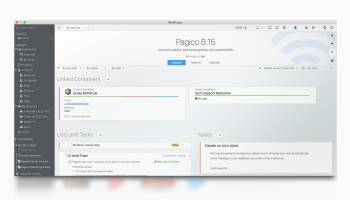
Pagico Professional is a comprehensive and easy to use tool that enables you to create various projects as well as tasks and keep track of them.
With the Daily Planning view, you can easily see everything scheduled for today, and things that are behind schedule. You can then prioritize your tasks by just dragging and dropping.Don't have time for a task? Just drag it to the Might-Do list and Pagico will reschedule it to the next day.
With our uniquely designed tag browser, finding something from the ocean of your projects is easier than ever.Our tag browser lets you quickly travel through multiple levels of your tags to find the right project. All it takes is just a few clicks.
Take a look at the chart on the left. When you can see all your on-going projects in one view like this, there will be no more (unpleasant) surprises. Bars are automatically color-coded to reflect their urgency. Even better, rescheduling is just a matter of dragging and dropping.Enjoy a Bird's eye view of all your on-going projects whenever you want, and be proud of yourself.
Reminders:
You can set up and customize reminders in Pagico for Desktop now! Just like the iOS app, you can easily set up multiple reminders to starting dates, due dates, and appointment dates (notes with dates). It not only syncs with Pagico on your iOS devices, it will also sync with iCal on your computer to remind you at the designated times. Best of all, since we’re taking advantage of the iCal schedule component which is part of the OS X, you can get reminded with and without Pagico running.
Date Helper:
Starting with this version, a small panel will pop up when you’re typing dates. This shows you the processed, absolute dates based on your input. So that you can confidently type up things like “tomorrow 7:20pm” (or “+10 day”) and see exactly what you’re getting. This little panel will also allow you to easily set up alarms as well.
Hiding individual list items:
One of the much requested features is the ability to hide completed tasks from a list. And we’ve done just that! From now on, you can easily hide (archive) individual list items in a list with just a single click. But please read on, as the next one is the killer feature…
Container Clean-Up:
Simply choose the cut-off date, and select the desired action (hide or delete), and you’re all set! This feature will go through everything in the current container (Inbox, a project or contact) and perform the designated action. It even goes into lists and hide (or delete, based on your choice) individual list items. This, is going to save you a lot of time.
With the Daily Planning view, you can easily see everything scheduled for today, and things that are behind schedule. You can then prioritize your tasks by just dragging and dropping.Don't have time for a task? Just drag it to the Might-Do list and Pagico will reschedule it to the next day.
With our uniquely designed tag browser, finding something from the ocean of your projects is easier than ever.Our tag browser lets you quickly travel through multiple levels of your tags to find the right project. All it takes is just a few clicks.
Take a look at the chart on the left. When you can see all your on-going projects in one view like this, there will be no more (unpleasant) surprises. Bars are automatically color-coded to reflect their urgency. Even better, rescheduling is just a matter of dragging and dropping.Enjoy a Bird's eye view of all your on-going projects whenever you want, and be proud of yourself.
Reminders:
You can set up and customize reminders in Pagico for Desktop now! Just like the iOS app, you can easily set up multiple reminders to starting dates, due dates, and appointment dates (notes with dates). It not only syncs with Pagico on your iOS devices, it will also sync with iCal on your computer to remind you at the designated times. Best of all, since we’re taking advantage of the iCal schedule component which is part of the OS X, you can get reminded with and without Pagico running.
Date Helper:
Starting with this version, a small panel will pop up when you’re typing dates. This shows you the processed, absolute dates based on your input. So that you can confidently type up things like “tomorrow 7:20pm” (or “+10 day”) and see exactly what you’re getting. This little panel will also allow you to easily set up alarms as well.
Hiding individual list items:
One of the much requested features is the ability to hide completed tasks from a list. And we’ve done just that! From now on, you can easily hide (archive) individual list items in a list with just a single click. But please read on, as the next one is the killer feature…
Container Clean-Up:
Simply choose the cut-off date, and select the desired action (hide or delete), and you’re all set! This feature will go through everything in the current container (Inbox, a project or contact) and perform the designated action. It even goes into lists and hide (or delete, based on your choice) individual list items. This, is going to save you a lot of time.
OS: Windows 7, Windows 7 x64, Windows 8, Windows 8 x64, Windows 10, Windows 10 x64, Windows 11
Add Your Review or 64-bit Compatibility Report
Top Office Suites & Tools 64-bit downloads


Quite Imposing Plus 6.0c

Effortlessly create and manage complex impositions for PDF documents.
Demo | $949.00


Scribus 1.6.2
Scribus: Professional desktop publishing software for creating stunning layouts.
Open Source


Print to PDF Toolkit Pro 3.0
Enhance Microsoft Print to PDF with new features and make it comparable to Adobe
Shareware | $9.95


Microsoft Office 2013 x64 15.0.4420.1017 RTM
Powerful new tools to express your ideas and connect with people
Trialware

QueueExplorer Standard 5.0.70
Streamline message queue management with QueueExplorer Standard's intuitive tools.
Trialware | $149.00
Members area
Top 64-bit Downloads
-
Print to PDF Toolkit Pro 3.0
x64 shareware download -
Microsoft Office 2013
x64 15.0.4420.1017 RTM
x64 trialware download -
Hl7Spy 24.1.227
x64 trialware download -
Microsoft Office 2021 v2311
x64 demo download -
mbFXWords 2.80
x64 freeware download -
ViewCompanion Premium
x64 15.20
x64 trialware download -
Bluebeam PDF Revu
Standard Edition x64 21.0.30
x64 trialware download -
CSV2IIF Portable 5.0.060
x64 demo download -
pdfFactory Pro (x64) 8.44
x64 trialware download -
ABCpdf x64 13.1.0.1
x64 trialware download
Top Downloads
-
Quite Imposing Plus 6.0c
demo download -
SmarThru 4.04
freeware download -
Odoo 19.0.20260226
demo download -
Scribus 1.6.2
open source download -
Telist Pro 6.0.29
demo download -
GSA Website Contact 6.18
shareware download -
Stellar Repair for MySQL 9.0.0.6
demo download -
Forex Strategy Trader 3.6.0.0
freeware download -
KS-ProjectPlanner 2010 4.0.5
freeware download -
Print to PDF Toolkit Pro 3.0
shareware download -
AmiBroker 6.93.0
demo download -
Database Browser
Portable 5.3.2.13
freeware download -
SSIS Integration Cloud
Bundle 1.6
shareware download -
Smart Phone Recorder 3.6.5
demo download -
Microsoft Office 2013
x64 15.0.4420.1017 RTM
trialware download