
Password Safe - X 64-bit Download
Popular x64 Tags
- password manager x64 download
- manager x64 download
- security x64 download
- password generator x64 download
- database x64 download
- encrypt x64 download
- random x64 download
- password recovery x64 download
- password management software x64 download
- manage passwords x64 download
- password software x64 download
- access x64 download
- encryption x64 download
- identity x64 download
- recovery x64 download
- manage x64 download
- login x64 download
- form filler x64 download
- password storage x64 download
- password x64 download
- protected x64 download
- password keeper x64 download
- recover x64 download
- account x64 download
- password management x64 download
- passwords x64 download
- secure x64 download
- protect x64 download
- save passwords x64 download
- save password x64 download
Password Safe 3.71.0
Sponsored links:
license: Open Source
downloads: 419
size: 17.60 MB
updated: 2026-03-28
tags: Password Safe, download Password Safe, Password Safe free download, Password Manager, Store Passwords, Password Generator, Password, Vault, Generator, Passphrase
Add to Basket

Rony Shapiro

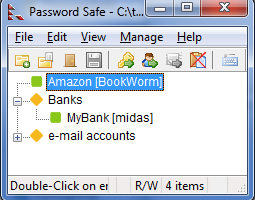
Password Safe is a password database utility. Users can keep their passwords securely encrypted on their computers. A single Safe Combination unlocks them all.
How many passwords do you have to secure?
Start your safe and simplified digital life
Free open source software
Installation in minutes on Windows XP, Vista, 7, 8 and 10
Designed by renowned security technologist Bruce Schneier
Over 4 million downloads
Password Safe is a simple and secure password management application available under Open Source approved license. It means “free software” and it's also probably the oldest password manager. This tiny application can help you to create and store usernames and passwords. You will need to remember only one password, called "Master Password" that will allow you to unlock your entire collection of usernames and passwords. This program has several features that will allow you to "generate, store, organize, retrieve, and use complex new passwords, using password policies that you control." With this security tool you can increase the protection of your passwords.
Creating and Opening a Safe
Password Safe allows users to store all passwords in a single "safe" (password database), or to create multiple databases for different purposes (e.g., one for work, one for personal use). Each database is independent can be moved and used on different systems, as long as the same version of Password Safe is installed. Databases are encrypted with an encryption key derived from the master password (the master password, however, is not kept in the database in any form).
If you are using Password Safe for the first time, press the New Database button. You will be asked to choose the name and location of your password database (the default, "pwsafe.psafe3", is fine). Afterwards, you will be prompted to enter a master password that is used to encrypt and lock the contents of your new safe.
Create a New Database
There are two ways that a new database can be created. By clicking New Database from the Safe Combination Entry dialog when the program is started, or from the File > New Database menu once Password Safe has been opened. Using either method causes the Safe Combination Set Up dialog to appear.
Whether the answer is one or hundreds, Password Safe allows you to safely and easily create a secured and encrypted user name/password list. With Password Safe all you have to do is create and remember a single "Master Password" of your choice in order to unlock and access your entire user name/password list.
Security starts with you, the user. Keeping written lists of passwords on scraps of paper, or in a text document on your desktop is unsafe and is easily viewed by prying eyes (both cyber-based and human). Using the same password over and over again across a wide spectrum of systems and web sites creates the nightmare scenario where once someone has figured out one password, they have figured out all your passwords and now have access to every part of your life (system, e-mail, retail, financial, work).
New Features:
n/a Entries and Groups can be exported to plain text, XML, or to a new PasswordSafe file.
777 Added command line option to force choice of tall or wide dialog screens.
772 Added a tooltip for the copy-to-clipboard button in the generator.
768 Caps Lock indicator added to passphrase entry dialogs.
How many passwords do you have to secure?
Start your safe and simplified digital life
Free open source software
Installation in minutes on Windows XP, Vista, 7, 8 and 10
Designed by renowned security technologist Bruce Schneier
Over 4 million downloads
Password Safe is a simple and secure password management application available under Open Source approved license. It means “free software” and it's also probably the oldest password manager. This tiny application can help you to create and store usernames and passwords. You will need to remember only one password, called "Master Password" that will allow you to unlock your entire collection of usernames and passwords. This program has several features that will allow you to "generate, store, organize, retrieve, and use complex new passwords, using password policies that you control." With this security tool you can increase the protection of your passwords.
Creating and Opening a Safe
Password Safe allows users to store all passwords in a single "safe" (password database), or to create multiple databases for different purposes (e.g., one for work, one for personal use). Each database is independent can be moved and used on different systems, as long as the same version of Password Safe is installed. Databases are encrypted with an encryption key derived from the master password (the master password, however, is not kept in the database in any form).
If you are using Password Safe for the first time, press the New Database button. You will be asked to choose the name and location of your password database (the default, "pwsafe.psafe3", is fine). Afterwards, you will be prompted to enter a master password that is used to encrypt and lock the contents of your new safe.
Create a New Database
There are two ways that a new database can be created. By clicking New Database from the Safe Combination Entry dialog when the program is started, or from the File > New Database menu once Password Safe has been opened. Using either method causes the Safe Combination Set Up dialog to appear.
Whether the answer is one or hundreds, Password Safe allows you to safely and easily create a secured and encrypted user name/password list. With Password Safe all you have to do is create and remember a single "Master Password" of your choice in order to unlock and access your entire user name/password list.
Security starts with you, the user. Keeping written lists of passwords on scraps of paper, or in a text document on your desktop is unsafe and is easily viewed by prying eyes (both cyber-based and human). Using the same password over and over again across a wide spectrum of systems and web sites creates the nightmare scenario where once someone has figured out one password, they have figured out all your passwords and now have access to every part of your life (system, e-mail, retail, financial, work).
New Features:
n/a Entries and Groups can be exported to plain text, XML, or to a new PasswordSafe file.
777 Added command line option to force choice of tall or wide dialog screens.
772 Added a tooltip for the copy-to-clipboard button in the generator.
768 Caps Lock indicator added to passphrase entry dialogs.
OS: Windows 11, Windows 10 32/64 bit, Windows 8 32/64 bit, Windows 7 32/64 bit
Add Your Review or 64-bit Compatibility Report
Top Password Managers 64-bit downloads


Aiseesoft Android Unlocker 1.1.16
remove locks from Android devices, including PIN, pattern, password, FRP lock
Shareware | $35.96


Portable SafeInCloud 24.14.1
Portable SafeInCloud: Secure, cross-platform password manager with cloud sync.
Freeware

abylon KEYSAFE 23.60.1
Easy to use password management for your secret access data
Shareware | $29.00
tags: Safe, key-generator, certificate, X.509, PKCS, RSA, random, password, internet, drag&drop, apm, abylonsoft, file, data, internet explorer, AES, Blowfish, SYMM-System, HYBRID-System


KeePassX 2.0.3
An application for people with extremly high demands on secure personal data
Freeware


Members area
Top 64-bit Downloads
-
OpenVPN x64 2.6.11
x64 open source download -
VSCryptoHash 64-bit 2.5.3.509
x64 freeware download -
Prevent Restore 119.00
x64 freeware download -
Secret Disk 321.00
x64 freeware download -
Wipe 2603.00
x64 freeware download -
O&O SafeErase Server
x64 18.4.611
x64 trialware download -
Hash Suite 4.0
x64 shareware download -
Microsoft Standalone
System Sweeper (x64 bit) 1.0.856.0 Beta
x64 freeware download -
Romaco Timeout x64 3.1.4.0
x64 freeware download -
SteadyCrypt x64 2.4
x64 freeware download
Top Downloads
-
OpenVPN x64 2.6.11
open source download -
Aiseesoft Android
Unlocker 1.1.16
shareware download -
CmosPwd 5.0
freeware download -
ClamWin Portable 0.103.2.1
open source download -
NordVPN 7.56.2.0
demo download -
Video Padlock 1.20
demo download -
SymlexVPN 3.1.7
shareware download -
WebPost Tools 1.0.0.412
freeware download -
Portable SafeInCloud 24.14.1
freeware download -
Windows Defender
Definition Updates March 30, 2026
freeware download -
OSV-Scanner 2.3.5
open source download -
CRYPTO! Build 9695
freeware download -
GhostVolt 1.3.3.0
demo download -
abylon KEYSAFE 23.60.1
shareware download -
Portmaster 2.1.12
open source download