
Portable Greenshot - X 64-bit Download
Popular x64 Tags
- image x64 download
- design x64 download
- size x64 download
- color x64 download
- graphics x64 download
- gif x64 download
- panorama x64 download
- photoshop x64 download
- software x64 download
- jpeg x64 download
- photo x64 download
- utility x64 download
- plugin x64 download
- cover x64 download
- tool x64 download
- rgb x64 download
- png x64 download
- jpg x64 download
- pictures x64 download
- images x64 download
- vanderlee x64 download
- bmp x64 download
- photos x64 download
- vdl x64 download
- picture x64 download
- scanner x64 download
- screen x64 download
- video x64 download
- scan x64 download
- dust x64 download
Portable Greenshot 1.3.312
Sponsored links:
license: Open Source
downloads: 494
size: 3.50 MB
updated: 2026-02-24
tags: Portable Greenshot, download Portable Greenshot, Portable Greenshot free download, take screenshot, screen capture, screenshot grabber, screenshot, grabber, grab, capture
Add to Basket

Thomas Braun, Jens Klingen, Robin Krom

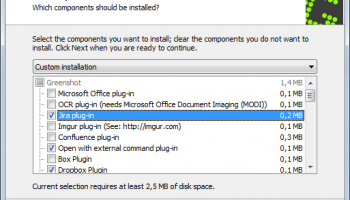
Portable Greenshot is a versatile and efficient screenshot capturing tool developed by Thomas Braun, Jens Klingen, and Robin Krom. Designed for Windows users, this software offers a robust set of features tailored to enhance productivity and streamline the process of capturing, editing, and sharing screen images.
One of the standout attributes of Portable Greenshot is its portability. Unlike traditional software installations, Portable Greenshot can be run directly from a USB drive or any other portable storage device, making it an ideal choice for users who frequently switch between different computers or need a reliable tool on-the-go. This feature ensures that users have access to their preferred screenshot tool without the need for installation, maintaining system cleanliness and efficiency.
The software provides a range of capture options, including full screen, window, and region-specific captures, allowing users to precisely select the area they wish to capture. This flexibility is complemented by its intuitive user interface, which simplifies the process for both novice and experienced users. Once a screenshot is captured, Portable Greenshot offers a variety of annotation tools, enabling users to add text, shapes, and highlights to their images. This is particularly useful for creating tutorials, documentation, or simply sharing information with clarity.
In addition to its capture and editing capabilities, Portable Greenshot integrates seamlessly with several external applications and services. Users can easily export their screenshots to Microsoft Office programs, upload them to image hosting platforms, or share them via email. This integration enhances workflow efficiency, reducing the time and effort required to disseminate information.
Performance-wise, Portable Greenshot is lightweight and fast, ensuring minimal impact on system resources. This efficiency is particularly beneficial for users operating on older hardware or systems with limited processing power. Furthermore, the software supports multiple languages, broadening its accessibility to a global audience.
Overall, Portable Greenshot stands out as a reliable and user-friendly tool for anyone needing a portable solution for capturing and managing screenshots. Its combination of portability, comprehensive features, and seamless integration with other tools makes it a valuable asset for professionals and casual users alike. Whether for business, education, or personal use, Portable Greenshot provides the functionality and flexibility needed to capture and communicate visual information effectively.
One of the standout attributes of Portable Greenshot is its portability. Unlike traditional software installations, Portable Greenshot can be run directly from a USB drive or any other portable storage device, making it an ideal choice for users who frequently switch between different computers or need a reliable tool on-the-go. This feature ensures that users have access to their preferred screenshot tool without the need for installation, maintaining system cleanliness and efficiency.
The software provides a range of capture options, including full screen, window, and region-specific captures, allowing users to precisely select the area they wish to capture. This flexibility is complemented by its intuitive user interface, which simplifies the process for both novice and experienced users. Once a screenshot is captured, Portable Greenshot offers a variety of annotation tools, enabling users to add text, shapes, and highlights to their images. This is particularly useful for creating tutorials, documentation, or simply sharing information with clarity.
In addition to its capture and editing capabilities, Portable Greenshot integrates seamlessly with several external applications and services. Users can easily export their screenshots to Microsoft Office programs, upload them to image hosting platforms, or share them via email. This integration enhances workflow efficiency, reducing the time and effort required to disseminate information.
Performance-wise, Portable Greenshot is lightweight and fast, ensuring minimal impact on system resources. This efficiency is particularly beneficial for users operating on older hardware or systems with limited processing power. Furthermore, the software supports multiple languages, broadening its accessibility to a global audience.
Overall, Portable Greenshot stands out as a reliable and user-friendly tool for anyone needing a portable solution for capturing and managing screenshots. Its combination of portability, comprehensive features, and seamless integration with other tools makes it a valuable asset for professionals and casual users alike. Whether for business, education, or personal use, Portable Greenshot provides the functionality and flexibility needed to capture and communicate visual information effectively.
OS: Windows 11, Windows 10 32/64 bit, Windows 8 32/64 bit
Add Your Review or 64-bit Compatibility Report
Top Other 64-bit downloads


Just Color Picker 6.2
Free portable colour picker and editor for web-designers and digital artists.
Freeware

Topaz DeNoise 6.0.1
A Photoshop plugin that can help you remove digital image noise
Trialware | $79.99

PDF Writer for Windows 2022 1.02
Server-based solution for deploying PDF creation ability across your company
Shareware | $700.00
tags: pdf, server, writer, print, printer, windows2022, win2022, printing, driver, feature, secure, password, vector, concurrent, client, virtual, server2022, windows, 2022, windows server 2022

iWisdom 0.0.0+2107~ga0785ce1
An application which helps you store small bits of wisdom, such as quotations
Open Source


Blue Cat's Protector x64 2.31
0dB stereo brickwall limiter with adjustable dynamics response
Demo | $99.00

Topaz DeJPEG 4.1.0
Gives you the ability to improve the quality of your JPEG images
Trialware | $29.99
Members area
Top 64-bit Downloads
-
cPicture (x64 bit) 4.1
x64 freeware download -
HyperCam (x64 bit) 2.29.00
x64 freeware download -
PhotoFiltre 11.6.1
x64 freeware download -
VanceAI 1.0.0.7
x64 shareware download -
Adobe Photoshop Elements 2024.3
x64 trialware download -
PDF Writer for Windows
2022 1.02
x64 shareware download -
Gimp for x64 Windows 2.10.38
x64 open source download -
ICO file format x64 2.1f1
x64 open source download -
Portable PhotoFiltre 11.6.1
x64 freeware download -
Blue Cat's Protector x64 2.31
x64 demo download
Top Downloads
-
CorelDRAW X5 2025 26.2.0.29
trialware download -
Fotosizer 3.21.0.594
freeware download -
CorelDRAW X6 16.4.0.1280
trialware download -
Scanahand 8.0.0.320
demo download -
MSU Subtitle Remover
VirtualDub plugin 3.0beta2
freeware download -
TinyPDF 3.00
freeware download -
cPicture (x64 bit) 4.1
freeware download -
Scripthea 3.0.0
open source download -
PhotoFiltre 11.6.1
freeware download -
WinScan2PDF 9.55
freeware download -
PDF24 Creator 11.17.0
freeware download -
VanceAI 1.0.0.7
shareware download -
ReaConverter Standard 8.200
demo download -
FreeFotoWorks 2026 26.0.9
freeware download -
Anim8or 1.00
freeware download