
SharePoint Document & Item Reordering - X 64-bit Download
Popular x64 Tags
- server x64 download
- web server x64 download
- software x64 download
- log analysis x64 download
- raid x64 download
- analysis x64 download
- manage x64 download
- database driven x64 download
- file server x64 download
- cd rom x64 download
- mail server x64 download
- ftp server x64 download
- log x64 download
- client server x64 download
- virtualization x64 download
- network disk x64 download
- idisk x64 download
- smtp server x64 download
- iscsi target x64 download
- windows 2008 ts gateway x64 download
- history x64 download
- live reports x64 download
- disk mapping x64 download
- iscsi x64 download
- active directory management x64 download
- dscsi x64 download
- virtualized disk x64 download
- pop3 server x64 download
- ipds printing x64 download
- ipds x64 download
You are here: X-64-bit Download
\ Servers
\ Other Server Applications \ SharePoint Document & Item Reordering
SharePoint Document & Item Reordering 1.4.509.0
Sponsored links:

BoostSolutions Co., Ltd.

SharePoint out-of-the-box functionality does not support fully customizable rank rearrangement for list items. SharePoint users are allowed to reorder items or folders manually for link lists only, which has made the default tool even further less applicable for most users.
SharePoint Document & Item Reordering (Formerly kown as SharePoint List Item Ranking) has considerably extended the native capacity of SharePoint by offering the following invaluable features:
1. Supports manual item rank rearrangement in all types of SharePoint lists.
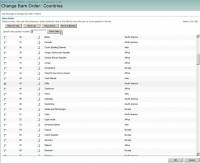
In any type of lists, by simply clicking the corresponding buttons, SharePoint users can move an item up and down, as well as move it to the top and to the bottom effortlessly. Moreover, when having to deal with numerous list items, users are offered the option to move an item to a specific position directly, which will speed up the process by helping users get rid of unnecessary steps. Therefore, with the application of SharePoint Document & Item Reordering, deliberate planning before item creation is no longer a necessity for users, since they can rearrange those items into any orders they want afterwards with a great ease.
2. Allows users to reorder the list items in each view separately.
Users are able to enable or disable the reordering feature for each view individually. Once the order of items in one view has been changed, the ranks in other views will not be influenced. Therefore, the list items can be differently arranged in each view based on users various requirements and preferences.
3. Enables users to decide which columns of lists to be showed in the reorder page.
With this capability, users can considerably save their time and efforts especially when there are quite many columns existing in a list, yet only one or two of them are needed to be displayed when rearranging the order of list items. For instance, if the reorder is time-oriented and the list items can be reordered solely based on the value of “Start time” column, then users are allowed to hide the other columns, such as “% completed” in the setting page to make the sorting much easier and more accurate.
Therefore, more than just making manual rank rearrangement available in all types of lists, SharePoint Document & Item Reordering also enables SharePoint users to do it in a more effective and efficient way than ever before.
SharePoint Document & Item Reordering (Formerly kown as SharePoint List Item Ranking) has considerably extended the native capacity of SharePoint by offering the following invaluable features:
1. Supports manual item rank rearrangement in all types of SharePoint lists.
In any type of lists, by simply clicking the corresponding buttons, SharePoint users can move an item up and down, as well as move it to the top and to the bottom effortlessly. Moreover, when having to deal with numerous list items, users are offered the option to move an item to a specific position directly, which will speed up the process by helping users get rid of unnecessary steps. Therefore, with the application of SharePoint Document & Item Reordering, deliberate planning before item creation is no longer a necessity for users, since they can rearrange those items into any orders they want afterwards with a great ease.
2. Allows users to reorder the list items in each view separately.
Users are able to enable or disable the reordering feature for each view individually. Once the order of items in one view has been changed, the ranks in other views will not be influenced. Therefore, the list items can be differently arranged in each view based on users various requirements and preferences.
3. Enables users to decide which columns of lists to be showed in the reorder page.
With this capability, users can considerably save their time and efforts especially when there are quite many columns existing in a list, yet only one or two of them are needed to be displayed when rearranging the order of list items. For instance, if the reorder is time-oriented and the list items can be reordered solely based on the value of “Start time” column, then users are allowed to hide the other columns, such as “% completed” in the setting page to make the sorting much easier and more accurate.
Therefore, more than just making manual rank rearrangement available in all types of lists, SharePoint Document & Item Reordering also enables SharePoint users to do it in a more effective and efficient way than ever before.
OS: Windows XP, Windows Vista, Windows Vista x64, Windows 7, Windows 7 x64, Windows 8, Windows 8 x64
Add Your Review or 64-bit Compatibility Report
Top Other Server Applications 64-bit downloads


VPSrobots 1.0.1
VPSrobots is devoted to making it extremely easy and fast for you to manage and
Freeware
tags: VPS manager, website deployment


CDBF - DBF Viewer and Editor 2.40
Designed to view and edit database files in the DBF format
Trialware | $39.95

Ute 1.21
Compact assembly language utility including Time Syncing and Window Shutdown
Trialware | $8.00


XAMPP 8.1.10
An easy to install Apache distribution for Windows containing MySQL, PHP & Perl
Open Source


SAEAUT SMS Server 1.0.10
Sending receiving SMS from/to various applications over LAN and Internet
Shareware | $358.00

Members area
Top 64-bit Downloads
-
TFTP Turbo 64-bit 4.4
x64 trialware download -
TOra x64 3.2.186
x64 open source download -
Tableau Server 2023.3.6
x64 trialware download -
Lavasoft Personal
Firewall (64-bit) 3.0.2293
x64 trialware download -
iStorage Server x64 3.0
x64 shareware download -
Titan FTP Server x64 19.00 B3676
x64 trialware download -
UMove x64 1.10.974
x64 demo download -
ThreatSentry x64 4.0.25.0
x64 demo download -
Wing FTP Server For
Solaris(x64) 3.6.6
x64 shareware download -
Fortitude HTTP x 64 1.0.4.2
x64 freeware download
Top Downloads
-
TFTP Turbo 64-bit 4.4
trialware download -
VPSrobots 1.0.1
freeware download -
DBConvert for MSSQL
& DB2 2.1.2
demo download -
EMS DB Comparer 2011 for
MySQL 5.2.1 Build 59821
trialware download -
DB Extract 2011 for
Oracle 3.0.1.1
trialware download -
SQL Management Studio
2011 for Oracle 1.2.0.8
trialware download -
EMS SQL Query 2011 for
SQL Server 3.4.1
trialware download -
EMS Data Export 2011 for
SQL Server 4.0.0 B56574
trialware download -
httpQ Plugin 3.1
open source download -
ADCH++ 2.11.2
open source download -
Microsoft Online
Services Migration Tools 1.0.1453.123
freeware download -
Toad Data Modeler 7.0.0.75
trialware download -
Splunk 6.4.2
freeware download -
DataCleaner 5.2.0
open source download -
MetaModel 4.6.0
open source download