
SoftMaker FreeOffice - X 64-bit Download
Popular x64 Tags
- office x64 download
- microsoft x64 download
- importing x64 download
- exporting x64 download
- acrobat x64 download
- xls x64 download
- printer x64 download
- pdf x64 download
- pdf converter x64 download
- software x64 download
- word x64 download
- outlook x64 download
- excel x64 download
- powerpoint x64 download
- tool x64 download
- ppt x64 download
- adobe x64 download
- convert x64 download
- spreadsheet x64 download
- text x64 download
- create x64 download
- doc x64 download
- printing x64 download
- files x64 download
- add in x64 download
- open x64 download
- document x64 download
- data x64 download
- export x64 download
- saving x64 download
SoftMaker FreeOffice 2024 Rev F1230.1206
Sponsored links:
license: Freeware
downloads: 57
size: 114.00 MB
updated: 2025-12-20
tags: SoftMaker FreeOffice, download SoftMaker FreeOffice, SoftMaker FreeOffice free download, Office Alternative, Presentation Viewer, Create Spreadsheet, Spreadsheet, Presentation, Word, Chart
Add to Basket

SoftMaker Software GmbH

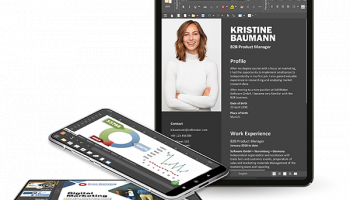
SoftMaker FreeOffice, developed by SoftMaker Software GmbH, is a robust and versatile office suite that stands out as a compelling alternative to more costly office software packages. Tailored for both personal and professional use, FreeOffice offers a comprehensive suite of tools designed to meet the diverse needs of modern users.
At the core of FreeOffice are three main applications: TextMaker, PlanMaker, and Presentations. Each of these components is meticulously crafted to provide a seamless user experience while ensuring compatibility with Microsoft Office formats.
TextMaker is the word processing powerhouse of the suite, offering a rich array of features that cater to both casual and advanced users. Whether you're drafting a simple letter or crafting a complex document with images, tables, and footnotes, TextMaker provides the tools you need. Its intuitive interface and robust formatting options make document creation and editing a breeze.
PlanMaker, the spreadsheet application, is equally impressive. It supports over 350 calculation functions and offers advanced data analysis tools, making it ideal for everything from basic budgeting to complex financial modeling. The application’s ability to handle large datasets with ease and its compatibility with Excel files ensure that users can work efficiently without worrying about format issues.
Presentations, the suite’s answer to PowerPoint, enables users to create stunning slideshows with minimal effort. With a variety of templates, animations, and transitions at your disposal, crafting professional-grade presentations is straightforward and enjoyable. The application’s user-friendly design ensures that even those new to presentation software can produce polished results.
One of the standout features of SoftMaker FreeOffice is its cross-platform compatibility. Available for Windows, macOS, and Linux, it ensures that users can access their documents and continue their work regardless of the operating system they prefer. This flexibility is further enhanced by the suite’s ability to save and open files in Microsoft Office formats, ensuring seamless collaboration with users of other office suites.
Performance-wise, FreeOffice is lightweight and efficient, running smoothly even on older hardware. This makes it an excellent choice for users who need a reliable office suite without the need for high-end system requirements.
In terms of user interface, FreeOffice strikes a balance between modern aesthetics and functional design. The ribbon-style layout is familiar to those accustomed to Microsoft Office, reducing the learning curve and making the transition to FreeOffice straightforward.
SoftMaker Software GmbH also places a strong emphasis on user support and continuous improvement. Regular updates ensure that the software remains secure and up-to-date with the latest features and enhancements.
In summary, SoftMaker FreeOffice is a feature-rich, reliable, and user-friendly office suite that offers exceptional value. Its comprehensive toolset, cross-platform compatibility, and seamless Microsoft Office format support make it an excellent choice for anyone seeking a free yet powerful alternative to traditional office software. Whether you're a student, professional, or casual user, FreeOffice provides all the tools you need to create, manage, and share your documents with ease.
At the core of FreeOffice are three main applications: TextMaker, PlanMaker, and Presentations. Each of these components is meticulously crafted to provide a seamless user experience while ensuring compatibility with Microsoft Office formats.
TextMaker is the word processing powerhouse of the suite, offering a rich array of features that cater to both casual and advanced users. Whether you're drafting a simple letter or crafting a complex document with images, tables, and footnotes, TextMaker provides the tools you need. Its intuitive interface and robust formatting options make document creation and editing a breeze.
PlanMaker, the spreadsheet application, is equally impressive. It supports over 350 calculation functions and offers advanced data analysis tools, making it ideal for everything from basic budgeting to complex financial modeling. The application’s ability to handle large datasets with ease and its compatibility with Excel files ensure that users can work efficiently without worrying about format issues.
Presentations, the suite’s answer to PowerPoint, enables users to create stunning slideshows with minimal effort. With a variety of templates, animations, and transitions at your disposal, crafting professional-grade presentations is straightforward and enjoyable. The application’s user-friendly design ensures that even those new to presentation software can produce polished results.
One of the standout features of SoftMaker FreeOffice is its cross-platform compatibility. Available for Windows, macOS, and Linux, it ensures that users can access their documents and continue their work regardless of the operating system they prefer. This flexibility is further enhanced by the suite’s ability to save and open files in Microsoft Office formats, ensuring seamless collaboration with users of other office suites.
Performance-wise, FreeOffice is lightweight and efficient, running smoothly even on older hardware. This makes it an excellent choice for users who need a reliable office suite without the need for high-end system requirements.
In terms of user interface, FreeOffice strikes a balance between modern aesthetics and functional design. The ribbon-style layout is familiar to those accustomed to Microsoft Office, reducing the learning curve and making the transition to FreeOffice straightforward.
SoftMaker Software GmbH also places a strong emphasis on user support and continuous improvement. Regular updates ensure that the software remains secure and up-to-date with the latest features and enhancements.
In summary, SoftMaker FreeOffice is a feature-rich, reliable, and user-friendly office suite that offers exceptional value. Its comprehensive toolset, cross-platform compatibility, and seamless Microsoft Office format support make it an excellent choice for anyone seeking a free yet powerful alternative to traditional office software. Whether you're a student, professional, or casual user, FreeOffice provides all the tools you need to create, manage, and share your documents with ease.
OS: Windows 11, Windows Server 2022, Windows Server 2019, Windows Server 2016, Windows 10 32/64 bit, Windows Server 2012 R2, Windows Server 2012, Windows 2008 R2, Windows 8 32/64 bit, Windows 7 32/64 bit
Add Your Review or 64-bit Compatibility Report
Top Office Suites & Tools 64-bit downloads


Quite Imposing Plus 6.0d
Effortlessly create and manage complex impositions for PDF documents.
Demo | $949.00

Seavus Project Viewer 19.0
Free to experience the best viewer for Micrsoft Project. Try our Project Viewer
Trialware | $29.50


SilentNotes 8.7.1
SilentNotes: Secure, offline note-taking app with encryption and cross-device sync.
Open Source


CZ Excel Converter 1.9.4.6366
CZ V: A powerful synth emulation with rich sounds and intuitive controls.
Demo | $149.00


callas pdfaPilot 14.2.400
Powerful tool for creating, validating, and optimizing PDF/A documents.
Trialware

mini PDF to TXT OCR Converter 3.2
PDF to TXT OCR Converter is a best OCR Converter
Shareware | $59.95
Members area
Top 64-bit Downloads
-
mbFXWords 2.80
x64 freeware download -
FontAgent Pro 10.0.15.0
x64 trialware download -
Microsoft Office 2016
x64 2405 B17628.20164
x64 trialware download -
Print to PDF Toolkit Pro 3.0
x64 shareware download -
Microsoft Office 2010
Service Pack x64 SP2
x64 freeware download -
PDFill PDF and Image
Writer x64 15.0 Build 2
x64 freeware download -
CSV2IIF Portable 5.0.060
x64 demo download -
Foxit Reader 2023.3
x64 freeware download -
Hl7Spy 24.1.227
x64 trialware download -
ABBYY FineReader
Professional 16.0.13
x64 trialware download
Top Downloads
-
Quite Imposing Plus 6.0d
demo download -
Total CSV Converter 4.0
shareware download -
Active Barcode and QR
code Generator 1.24.8.15
freeware download -
Seavus Project Viewer 19.0
trialware download -
Miro for Windows 0.11.110
shareware download -
Odoo 19.0.20260327
demo download -
Flipping Book Writer 2.6
shareware download -
mbFXWords 2.80
freeware download -
SmarThru 4.04
freeware download -
SilentNotes 8.7.1
open source download -
LawTrust 5.1.1
shareware download -
HelpDesk 11.19.9557.25020
trialware download -
DeskWork Standard 4.0.2827
trialware download -
LiquiBase 5.0.2
trialware download -
Smart Phone Recorder 3.6.5
demo download