
TeraCopy Portable - X 64-bit Download
Popular x64 Tags
- files x64 download
- file manager x64 download
- zip x64 download
- tool x64 download
- software x64 download
- ntfs x64 download
- remove x64 download
- disk x64 download
- free x64 download
- duplicate x64 download
- copy x64 download
- folder x64 download
- utility x64 download
- data recovery software x64 download
- undelete x64 download
- erase x64 download
- directory x64 download
- backup x64 download
- file x64 download
- hard x64 download
- data recovery x64 download
- delete x64 download
- recovery x64 download
- find x64 download
- file recovery x64 download
- unerase x64 download
- recover x64 download
- mp3 x64 download
- space x64 download
- search x64 download
TeraCopy Portable 3.17
Sponsored links:
license: Demo
downloads: 41
size: 11.80 MB
updated: 2025-02-06
tags: TeraCopy Portable, download TeraCopy Portable, TeraCopy Portable free download, Copy File, File Copier, File Backup, Transfer, Copier, Backup, SFV
Add to Basket

Code Sector Inc.

TeraCopy Portable, developed by Code Sector Inc., is a robust and efficient file transfer utility designed to streamline the process of copying and moving files within your computer system. This software stands out for its speed, reliability, and user-centric features, making it an indispensable tool for both casual users and IT professionals.
One of the most compelling aspects of TeraCopy Portable is its portability. Unlike traditional software installations, TeraCopy Portable can be run directly from a USB drive or any other portable storage device. This means you can carry it with you and use it on any compatible computer without the need for installation, making it perfect for users who are always on the go or those who work in multiple environments.
TeraCopy Portable excels in its primary function: accelerating file transfer speeds. It leverages advanced algorithms to optimize the copying process, significantly reducing the time required to move large files or folders. This is particularly beneficial when dealing with extensive data transfers, such as backing up files or migrating data to a new system.
Reliability is another cornerstone of TeraCopy Portable. The software is designed to handle errors gracefully, ensuring that file transfers are not only fast but also secure. In the event of a transfer error, TeraCopy Portable will attempt to recover and retry the operation. Additionally, it provides detailed error logs, allowing users to identify and resolve issues quickly.
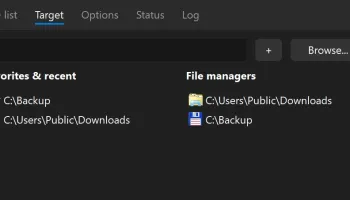
The user interface of TeraCopy Portable is clean and intuitive, making it accessible even for those who may not be tech-savvy. The drag-and-drop functionality simplifies the process of selecting files and initiating transfers. Furthermore, the software integrates seamlessly with Windows Explorer, adding an extra layer of convenience for users who prefer to manage their files through the native file manager.
Advanced users will appreciate the array of customization options available in TeraCopy Portable. The software allows for the configuration of various parameters, such as buffer size and copy/move operations, providing greater control over the file transfer process. Additionally, TeraCopy Portable supports a wide range of file formats and can handle complex file structures with ease.
Security is also a top priority for TeraCopy Portable. The software includes features such as file verification, which ensures that copied files are identical to the originals. This is achieved through checksum calculations, which can detect any discrepancies between source and destination files, thereby preventing data corruption.
In summary, TeraCopy Portable by Code Sector Inc. is a powerful and versatile file transfer tool that combines speed, reliability, and ease of use in a portable package. Whether you are a casual user looking to simplify your file management tasks or a professional in need of a reliable data transfer solution, TeraCopy Portable offers a comprehensive suite of features designed to meet your needs. Its portability, combined with its robust performance and user-friendly interface, makes it a standout choice in the realm of file transfer utilities.
One of the most compelling aspects of TeraCopy Portable is its portability. Unlike traditional software installations, TeraCopy Portable can be run directly from a USB drive or any other portable storage device. This means you can carry it with you and use it on any compatible computer without the need for installation, making it perfect for users who are always on the go or those who work in multiple environments.
TeraCopy Portable excels in its primary function: accelerating file transfer speeds. It leverages advanced algorithms to optimize the copying process, significantly reducing the time required to move large files or folders. This is particularly beneficial when dealing with extensive data transfers, such as backing up files or migrating data to a new system.
Reliability is another cornerstone of TeraCopy Portable. The software is designed to handle errors gracefully, ensuring that file transfers are not only fast but also secure. In the event of a transfer error, TeraCopy Portable will attempt to recover and retry the operation. Additionally, it provides detailed error logs, allowing users to identify and resolve issues quickly.
The user interface of TeraCopy Portable is clean and intuitive, making it accessible even for those who may not be tech-savvy. The drag-and-drop functionality simplifies the process of selecting files and initiating transfers. Furthermore, the software integrates seamlessly with Windows Explorer, adding an extra layer of convenience for users who prefer to manage their files through the native file manager.
Advanced users will appreciate the array of customization options available in TeraCopy Portable. The software allows for the configuration of various parameters, such as buffer size and copy/move operations, providing greater control over the file transfer process. Additionally, TeraCopy Portable supports a wide range of file formats and can handle complex file structures with ease.
Security is also a top priority for TeraCopy Portable. The software includes features such as file verification, which ensures that copied files are identical to the originals. This is achieved through checksum calculations, which can detect any discrepancies between source and destination files, thereby preventing data corruption.
In summary, TeraCopy Portable by Code Sector Inc. is a powerful and versatile file transfer tool that combines speed, reliability, and ease of use in a portable package. Whether you are a casual user looking to simplify your file management tasks or a professional in need of a reliable data transfer solution, TeraCopy Portable offers a comprehensive suite of features designed to meet your needs. Its portability, combined with its robust performance and user-friendly interface, makes it a standout choice in the realm of file transfer utilities.
OS: Windows 11, Windows Server 2022, Windows Server 2019, Windows Server 2016, Windows 10 32/64 bit, Windows Server 2012 R2, Windows Server 2012, Windows 2008 R2, Windows 2008 32/64 bit, Windows 2003, Windows 8 32/64 bit, Windows 7 32/64 bit
Add Your Review or 64-bit Compatibility Report
Top File & Disk Management 64-bit downloads


Copy Outlook Express to Windows Live Mail 3.54
PCVARE's HOT Product offers to Copy Outlook Express to Windows Live Mail
Shareware | $69.00


Outlook Emails to PDF 1.2
Batch conversion of Outlook Emails to PDF via PST to PDF Converter
Shareware | $49.00

NoClone Home Edition 2014 6.1.45.0
Uncover true duplicate files, similar file, MS Outlook emails
Trialware | $14.95

Convert Yahoo Email to PDF 2.1
Yahoo Backup to PDF Format with Attachments Easy Migration
Shareware | $29.00

OST Export to PST 2.2
OST Export to PST Software helps users to export OST file and convert OST to PST
Shareware | $49.00

EML File Converter 21.4
EML File Converter exports mailbox contents of EML files to other email clients.
Shareware | $39.00

SoftTweak OST to PST 3.1
Convert OST to PST Outlook by advanced SoftTweak OST to PST tool
Shareware | $29.00


Open Files from XLSX to XLS 5.2
Convert XLSX to XLS with Open files from XLSX to XLS program
Shareware | $29.00
Members area
Top 64-bit Downloads
-
O&O DiskRecovery x64 14.0.17
x64 demo download -
O&O DiskRecovery
Admin Edition x64 10.0 B117
x64 demo download -
XtraTools Home x64 26.3.1
x64 shareware download -
Processor X32 or X64 1.5
x64 freeware download -
EasyTune6 B24.0119.1
x64 freeware download -
O&O DiskImage
Professional x64 19.0.109
x64 trialware download -
O&O DiskImage
Professional x64 19.0.109
x64 trialware download -
O&O CleverCache
Professional Edition x64 7.1.2737
x64 trialware download -
AkelPad (x64 bit) 4.9.8
x64 open source download -
O&O Defrag
Professional Edition x64 28.0.10005
x64 trialware download
Top Downloads
-
Copy Outlook Express to
Windows Live Mail 3.54
shareware download -
File Checksum Tool 1.41
freeware download -
Outlook Emails to PDF 1.2
shareware download -
NoClone Home Edition 2014 6.1.45.0
trialware download -
Convert Yahoo Email to
PDF 2.1
shareware download -
OST Export to PST 2.2
shareware download -
EML File Converter 21.4
shareware download -
SoftTweak OST to PST 3.1
shareware download -
iTop PDF 3.6.0.4
freeware download -
SharpBoot 5.0
freeware download -
O&O DiskRecovery x64 14.0.17
demo download -
O&O DiskRecovery
Admin Edition x64 10.0 B117
demo download -
Image 4.01
trialware download -
O&O DiskImage
Professional x64 19.0.109
trialware download -
O&O DiskImage
Professional x64 19.0.109
trialware download