
TrayStatus Pro - X 64-bit Download
Popular x64 Tags
- cpu x64 download
- performance x64 download
- windows x64 download
- driver updates x64 download
- driver update x64 download
- cleaner x64 download
- defrag x64 download
- system x64 download
- drivers update x64 download
- tune x64 download
- tweak x64 download
- registry cleaner x64 download
- security x64 download
- video driver update x64 download
- optimizer x64 download
- registry x64 download
- uninstall x64 download
- speed x64 download
- boost x64 download
- faster x64 download
- system utilities x64 download
- utility x64 download
- optimize x64 download
- driver update software x64 download
- startup x64 download
- disk cleaner x64 download
- clean disk x64 download
- clean x64 download
- vista x64 download
- disk x64 download
TrayStatus Pro 5.1.4
Sponsored links:
license: Trialware ($7.00)
downloads: 42
size: 25.20 MB
updated: 2026-01-08
tags: TrayStatus Pro, download TrayStatus Pro, TrayStatus Pro free download, Num Lock status, Caps Lock status, Scroll Lock status, Num Lock, Caps Lock, Scroll Lock, status
Add to Basket

Binary Fortress Software

TrayStatus Pro by Binary Fortress Software is a robust utility designed to streamline and enhance your computing experience by providing real-time status indicators directly in your system tray. This powerful tool caters to both casual users and IT professionals who require precise control and monitoring of their keyboard and system status.
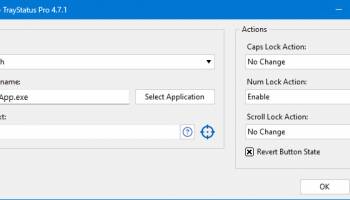
At its core, TrayStatus Pro offers a suite of indicators that display the status of various keyboard keys, such as Caps Lock, Num Lock, and Scroll Lock, ensuring you never have to second-guess whether these functions are active. Additionally, it extends its functionality to include indicators for more advanced keys like Alt, Ctrl, and Shift, making it an invaluable tool for users who frequently engage in complex keyboard shortcuts.
One of the standout features of TrayStatus Pro is its ability to monitor hard drive activity. With this feature, users can keep an eye on read and write operations, which is particularly useful for diagnosing system performance issues or simply keeping tabs on your computer's workload. The software also supports monitoring of CPU and memory usage, providing a comprehensive overview of your system's health at a glance.
Customization is a key strength of TrayStatus Pro. Users can tailor the appearance and behavior of the tray icons to suit their preferences, including adjusting the update frequency and choosing from a variety of icon styles. This level of personalization ensures that the software integrates seamlessly into any workflow, without being intrusive or distracting.
For those who work in multi-monitor setups or require additional flexibility, TrayStatus Pro offers support for multiple instances, allowing you to monitor different aspects of your system on each screen. This feature is particularly beneficial for power users who need to keep track of various system metrics simultaneously.
Security-conscious users will appreciate the software's ability to display the status of the Windows key, helping to prevent accidental presses that could disrupt workflows or trigger unwanted actions. This is especially useful in gaming or remote desktop environments where inadvertent key presses can have significant consequences.
TrayStatus Pro is designed with efficiency in mind, consuming minimal system resources while delivering maximum utility. Its lightweight footprint ensures that it won't bog down your system, even when monitoring multiple indicators simultaneously.
In summary, TrayStatus Pro by Binary Fortress Software is a versatile and highly customizable tool that enhances your ability to monitor and manage your system's status with ease. Whether you're a casual user looking to keep tabs on your keyboard keys or an IT professional needing comprehensive system monitoring, TrayStatus Pro offers a reliable and efficient solution that integrates seamlessly into your daily workflow.
At its core, TrayStatus Pro offers a suite of indicators that display the status of various keyboard keys, such as Caps Lock, Num Lock, and Scroll Lock, ensuring you never have to second-guess whether these functions are active. Additionally, it extends its functionality to include indicators for more advanced keys like Alt, Ctrl, and Shift, making it an invaluable tool for users who frequently engage in complex keyboard shortcuts.
One of the standout features of TrayStatus Pro is its ability to monitor hard drive activity. With this feature, users can keep an eye on read and write operations, which is particularly useful for diagnosing system performance issues or simply keeping tabs on your computer's workload. The software also supports monitoring of CPU and memory usage, providing a comprehensive overview of your system's health at a glance.
Customization is a key strength of TrayStatus Pro. Users can tailor the appearance and behavior of the tray icons to suit their preferences, including adjusting the update frequency and choosing from a variety of icon styles. This level of personalization ensures that the software integrates seamlessly into any workflow, without being intrusive or distracting.
For those who work in multi-monitor setups or require additional flexibility, TrayStatus Pro offers support for multiple instances, allowing you to monitor different aspects of your system on each screen. This feature is particularly beneficial for power users who need to keep track of various system metrics simultaneously.
Security-conscious users will appreciate the software's ability to display the status of the Windows key, helping to prevent accidental presses that could disrupt workflows or trigger unwanted actions. This is especially useful in gaming or remote desktop environments where inadvertent key presses can have significant consequences.
TrayStatus Pro is designed with efficiency in mind, consuming minimal system resources while delivering maximum utility. Its lightweight footprint ensures that it won't bog down your system, even when monitoring multiple indicators simultaneously.
In summary, TrayStatus Pro by Binary Fortress Software is a versatile and highly customizable tool that enhances your ability to monitor and manage your system's status with ease. Whether you're a casual user looking to keep tabs on your keyboard keys or an IT professional needing comprehensive system monitoring, TrayStatus Pro offers a reliable and efficient solution that integrates seamlessly into your daily workflow.
OS: Windows 11, Windows 10 32/64 bit, Windows 8 32/64 bit, Windows 7 32/64 bit, Windows Vista, Windows XP 32/64 bit
Add Your Review or 64-bit Compatibility Report
Top System Maintenance 64-bit downloads


windows_exporter 0.31.5
Lightweight tool for exporting Windows metrics to Prometheus for monitoring.
Open Source

Windows 7 Service Pack 1 7601.17514.1011
SP1 - all previously publicly released updates for Windows 7 and Server 2008 R2
Freeware

WinToUSB 10.5 Build January 2
Easily create bootable USB drives from Windows installations with WinToUSB.
Shareware | $29.95

Microsoft Edge WebView2 Runtime 146.0.3856.78

WebView2 Runtime: Embed web content in apps with Edge's rendering engine.
Freeware

XtraTools Professional x64 26.2.1
XtraTools increases productivity and makes working with MS Windows easier.
Shareware | $29.99

TopNotify 3.1.1
TopNotify: Real-time notifications and alerts for seamless communication.
Open Source

Fortect 7.3.5.0
Fortect repairs and optimizes your PC, enhancing performance effortlessly.
Trialware | $30.95


Members area
Top 64-bit Downloads
-
HWiNFO64 6.28 B4200
x64 freeware download -
Windows 7 x64
x64 trialware download -
GRBackPro Server Backup
x64 11.2.0
x64 shareware download -
Windows 10 x64 22H2
x64 trialware download -
EasyTune6 B24.0119.1
x64 freeware download -
XtraTools Professional
x64 26.2.1
x64 shareware download -
O&O MediaRecovery
64-bit 14.0.17
x64 demo download -
DAR 2.7.14
x64 open source download -
BusDog x64 0.2
x64 freeware download -
PhotoRenamer 4.1
x64 freeware download
Top Downloads
-
FreeCommander XE
Portable 2026 Build 941
freeware download -
FURY CTRL 2.0.65.0
freeware download -
FMDiff 4.0.5
demo download -
Open Files from XLSX to
XLS 5.2
shareware download -
Vim 9.2.0261
open source download -
Shell Tools 2.0.1
freeware download -
HWiNFO64 6.28 B4200
freeware download -
Pitara 5.0.9582.21949
open source download -
iSunshare iBypass Genius 3.1.2.1
shareware download -
AnyMP4 Data Recovery 1.5.12
shareware download -
PCtransfer 1.0.0.1033
freeware download -
Software to Data
Recovery 5.8.4.1
shareware download -
EaseUS Key Finder 4.1.6 Build 20240910
demo download -
Music Collection 3.9.7.2
freeware download -
WinFindr 1.9
shareware download