
UEFI BIOS Updater - X 64-bit Download
Popular x64 Tags
- freeware x64 download
- windows x64 download
- free x64 download
- web x64 download
- software x64 download
- folder x64 download
- utility x64 download
- monitor x64 download
- convert x64 download
- download x64 download
- tool x64 download
- memory x64 download
- video x64 download
- audio x64 download
- text x64 download
- password x64 download
- editor x64 download
- file x64 download
- security x64 download
- database x64 download
- image x64 download
- jpeg x64 download
- icon x64 download
- organizer x64 download
- viewer x64 download
- data x64 download
- print x64 download
- edit x64 download
- search x64 download
- pim x64 download
UEFI BIOS Updater 1.79.17
Sponsored links:

LS_29 (SoniX)

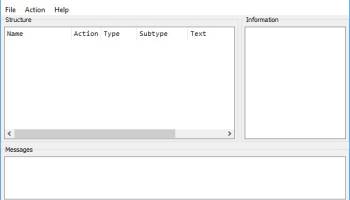
UEFI BIOS Updater is a BIOS modding toolkit that allows you to perform an update for OROM / UEFI modules of an AMI UEFI BIOS without requiring advanced knowledge on modding techniques. Developed by a modding expert, UEFI BIOS Updater has scarce competition, being one of the few tools on the market that can perform BIOS modding with low chances of BIOS failures. The principle it relies upon is simple: provided with an AMI UEFI BIOS file, the program is able to detect the version of OROM / EFI modules in order to update them. The CPU microcode can also be brought up to date during the process.
The steps you need to cover in order to carry out the task successfully are the following: run it with administrative rights, provide the BIOS file you want to modify, choose the update to be applied and wait for the application to do its job.
The UBU tool has been designed and optimized for the modification of Desktop mainboard BIOSes. According the feedback we got until now the usage of the tool with Desktop mainboard UEFI BIOSes is very safe.
Nevertheless it is possible, but only recommended for advanced users, to update some modules of a Mobile system BIOS (except the VGA ROM!) by using the UBU tool.
This tool is very easy to use and able
to detect the versions of the OROM/EFI modules, which are inside an AMI UEFI BIOS file and
to update
a) the most important OROM/EFI modules (incl. various "Universal TRIM in RAID0 modified" ones) and
b) the CPU MicroCode
of any AMI Aptio IV UEFI BIOS.
Notes:
This tool cannot be used, if you want to
modify any other BIOS type (Award/Phoenix, non-UEFI AMI or Intel mainboard BIOSes) or
insert a BIOS module, which is not present within the original BIOS or
remove a BIOS module.
Problem with AMI Aptio V BIOSes:
The UBU tool uses the AMI Aptio MMTools v4.50.0.23 (for the older Aptio IV BIOSes) resp. v5.0.0.7 (for the newest Aptio V BIOSes) and supports all Intel and AMD platform BIOSes. Unfortunately the currently available AMI Aptio V MMTool v5.0.0.7 has problems with the update of certain BIOS modules of the latest Intel chipset mainboards (X99 and newer). That is why the UBO tool may not be able to update the BIOS modules of AMI Aptio V BIOSes (the tool will only show the version of the currently inserted BIOS modules).
Solution: It is possible to modify an AMI Aptio type V BIOS manually by using CodeRush's UEFITool, which is part of the UBU tool package. You can find a short guide within the start post of >this< thread (Chapter B).
Special problem with Intel's iGPU VGA ROM modules (=VBIOS):
Contrary to the other Option ROM modules there is no "universally" usable Intel VGA ROM module available for systems with an Intel CPU from Sandy/Ivy Bridge up. That is why the mainboard specific VBIOS settings have to be transfered by using a special tool named BMP to the desired Intel VGA ROM module version, before the UBU tool is able to update the VBIOS version (for details see below).
The steps you need to cover in order to carry out the task successfully are the following: run it with administrative rights, provide the BIOS file you want to modify, choose the update to be applied and wait for the application to do its job.
The UBU tool has been designed and optimized for the modification of Desktop mainboard BIOSes. According the feedback we got until now the usage of the tool with Desktop mainboard UEFI BIOSes is very safe.
Nevertheless it is possible, but only recommended for advanced users, to update some modules of a Mobile system BIOS (except the VGA ROM!) by using the UBU tool.
This tool is very easy to use and able
to detect the versions of the OROM/EFI modules, which are inside an AMI UEFI BIOS file and
to update
a) the most important OROM/EFI modules (incl. various "Universal TRIM in RAID0 modified" ones) and
b) the CPU MicroCode
of any AMI Aptio IV UEFI BIOS.
Notes:
This tool cannot be used, if you want to
modify any other BIOS type (Award/Phoenix, non-UEFI AMI or Intel mainboard BIOSes) or
insert a BIOS module, which is not present within the original BIOS or
remove a BIOS module.
Problem with AMI Aptio V BIOSes:
The UBU tool uses the AMI Aptio MMTools v4.50.0.23 (for the older Aptio IV BIOSes) resp. v5.0.0.7 (for the newest Aptio V BIOSes) and supports all Intel and AMD platform BIOSes. Unfortunately the currently available AMI Aptio V MMTool v5.0.0.7 has problems with the update of certain BIOS modules of the latest Intel chipset mainboards (X99 and newer). That is why the UBO tool may not be able to update the BIOS modules of AMI Aptio V BIOSes (the tool will only show the version of the currently inserted BIOS modules).
Solution: It is possible to modify an AMI Aptio type V BIOS manually by using CodeRush's UEFITool, which is part of the UBU tool package. You can find a short guide within the start post of >this< thread (Chapter B).
Special problem with Intel's iGPU VGA ROM modules (=VBIOS):
Contrary to the other Option ROM modules there is no "universally" usable Intel VGA ROM module available for systems with an Intel CPU from Sandy/Ivy Bridge up. That is why the mainboard specific VBIOS settings have to be transfered by using a special tool named BMP to the desired Intel VGA ROM module version, before the UBU tool is able to update the VBIOS version (for details see below).
OS: Windows XP, Windows Vista, Windows Vista x64, Windows 7, Windows 7 x64, Windows 8, Windows 8 x64, Windows 10, Windows 10 x64, Windows 11
Add Your Review or 64-bit Compatibility Report
Top Other 64-bit downloads


Windows 10 x64 22H2
Windows 10 x64 demonstrates new levels of flexibility, navigation & familiarity
Trialware


BIOS Agent Plus 2.2019.1.31
Can automatically identify your computer's BIOS and other system info
Demo | $29.95
Thaiphoon Burner 17.4.1.2
Designed for those who are in need of getting all available information
Freeware

Winabler 2.0.0.2
Drag-and-drop object enabler with standard Windows® menu object capture ability
Freeware

Windows 7 x64
Windows 7 x64 is the next release of the Windows client operating system
Trialware | $199.99

Caffeine 1.98
Keep your computer awake effortlessly with Caffeine, the ultimate productivity tool.
Freeware

SoftPerfect RAM Disk 26.2
High-performance RAM disk software lets you have a disk stored in memory.
Shareware | $29.00

BlueStacks 5 5.21.210.1023
A lightweight emulator developed specifically for low-spec computers
Freeware

Members area
Top 64-bit Downloads
-
Windows 10 x64 22H2
x64 trialware download -
Windows 7 x64
x64 trialware download -
SoftPerfect RAM Disk 26.2
x64 shareware download -
Lenovo Vantage 10.2001.10.0
x64 freeware download -
Windows 8 x64 RTM Build 9200
x64 trialware download -
Paragon Backup &
Recovery Free Edition
64bit 2013
x64 freeware download -
Ashampoo WinOptimizer
FREE 26.00.12
x64 freeware download -
HWMonitor (64-bit) 1.53
x64 freeware download -
7-Zip (x64 bit) 24.07
x64 open source download -
BestSync Portable x64 2024 (19.0.1.5)
x64 trialware download
Top Downloads
-
FreeCommander XE 2026 Build 941
shareware download -
FreeCommander XE
Portable 2026 Build 941
freeware download -
Windows 10 x64 22H2
trialware download -
RecoveryRobot Memory
Card Recovery 1.3.3
shareware download -
Windows 7 Service Pack 1 7601.17514.1011
freeware download -
Qemu Simple Boot 1.3
freeware download -
BIOS Agent Plus 2.2019.1.31
demo download -
Max Secure Total
Security 1.0.7.1
shareware download -
Thaiphoon Burner 17.4.1.2
freeware download -
Winabler 2.0.0.2
freeware download -
FURY CTRL 2.0.65.0
freeware download -
Windows 7 x64
trialware download -
Caffeine 1.98
freeware download -
SoftPerfect RAM Disk 26.2
shareware download -
BlueStacks 5 5.21.210.1023
freeware download