
Windows Terminal - X 64-bit Download
Popular x64 Tags
- windows x64 download
- tool x64 download
- software x64 download
- view x64 download
- editor x64 download
- python x64 download
- xml x64 download
- sql x64 download
- dll x64 download
- resource x64 download
- compare x64 download
- dotnet x64 download
- csv x64 download
- uml x64 download
- table x64 download
- delphi x64 download
- xls x64 download
- perl x64 download
- html x64 download
- diff x64 download
- database x64 download
- query x64 download
- convert x64 download
- sql tools x64 download
- ide x64 download
- sql tool x64 download
- activestate x64 download
- doc x64 download
- txt x64 download
- mssql x64 download
Windows Terminal 1.24.10621.0
Sponsored links:
license: Open Source
downloads: 39
size: 10.80 MB
updated: 2026-03-06
tags: Windows Terminal, download Windows Terminal, Windows Terminal free download, Terminal Emulator, Windows Console, Command-line Tool, Terminal, Console, PowerShell, Command Prompt
Add to Basket

Microsoft

**Windows Terminal: A Modern Command Line Experience by Microsoft**
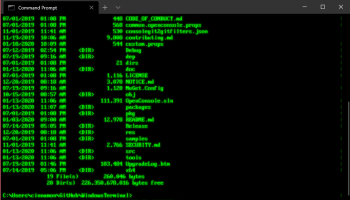
Windows Terminal, developed by Microsoft, is a powerful and versatile command-line interface designed to enhance the productivity and efficiency of developers, IT professionals, and power users. This modern terminal application brings a fresh and dynamic approach to command-line operations on Windows, combining advanced features with a sleek and customizable user interface.
**Key Features and Highlights:**
1. **Multiple Tabs and Panes:**
Windows Terminal supports multiple tabs, allowing users to run different command-line tools and shells in a single window. Additionally, the split-pane feature enables simultaneous viewing and interaction with multiple terminal sessions side by side, streamlining multitasking and workflow management.
2. **Customizable Appearance:**
Personalization is at the heart of Windows Terminal. Users can customize the terminal's appearance with various themes, color schemes, and background images. The JSON settings file provides granular control over every aspect of the terminal's look and feel, ensuring a tailored experience that suits individual preferences.
3. **Rich Text Rendering:**
The terminal boasts a GPU-accelerated text rendering engine, which ensures crisp and clear text display, even with complex Unicode and UTF-8 characters. This feature is particularly beneficial for developers working with diverse programming languages and scripts.
4. **Command-Line Integration:**
Windows Terminal seamlessly integrates with popular command-line tools and shells, including Command Prompt, PowerShell, and Windows Subsystem for Linux (WSL). This integration allows users to switch between different environments effortlessly, making it a versatile tool for various development and administrative tasks.
5. **Enhanced Performance:**
Built with performance in mind, Windows Terminal offers a fast and responsive user experience. The application leverages modern technologies to minimize latency and maximize efficiency, ensuring smooth operation even under heavy workloads.
6. **Extensive Keyboard Shortcuts:**
Efficiency is further enhanced with a comprehensive set of keyboard shortcuts, enabling quick access to essential functions and commands. Users can also customize these shortcuts to match their workflow, reducing the need for repetitive mouse actions.
7. **Open Source and Community-Driven:**
Windows Terminal is an open-source project, hosted on GitHub, where the community actively contributes to its development. This collaborative approach ensures continuous improvement and the inclusion of features that address the real-world needs of its users.
**Conclusion:**
Windows Terminal is a robust and feature-rich terminal application that redefines the command-line experience on Windows. Its combination of modern design, extensive customization options, and seamless integration with various shells makes it an indispensable tool for anyone who relies on the command line for their daily tasks. Whether you're a developer, system administrator, or power user, Windows Terminal offers the flexibility and performance needed to enhance your productivity and streamline your workflow.
Windows Terminal, developed by Microsoft, is a powerful and versatile command-line interface designed to enhance the productivity and efficiency of developers, IT professionals, and power users. This modern terminal application brings a fresh and dynamic approach to command-line operations on Windows, combining advanced features with a sleek and customizable user interface.
**Key Features and Highlights:**
1. **Multiple Tabs and Panes:**
Windows Terminal supports multiple tabs, allowing users to run different command-line tools and shells in a single window. Additionally, the split-pane feature enables simultaneous viewing and interaction with multiple terminal sessions side by side, streamlining multitasking and workflow management.
2. **Customizable Appearance:**
Personalization is at the heart of Windows Terminal. Users can customize the terminal's appearance with various themes, color schemes, and background images. The JSON settings file provides granular control over every aspect of the terminal's look and feel, ensuring a tailored experience that suits individual preferences.
3. **Rich Text Rendering:**
The terminal boasts a GPU-accelerated text rendering engine, which ensures crisp and clear text display, even with complex Unicode and UTF-8 characters. This feature is particularly beneficial for developers working with diverse programming languages and scripts.
4. **Command-Line Integration:**
Windows Terminal seamlessly integrates with popular command-line tools and shells, including Command Prompt, PowerShell, and Windows Subsystem for Linux (WSL). This integration allows users to switch between different environments effortlessly, making it a versatile tool for various development and administrative tasks.
5. **Enhanced Performance:**
Built with performance in mind, Windows Terminal offers a fast and responsive user experience. The application leverages modern technologies to minimize latency and maximize efficiency, ensuring smooth operation even under heavy workloads.
6. **Extensive Keyboard Shortcuts:**
Efficiency is further enhanced with a comprehensive set of keyboard shortcuts, enabling quick access to essential functions and commands. Users can also customize these shortcuts to match their workflow, reducing the need for repetitive mouse actions.
7. **Open Source and Community-Driven:**
Windows Terminal is an open-source project, hosted on GitHub, where the community actively contributes to its development. This collaborative approach ensures continuous improvement and the inclusion of features that address the real-world needs of its users.
**Conclusion:**
Windows Terminal is a robust and feature-rich terminal application that redefines the command-line experience on Windows. Its combination of modern design, extensive customization options, and seamless integration with various shells makes it an indispensable tool for anyone who relies on the command line for their daily tasks. Whether you're a developer, system administrator, or power user, Windows Terminal offers the flexibility and performance needed to enhance your productivity and streamline your workflow.
OS: Windows 11, Windows 10 32/64 bit
Add Your Review or 64-bit Compatibility Report
Top Other 64-bit downloads


JProfiler 16.0.0
JProfiler is a powerful Java profiler for performance tuning and memory analysis.
Trialware | $549.00

Android Studio 2025.3.2 Panda 2
Android Studio: Powerful IDE for Android app development with robust tools.
Freeware


Flyff 2.4.9
Vagrant simplifies environment setup for developers with portable, reproducible workflows.
Open Source
Members area
Top 64-bit Downloads
-
dotNet Sniffer 64-bit
x64 2.0
x64 freeware download -
DotNetBrowser 3.5.1
x64 commercial download -
Dart Editor 2.19.6
x64 open source download -
PDF Viewer SDK ActiveX
x64 8.5
x64 shareware download -
Software Ideas Modeler
Portable x64 14.55
x64 freeware download -
TortoiseSVN for 64-bit
System 1.14.7.29687
x64 freeware download -
Syncro SVN Client x64 10.1 B2015040812
x64 trialware download -
HPC Pack 2008 R2 SDK x64 3.3.3950 SP3
x64 freeware download -
Microsoft Speech SDK 11
x64 freeware download -
HDFView x64 3.3.2
x64 freeware download
Top Downloads
-
NASM 2.16.01
open source download -
Library .NET 19.8.8201
trialware download -
WebData 10.2.4.0
shareware download -
jPDFImages 2021R1
demo download -
IdleX 1.11.2
freeware download -
Python 3.14.3
open source download -
Delphi 12.0
shareware download -
OpenWire 8.0.0.156
freeware download -
PHP 8.5.4
open source download -
.NET Logging Library 2.20
shareware download -
Document .Net 2026.3.5
demo download -
Swapy 0.5.4
open source download -
GeeXLab 0.32.0
freeware download -
UtilsLib 7.2
demo download -
eWorld 0.9.3 Beta
freeware download