
WinSatUi - X 64-bit Download
Popular x64 Tags
- pc benchmark x64 download
- cpu benchmark x64 download
- benchmark x64 download
- memory x64 download
- cpu x64 download
- hardware detection x64 download
- performance x64 download
- test x64 download
- hardware x64 download
- memory monitor x64 download
- tester x64 download
- bandwidth x64 download
- log analysis x64 download
- data recovery x64 download
- office x64 download
- client server x64 download
- file server x64 download
- system x64 download
- keyboard x64 download
- batch x64 download
- backup software x64 download
- express x64 download
WinSatUi 1.1.0
Sponsored links:
license: Open Source
downloads: 46
size: 2.40 MB
updated: 2024-07-15
tags: system assessment, Manfred Mueller, WinSatUi, system score, system evaluation, bench, performance assessment, GitHub, download WinSatUi, assessment, winsat GUI, Windows, WinSatUi free download, benchmark, winsat
Add to Basket

Manfred Mueller

WinSatUi, developed by Manfred Mueller, is an intuitive and robust graphical user interface designed to enhance the user experience of the Windows System Assessment Tool (WinSAT). This software serves as a bridge between the complex, command-line driven WinSAT and users who prefer a more accessible, visually appealing way to assess their system's performance.
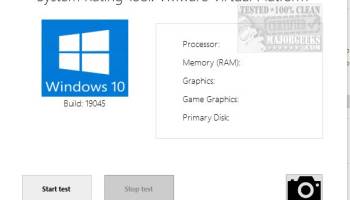
One of the standout features of WinSatUi is its user-friendly design. The interface is clean and straightforward, making it easy for users of all technical levels to navigate through various performance metrics. The software provides a comprehensive overview of your system's capabilities, including CPU, memory, disk, and graphics performance, all presented in a clear and organized manner.
WinSatUi excels in delivering detailed performance insights without overwhelming the user. Each performance category is broken down into easily digestible segments, with visual aids such as graphs and charts to help users quickly understand their system's strengths and weaknesses. This makes it an excellent tool for both casual users looking to optimize their system and IT professionals needing precise performance data.
Another notable feature is the software's ability to generate detailed reports. These reports can be saved and shared, making it easier for users to track performance changes over time or to provide necessary information to support teams. The reporting functionality is particularly useful for diagnosing issues or for users who frequently upgrade their hardware and want to see the impact of their changes.
WinSatUi also stands out for its lightweight design. It runs smoothly without consuming significant system resources, ensuring that it does not interfere with the performance it is designed to measure. This efficiency makes it a practical tool for regular use, allowing users to keep a close eye on their system's health without any performance trade-offs.
Moreover, the software is regularly updated by Manfred Mueller, ensuring compatibility with the latest Windows updates and hardware advancements. This commitment to ongoing development means that users can rely on WinSatUi to provide accurate and relevant performance assessments over time.
In summary, WinSatUi by Manfred Mueller is a powerful yet accessible tool for assessing and understanding your Windows system's performance. Its user-friendly interface, detailed reporting capabilities, and efficient operation make it a valuable addition to any user's toolkit, whether for personal use or professional IT management.
One of the standout features of WinSatUi is its user-friendly design. The interface is clean and straightforward, making it easy for users of all technical levels to navigate through various performance metrics. The software provides a comprehensive overview of your system's capabilities, including CPU, memory, disk, and graphics performance, all presented in a clear and organized manner.
WinSatUi excels in delivering detailed performance insights without overwhelming the user. Each performance category is broken down into easily digestible segments, with visual aids such as graphs and charts to help users quickly understand their system's strengths and weaknesses. This makes it an excellent tool for both casual users looking to optimize their system and IT professionals needing precise performance data.
Another notable feature is the software's ability to generate detailed reports. These reports can be saved and shared, making it easier for users to track performance changes over time or to provide necessary information to support teams. The reporting functionality is particularly useful for diagnosing issues or for users who frequently upgrade their hardware and want to see the impact of their changes.
WinSatUi also stands out for its lightweight design. It runs smoothly without consuming significant system resources, ensuring that it does not interfere with the performance it is designed to measure. This efficiency makes it a practical tool for regular use, allowing users to keep a close eye on their system's health without any performance trade-offs.
Moreover, the software is regularly updated by Manfred Mueller, ensuring compatibility with the latest Windows updates and hardware advancements. This commitment to ongoing development means that users can rely on WinSatUi to provide accurate and relevant performance assessments over time.
In summary, WinSatUi by Manfred Mueller is a powerful yet accessible tool for assessing and understanding your Windows system's performance. Its user-friendly interface, detailed reporting capabilities, and efficient operation make it a valuable addition to any user's toolkit, whether for personal use or professional IT management.
OS: Windows 11, Windows 10 32/64 bit, Windows 8 32/64 bit, Windows 7 32/64 bit
Add Your Review or 64-bit Compatibility Report
Top Benchmarking 64-bit downloads


3DMark 2.29.8282
Most popular benchmark for measuring the graphics performance of gaming PCs
Freeware

WinSatUi 1.1.0
WinSatUi: A user-friendly GUI for Windows System Assessment Tool (WinSAT).
Open Source


Geekbench for Windows 6.3.0
Geekbench is a completely awesome cross-platform benchmark
Trialware | $9.99

ExperienceIndexOK 4.77
Effective solution to read and show your Windows Experience Index and recalculat
Freeware

PerformanceTest 11.1.1008
Easy-to-use PC hardware benchmarking software
Shareware | $37.00
tags: DirectX 11, DirectCompute, benchmark, testing, performance, passmark, speed, timing, mark, performancetest, hardware, CPU, program, network, bandwidth, DVD, processor, computer, video, test


System Stability Tester 1.5.1
This applcation is a RAM / CPU burning and benchmarking program
Open Source
Members area
Top 64-bit Downloads
-
HWiNFO64 6.28 B4200
x64 freeware download -
Windows 10 x64 22H2
x64 trialware download -
Windows 7 x64
x64 trialware download -
GRBackPro Server Backup
x64 11.2.0
x64 shareware download -
XtraTools Professional
x64 26.3.1
x64 shareware download -
EasyTune6 B24.0119.1
x64 freeware download -
DAR 2.7.14
x64 open source download -
CIB pdf brewer 4.20.0
x64 freeware download -
3DMark 2.29.8282
x64 freeware download -
Processor X32 or X64 1.5
x64 freeware download
Top Downloads
-
FreeCommander XE
Portable 2026 Build 941
freeware download -
FURY CTRL 2.0.65.0
freeware download -
FMDiff 4.0.5
demo download -
Open Files from XLSX to
XLS 5.2
shareware download -
Vim 9.2.0272
open source download -
iSunshare iBypass Genius 3.1.2.1
shareware download -
Shell Tools 2.0.1
freeware download -
HWiNFO64 6.28 B4200
freeware download -
AnyMP4 Data Recovery 1.5.12
shareware download -
Software to Data
Recovery 5.8.4.1
shareware download -
EaseUS Key Finder 4.1.6 Build 20240910
demo download -
Pitara 5.0.9583.34420
open source download -
WriterClassic 10.8.0
open source download -
PCtransfer 1.0.0.1033
freeware download -
Wondershare Recoverit 14.0.22
demo download