
Wipe Bad Disk - X 64-bit Download
Popular x64 Tags
- internet x64 download
- delete x64 download
- cookies x64 download
- password x64 download
- lock x64 download
- hide x64 download
- keylogger x64 download
- shredder x64 download
- history x64 download
- wipe x64 download
- security x64 download
- clean x64 download
- cache x64 download
- files x64 download
- protect x64 download
- data x64 download
- erase x64 download
- secure x64 download
- lost password x64 download
- software x64 download
- utility x64 download
- file x64 download
- privacy x64 download
- recovery x64 download
- forgotten password x64 download
- shred x64 download
- erase history x64 download
- remove x64 download
- registry repair programs x64 download
- evidence x64 download
Wipe Bad Disk 2.3
Sponsored links:
license: Shareware
downloads: 41
size: 5.80 MB
updated: 2024-10-04
tags: Shred, download Wipe Bad Disk, Erase Disk, bad sectors, Disk Shredder, secure erase, Shredder, Disk Cleaner, Goodlucksoft, Eraser, data recovery, Wipe Bad Disk, software tool, Wipe Bad Disk free download, disk wiping, Wiper
Add to Basket

Goodlucksoft

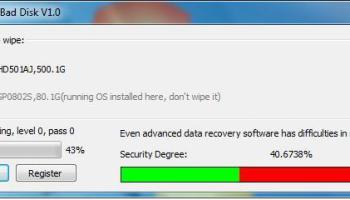
"Wipe Bad Disk" by Goodlucksoft is a specialized utility designed to address the persistent issue of managing and sanitizing corrupted or damaged storage devices. This software stands out in the realm of disk management tools by offering a robust solution for securely erasing data from disks that are otherwise deemed unusable or unreliable due to physical or logical damage.
At its core, Wipe Bad Disk is engineered to perform deep-level data wiping, ensuring that all traces of information are irretrievably removed from compromised sectors. This feature is particularly valuable for users who need to dispose of or repurpose storage devices while maintaining stringent data security standards. The software employs advanced algorithms to overwrite data multiple times, adhering to industry-standard data destruction protocols, which makes it a reliable choice for both personal and professional use.
One of the standout features of Wipe Bad Disk is its user-friendly interface, which simplifies the process of identifying and selecting bad disks for wiping. The intuitive design caters to both novice users and seasoned IT professionals, providing clear guidance through each step of the wiping process. Additionally, the software supports a wide range of storage media, including HDDs, SSDs, USB drives, and memory cards, making it a versatile tool in any data management toolkit.
Wipe Bad Disk also offers customizable wiping options, allowing users to select specific wiping patterns and the number of passes, thereby tailoring the process to their specific security needs. This level of customization is complemented by the software's ability to generate detailed reports post-wipe, providing users with comprehensive documentation of the wiping process for audit or compliance purposes.
Performance-wise, Wipe Bad Disk is optimized to handle large volumes of data efficiently, minimizing downtime during the wiping process. Its lightweight design ensures that it does not consume excessive system resources, allowing users to continue other tasks without significant performance degradation.
In terms of compatibility, Wipe Bad Disk supports a wide array of operating systems, ensuring that it can be seamlessly integrated into various IT environments. This cross-platform support is a testament to Goodlucksoft's commitment to providing a flexible and accessible solution for data sanitization.
Overall, Wipe Bad Disk is a powerful and reliable tool for anyone looking to securely erase data from damaged storage devices. Its combination of advanced wiping technology, ease of use, and comprehensive reporting makes it an indispensable asset for maintaining data security and integrity. Whether you're an individual looking to protect personal information or a business aiming to comply with data protection regulations, Wipe Bad Disk offers a dependable solution for all your data wiping needs.
At its core, Wipe Bad Disk is engineered to perform deep-level data wiping, ensuring that all traces of information are irretrievably removed from compromised sectors. This feature is particularly valuable for users who need to dispose of or repurpose storage devices while maintaining stringent data security standards. The software employs advanced algorithms to overwrite data multiple times, adhering to industry-standard data destruction protocols, which makes it a reliable choice for both personal and professional use.
One of the standout features of Wipe Bad Disk is its user-friendly interface, which simplifies the process of identifying and selecting bad disks for wiping. The intuitive design caters to both novice users and seasoned IT professionals, providing clear guidance through each step of the wiping process. Additionally, the software supports a wide range of storage media, including HDDs, SSDs, USB drives, and memory cards, making it a versatile tool in any data management toolkit.
Wipe Bad Disk also offers customizable wiping options, allowing users to select specific wiping patterns and the number of passes, thereby tailoring the process to their specific security needs. This level of customization is complemented by the software's ability to generate detailed reports post-wipe, providing users with comprehensive documentation of the wiping process for audit or compliance purposes.
Performance-wise, Wipe Bad Disk is optimized to handle large volumes of data efficiently, minimizing downtime during the wiping process. Its lightweight design ensures that it does not consume excessive system resources, allowing users to continue other tasks without significant performance degradation.
In terms of compatibility, Wipe Bad Disk supports a wide array of operating systems, ensuring that it can be seamlessly integrated into various IT environments. This cross-platform support is a testament to Goodlucksoft's commitment to providing a flexible and accessible solution for data sanitization.
Overall, Wipe Bad Disk is a powerful and reliable tool for anyone looking to securely erase data from damaged storage devices. Its combination of advanced wiping technology, ease of use, and comprehensive reporting makes it an indispensable asset for maintaining data security and integrity. Whether you're an individual looking to protect personal information or a business aiming to comply with data protection regulations, Wipe Bad Disk offers a dependable solution for all your data wiping needs.
OS: Windows 11, Windows 10 32/64 bit, Windows 8 32/64 bit, Windows 7 32/64 bit, Windows Vista, Windows XP 32/64 bit
Add Your Review or 64-bit Compatibility Report
Top Other 64-bit downloads


IPVanish 4.3.9.1
Secure and fast VPN service with user-friendly interface and robust features.
Shareware

Process Magic 2.0
Command-line Tool to Hide any Windows Process or Launch New Process in Invisible
Freeware

O&O SafeErase Server x64 18.4.611
Deletes sensitive data so securely that a reconstruction
Trialware | $199.00

Windows Defender Definition Updates March 19, 2026

Essential security updates for Windows Defender.
Freeware

2FAGuard 1.7.2
Secure your accounts effortlessly with 2FAGuard's intuitive two-factor authentication.
Open Source

Members area
Top 64-bit Downloads
-
OpenVPN x64 2.6.11
x64 open source download -
VSCryptoHash 64-bit 2.5.3.509
x64 freeware download -
O&O SafeErase Server
x64 18.4.611
x64 trialware download -
Prevent Restore 119.00
x64 freeware download -
Microsoft Standalone
System Sweeper (x64 bit) 1.0.856.0 Beta
x64 freeware download -
Trend Micro Internet
Security Pro 2010 (x64
bit)
x64 trialware download -
Hash Suite 4.0
x64 shareware download -
Secret Disk 320.00
x64 freeware download -
Romaco Timeout x64 3.1.4.0
x64 freeware download -
Trend Micro HouseCall
64bit 1.62.1.1162
x64 freeware download
Top Downloads
-
OpenVPN x64 2.6.11
open source download -
ClamWin Portable 0.103.2.1
open source download -
CmosPwd 5.0
freeware download -
Aiseesoft Android
Unlocker 1.1.16
shareware download -
Video Padlock 1.20
demo download -
NordVPN 7.56.2.0
demo download -
OSV-Scanner 2.3.3
open source download -
WebPost Tools 1.0.0.412
freeware download -
CRYPTO! Build 9695
freeware download -
GhostVolt 1.3.3.0
demo download -
SymlexVPN 3.1.7
shareware download -
abylon KEYSAFE 23.60.1
shareware download -
Portable SafeInCloud 24.14.1
freeware download -
Mime Tool 2.2.8.11
freeware download -
VSCryptoHash 64-bit 2.5.3.509
freeware download