
Yascu - X 64-bit Download
Popular x64 Tags
- snapshot x64 download
- video screen capture x64 download
- print screen x64 download
- software x64 download
- screen capture tool x64 download
- video capture x64 download
- free screen capture x64 download
- screen capture x64 download
- capture x64 download
- desktop x64 download
- picture x64 download
- print x64 download
- video x64 download
- screen recorder x64 download
- screen capture software x64 download
- screen x64 download
- wmv x64 download
- image x64 download
- screen capture program x64 download
- clipboard x64 download
- screenshot x64 download
- screencapture x64 download
- record x64 download
- screen shot x64 download
- avi x64 download
- screen recording x64 download
- printscreen x64 download
- flash x64 download
- window x64 download
- recorder x64 download
Yascu 1.0.525
Sponsored links:

Shade Software Solutions LLC


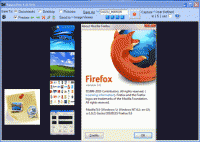
YASCU (Yet Another Screen Capture Utility) is a new tool on the block in a very crowded genre. At first glance, it may appear to be the same as many other similar applications, but it has been uniquely designed to function as a simple but useful, multi-purpose business tool. After developing this tool for internal purposes in 2008, it is now being made available to everyone in a tiny 100K efficiency stimulus package.
The design strategy for this application was to optimize it for size, speed and simplicity without compromising usability and functionality. The resulting tool not only strikes this delicate balance, but executes and achieves the following three main design objectives:
-Capture and save images automatically and efficiently.
-Present and preview by navigating captured images quickly.
-Ilustrate seamlessly to facilitate interaction during presentations.
Any functionality that would add unnecessary overhead, or introduce heavy external dependencies to the core application, was excluded or deferred to an external application, or future add-ons. As a result, some design tradeoffs were made, such as only supporting the JPEG image format. The end result is a lean green screen capture machine.
Lightweight single standalone executable with no dependencies.
Requires no installation or un-installation.
Small 100KB footprint makes downloads & online updates very fast.
Compatible with 32 & 64 bit platforms of XP, Vista, Windows 7, Windows Server 2003 and 2008, and is also usable in safe mode.
Designed & optimized for ultimate usability on UMPC's, netbooks, and advanced multi-monitor desktops with LCD resolutions of 800x600 and above. Auto sizes for low screen resolutions.
Captures and saves images automatically with timestamp.
Stores images in universal JPEG format.
Simple, single window interface design accelerates user productivity.
One click oriented design boosts user productivity and efficiency.
Supports full screen, sizable, and compact operation modes.
Recalls last screen position when resized to full or compact modes.
Uses an abundance of keyboard shortcuts to increase productivity for power users.
Use as a JPEG viewer with drag and drop file support.
Supports wireless presentation remotes for screenshot navigation, capture, and sending images to external applications.
Supports one click capture of multi-monitor desktop screen content.
Supports built in hotkeys for transfer of images to SnagIt, MS Paint, and a user defined external application.
Integrated help displayed as images via the internet. No external browser or application files needed.
Additional functionality available through future add-ons.
Lifetime free updates for all free and registered users.
The design strategy for this application was to optimize it for size, speed and simplicity without compromising usability and functionality. The resulting tool not only strikes this delicate balance, but executes and achieves the following three main design objectives:
-Capture and save images automatically and efficiently.
-Present and preview by navigating captured images quickly.
-Ilustrate seamlessly to facilitate interaction during presentations.
Any functionality that would add unnecessary overhead, or introduce heavy external dependencies to the core application, was excluded or deferred to an external application, or future add-ons. As a result, some design tradeoffs were made, such as only supporting the JPEG image format. The end result is a lean green screen capture machine.
Lightweight single standalone executable with no dependencies.
Requires no installation or un-installation.
Small 100KB footprint makes downloads & online updates very fast.
Compatible with 32 & 64 bit platforms of XP, Vista, Windows 7, Windows Server 2003 and 2008, and is also usable in safe mode.
Designed & optimized for ultimate usability on UMPC's, netbooks, and advanced multi-monitor desktops with LCD resolutions of 800x600 and above. Auto sizes for low screen resolutions.
Captures and saves images automatically with timestamp.
Stores images in universal JPEG format.
Simple, single window interface design accelerates user productivity.
One click oriented design boosts user productivity and efficiency.
Supports full screen, sizable, and compact operation modes.
Recalls last screen position when resized to full or compact modes.
Uses an abundance of keyboard shortcuts to increase productivity for power users.
Use as a JPEG viewer with drag and drop file support.
Supports wireless presentation remotes for screenshot navigation, capture, and sending images to external applications.
Supports one click capture of multi-monitor desktop screen content.
Supports built in hotkeys for transfer of images to SnagIt, MS Paint, and a user defined external application.
Integrated help displayed as images via the internet. No external browser or application files needed.
Additional functionality available through future add-ons.
Lifetime free updates for all free and registered users.
OS: Windows XP, Windows Vista, Windows Vista x64, Windows 7, Windows 7 x64

Add Your Review or 64-bit Compatibility Report
Top Screen Capture 64-bit downloads


VueScan 9.8.52
VueScan: Powerful scanning software for enhanced image quality and versatility.
Demo | $29.96

HyperCam (x64 bit) 2.29.00
HyperCam v.2 captures the action and sound from any part of Windows desktop
Freeware

Screenpresso 2.2.4

Screenpresso: Capture, edit, and share screenshots and videos effortlessly.
Shareware | $29.99


Screen Capture + Print 1.34
Free screen capture software to capture area, full screen or single window.
Freeware


iTop Screenshot 1.2.3.544
iTop Screenshot is a free, lightweight, yet powerful screenshot tool.
Freeware
tags: Screenshot, screen capture

Members area
Top 64-bit Downloads
-
cPicture (x64 bit) 4.1
x64 freeware download -
HyperCam (x64 bit) 2.29.00
x64 freeware download -
PhotoFiltre 11.6.1
x64 freeware download -
VanceAI 1.0.0.7
x64 shareware download -
Adobe Photoshop Elements 2024.3
x64 trialware download -
PDF Writer for Windows
2022 1.02
x64 shareware download -
Gimp for x64 Windows 2.10.38
x64 open source download -
ICO file format x64 2.1f1
x64 open source download -
Portable PhotoFiltre 11.6.1
x64 freeware download -
Blue Cat's Protector x64 2.31
x64 demo download
Top Downloads
-
CorelDRAW X5 2025 26.2.0.29
trialware download -
Fotosizer 3.21.0.594
freeware download -
CorelDRAW X6 16.4.0.1280
trialware download -
Scanahand 8.0.0.320
demo download -
MSU Subtitle Remover
VirtualDub plugin 3.0beta2
freeware download -
TinyPDF 3.00
freeware download -
cPicture (x64 bit) 4.1
freeware download -
VueScan 9.8.52
demo download -
Scripthea 3.0.0
open source download -
PhotoFiltre 11.6.1
freeware download -
WinScan2PDF 9.55
freeware download -
PDF24 Creator 11.17.0
freeware download -
VanceAI 1.0.0.7
shareware download -
ReaConverter Standard 8.200
demo download -
FreeFotoWorks 2026 26.0.9
freeware download