
DocHaven - X 64-bit Download
Popular x64 Tags
- office x64 download
- microsoft x64 download
- importing x64 download
- exporting x64 download
- acrobat x64 download
- xls x64 download
- printer x64 download
- pdf x64 download
- pdf converter x64 download
- software x64 download
- word x64 download
- outlook x64 download
- excel x64 download
- powerpoint x64 download
- tool x64 download
- ppt x64 download
- adobe x64 download
- convert x64 download
- spreadsheet x64 download
- text x64 download
- create x64 download
- doc x64 download
- printing x64 download
- files x64 download
- add in x64 download
- open x64 download
- document x64 download
- data x64 download
- export x64 download
- saving x64 download
DocHaven 4.8
Sponsored links:

HOLY MACKEREL SOFTWARE

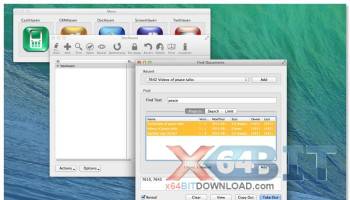
DocHaven is a library for your documents. DocHaven is run as an alternative to normal folders on your PC or file server. Your documents are permanently backed up and you bring take them out of the backup as you need them. Instead of storing your documents in an ever-increasing number of folders on your hard drive, you store your documents in ‘Projects’, booking them out and checking them back in.
But its more than this – every time a Project is put away, it keeps the old versions automatically. So not only do you have the latest version, but if a mistake to the Project, you can always go back to a previous version.
Each time a person tries to take out a Project they are verified. They must be either the owner of the Project or a member of the group to which the Project belongs.
Finally, DocHaven compresses the Projects before storing them.
FEATURES:
Adding for others:
· When we add documents to DocHaven, you get the a list of every accessible User, Group and Client. There is therefore no reason why you cannot add documents to the library for access by someone else. Note that there may be issues here with the adder not being able to access the imported documents if they are neither the owner nor in the selected group. Please note that once set you cannot easily change the Owner, but you can easily change the Group access for a Project.
Notes and Keywords:
· Adding notes and keywords are an effective way to find documents later based on non-normal criteria. If you can, add predefined keywords or descriptions in notes to sets of documents as they’re imported making it much easier later to find, export or archive.
Template Projects:
· Template Projects are normal projects full of normal documents with two exceptions – firstly, they show up in the ‘New Document’ window for any Owner or Group member, and secondly, they can now only be taken out by their owner. They should be designated sparingly to make creating new documents easier. Note that unlike other projects, users can create new Projects from templates that are already ‘taken out’ by their owners, as it uses the latest version last put away. This allows users to keep using template projects even while they’re in the process of being updated.
Short Term Projects:
· Short Term Projects are normal Projects full of normal documents except the designation implies that the enclosed documents do not need to be kept forever. These might be fax cover sheets or temporary files you want to trash sometime, but not yet. So if storage space on the FTP server becomes limited, then you may want to archive the Short Term Projects not modified recently.
Notify Owner Projects:
· Notify Owner Projects are normal Projects full of normal documents except the designation implies that every time they’re accessed, the Owner of the Project is informed in the Notification window. This can be used both as a security feature and a means of finding out which projects are the most popular and by whom.
Passwords:
· A small number of applications such as Microsoft Word and Excel can require a password to open their documents. DocHaven’s password is not related to these features. When adding your documents to the DocHaven library you can require the entry of a password. The password is an extra level of security on top of the usual Users and Groups privileges and does not affect the format of the enclosed files nor does it add a password to the actual zip file. The only effect is that when the Project is taken out or copied out the correct case-sensitive password is needed. Passwords are not recommended except for exceptional circumstances. Administrators can take out projects without having to enter a password and they can remove the password in the Window-Database-Projects window. Also note that the password is not required for Exporting or Archiving.
But its more than this – every time a Project is put away, it keeps the old versions automatically. So not only do you have the latest version, but if a mistake to the Project, you can always go back to a previous version.
Each time a person tries to take out a Project they are verified. They must be either the owner of the Project or a member of the group to which the Project belongs.
Finally, DocHaven compresses the Projects before storing them.
FEATURES:
Adding for others:
· When we add documents to DocHaven, you get the a list of every accessible User, Group and Client. There is therefore no reason why you cannot add documents to the library for access by someone else. Note that there may be issues here with the adder not being able to access the imported documents if they are neither the owner nor in the selected group. Please note that once set you cannot easily change the Owner, but you can easily change the Group access for a Project.
Notes and Keywords:
· Adding notes and keywords are an effective way to find documents later based on non-normal criteria. If you can, add predefined keywords or descriptions in notes to sets of documents as they’re imported making it much easier later to find, export or archive.
Template Projects:
· Template Projects are normal projects full of normal documents with two exceptions – firstly, they show up in the ‘New Document’ window for any Owner or Group member, and secondly, they can now only be taken out by their owner. They should be designated sparingly to make creating new documents easier. Note that unlike other projects, users can create new Projects from templates that are already ‘taken out’ by their owners, as it uses the latest version last put away. This allows users to keep using template projects even while they’re in the process of being updated.
Short Term Projects:
· Short Term Projects are normal Projects full of normal documents except the designation implies that the enclosed documents do not need to be kept forever. These might be fax cover sheets or temporary files you want to trash sometime, but not yet. So if storage space on the FTP server becomes limited, then you may want to archive the Short Term Projects not modified recently.
Notify Owner Projects:
· Notify Owner Projects are normal Projects full of normal documents except the designation implies that every time they’re accessed, the Owner of the Project is informed in the Notification window. This can be used both as a security feature and a means of finding out which projects are the most popular and by whom.
Passwords:
· A small number of applications such as Microsoft Word and Excel can require a password to open their documents. DocHaven’s password is not related to these features. When adding your documents to the DocHaven library you can require the entry of a password. The password is an extra level of security on top of the usual Users and Groups privileges and does not affect the format of the enclosed files nor does it add a password to the actual zip file. The only effect is that when the Project is taken out or copied out the correct case-sensitive password is needed. Passwords are not recommended except for exceptional circumstances. Administrators can take out projects without having to enter a password and they can remove the password in the Window-Database-Projects window. Also note that the password is not required for Exporting or Archiving.
OS: Windows XP, Windows Vista, Windows Vista x64, Windows 7, Windows 7 x64
Add Your Review or 64-bit Compatibility Report
Top Office Suites & Tools 64-bit downloads


Office Tab x64 8.50
Add Tabbed Editing and Managing User Interface to Microsoft Office 64-bit
Shareware | $25.00

MS Word Resume Template Software 7.0
Create resume templates in MS Word. Word 2000 or higher required.
Shareware | $4.99

ABBYY FineReader Professional 16.0.13
ABBYY FineReader is an intelligent OCR and PDF conversion application
Trialware | $271.38

Quite Imposing Plus 6.0d
Effortlessly create and manage complex impositions for PDF documents.
Demo | $949.00

Hyper Publish PRO 2016.34
Make a catalog catalogue Web site CD DVD with a single easy professional tool
Shareware | $18.00
Microsoft Office 2010 x64 14.0.6023.1000
Powerful new tools to express your ideas and connect with people
Trialware | $499.99

4Media PDF to PowerPoint Converter 1.0.2.0827
Convert a batch of PDF files to PowerPoint (PPT) presentations
Shareware | $29.99

mini Acrobat to PPSX Converter 2.0
Acrobat to PPSX Converter converts Acrobat to PPSX
Shareware | $29.95

Boxoft Free Flip Page Creator 1.0
100% Free Flip Page Creator, make amazing digital flipping book!
Freeware

Members area
Top 64-bit Downloads
-
Office Tab x64 8.50
x64 shareware download -
ABBYY FineReader
Professional 16.0.13
x64 trialware download -
Microsoft Office 2010
x64 14.0.6023.1000
x64 trialware download -
clrmamepro x64 4.048d
x64 freeware download -
Zed Axis 64bit 10.0
x64 trialware download -
PSPP x64 1.6.2
x64 open source download -
Foxit Reader 2023.3
x64 freeware download -
Hl7Spy 24.1.227
x64 trialware download -
Talygen x64 7.0
x64 trialware download -
Microsoft Office 2010
Service Pack x64 SP2
x64 freeware download
Top Downloads
-
Zed Axis 64bit 10.0
trialware download -
CHM to Flash Brochure 2.0
shareware download -
SlidePDF to Flash Book 1.0
freeware download -
ImageWinSoft Free Image
to PDF 1.5
freeware download -
PostgreSQL Sybase ASE
Import, Export &
Convert Software 7.0
shareware download -
sitewebdesk 7.8
demo download -
Label Spirit PrintOnly 7.0.17
shareware download -
ISMN barcode generator 2 2.91
shareware download -
Adaptive Modeler 1.6.0
shareware download -
Gekko 1.6
freeware download -
Office Tab x64 8.50
shareware download -
MS Word Resume Template
Software 7.0
shareware download -
ABBYY FineReader
Professional 16.0.13
trialware download -
Quite Imposing Plus 6.0d
demo download -
Hyper Publish PRO 2016.34
shareware download