
Duo video converter - X 64-bit Download
Popular x64 Tags
- video x64 download
- video converter x64 download
- avi x64 download
- internet tv x64 download
- divx x64 download
- dvd x64 download
- online tv x64 download
- mov x64 download
- mpeg x64 download
- converter x64 download
- xvid x64 download
- 3gp converter x64 download
- psp x64 download
- download x64 download
- ipod x64 download
- mp4 x64 download
- wmv x64 download
- ipod video x64 download
- dvd ripper x64 download
- dvd to 3gp x64 download
- dvd to ipod x64 download
- swf x64 download
- dvd to psp x64 download
- 3gp x64 download
- asf x64 download
- iphone x64 download
- dat x64 download
- mpg x64 download
- video to ipod x64 download
- flv x64 download
Duo video converter 1.0.13.0
Sponsored links:
license: Freeware
downloads: 85
size: 128.50 MB
updated: 2024-09-26
tags: user-friendly, Duo video converter, download Duo video converter, video conversion, fast processing, Bulk, Convert, Video Compressor, Audio, multimedia software, Audio Converter, Video, Video Converter, IOForth, Duo video converter free download
Add to Basket

IOForth

**Duo Video Converter by IOForth: A Comprehensive Multimedia Solution**
Duo Video Converter, developed by IOForth, is a robust and versatile tool designed to meet all your multimedia conversion needs. This software stands out in the crowded market of video converters with its user-friendly interface, extensive format support, and powerful features that cater to both novice users and seasoned professionals.
**User-Friendly Interface**
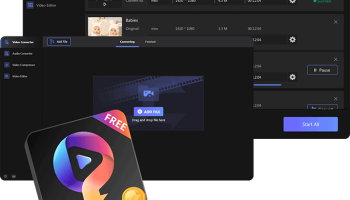
One of the first things you'll notice about Duo Video Converter is its clean, intuitive interface. The design is straightforward, ensuring that even users with minimal technical expertise can navigate through the software with ease. The main dashboard provides quick access to all essential functions, making the conversion process as seamless as possible.
**Extensive Format Support**
Duo Video Converter supports an impressive array of video and audio formats. Whether you're dealing with MP4, AVI, MKV, MOV, or less common formats, this software has you covered. It also excels in audio conversion, supporting formats like MP3, WAV, AAC, and FLAC. This extensive format support ensures that you can convert virtually any media file to suit your needs.
**High-Quality Output**
Quality is a critical factor in media conversion, and Duo Video Converter does not disappoint. The software employs advanced algorithms to ensure that the converted files retain their original quality. Whether you're converting a high-definition video or a high-fidelity audio file, you can expect excellent output quality.
**Speed and Efficiency**
Time is of the essence, and Duo Video Converter understands that. The software boasts impressive conversion speeds, thanks to its multi-threading technology and GPU acceleration. This means you can convert large files in a fraction of the time it would take with other converters, without compromising on quality.
**Additional Features**
Duo Video Converter is not just about converting files; it also offers a suite of additional features that enhance its utility. These include:
- **Batch Conversion:** Convert multiple files simultaneously, saving you time and effort.
- **Editing Tools:** Basic editing features like trimming, cropping, and adding watermarks allow you to tweak your videos before conversion.
- **Device Optimization:** Pre-configured profiles for various devices ensure that your converted files are optimized for playback on smartphones, tablets, gaming consoles, and more.
- **Subtitle Support:** Add or extract subtitles from your videos with ease.
**Cross-Platform Compatibility**
Duo Video Converter is available for both Windows and macOS, ensuring that you can use it regardless of your operating system. This cross-platform compatibility makes it a versatile choice for users with different computing environments.
**Customer Support and Updates**
IOForth is known for its excellent customer support and commitment to continuous improvement. Duo Video Converter receives regular updates, ensuring that it stays current with the latest formats and technologies. The support team is responsive and ready to assist with any issues or queries you may have.
**Conclusion**
In summary, Duo Video Converter by IOForth is a comprehensive, reliable, and efficient tool for all your media conversion needs. Its user-friendly interface, extensive format support, high-quality output, and additional features make it a standout choice in the realm of video converters. Whether you're a casual user looking to convert a few files or a professional needing a robust conversion tool, Duo Video Converter is well worth considering.
Duo Video Converter, developed by IOForth, is a robust and versatile tool designed to meet all your multimedia conversion needs. This software stands out in the crowded market of video converters with its user-friendly interface, extensive format support, and powerful features that cater to both novice users and seasoned professionals.
**User-Friendly Interface**
One of the first things you'll notice about Duo Video Converter is its clean, intuitive interface. The design is straightforward, ensuring that even users with minimal technical expertise can navigate through the software with ease. The main dashboard provides quick access to all essential functions, making the conversion process as seamless as possible.
**Extensive Format Support**
Duo Video Converter supports an impressive array of video and audio formats. Whether you're dealing with MP4, AVI, MKV, MOV, or less common formats, this software has you covered. It also excels in audio conversion, supporting formats like MP3, WAV, AAC, and FLAC. This extensive format support ensures that you can convert virtually any media file to suit your needs.
**High-Quality Output**
Quality is a critical factor in media conversion, and Duo Video Converter does not disappoint. The software employs advanced algorithms to ensure that the converted files retain their original quality. Whether you're converting a high-definition video or a high-fidelity audio file, you can expect excellent output quality.
**Speed and Efficiency**
Time is of the essence, and Duo Video Converter understands that. The software boasts impressive conversion speeds, thanks to its multi-threading technology and GPU acceleration. This means you can convert large files in a fraction of the time it would take with other converters, without compromising on quality.
**Additional Features**
Duo Video Converter is not just about converting files; it also offers a suite of additional features that enhance its utility. These include:
- **Batch Conversion:** Convert multiple files simultaneously, saving you time and effort.
- **Editing Tools:** Basic editing features like trimming, cropping, and adding watermarks allow you to tweak your videos before conversion.
- **Device Optimization:** Pre-configured profiles for various devices ensure that your converted files are optimized for playback on smartphones, tablets, gaming consoles, and more.
- **Subtitle Support:** Add or extract subtitles from your videos with ease.
**Cross-Platform Compatibility**
Duo Video Converter is available for both Windows and macOS, ensuring that you can use it regardless of your operating system. This cross-platform compatibility makes it a versatile choice for users with different computing environments.
**Customer Support and Updates**
IOForth is known for its excellent customer support and commitment to continuous improvement. Duo Video Converter receives regular updates, ensuring that it stays current with the latest formats and technologies. The support team is responsive and ready to assist with any issues or queries you may have.
**Conclusion**
In summary, Duo Video Converter by IOForth is a comprehensive, reliable, and efficient tool for all your media conversion needs. Its user-friendly interface, extensive format support, high-quality output, and additional features make it a standout choice in the realm of video converters. Whether you're a casual user looking to convert a few files or a professional needing a robust conversion tool, Duo Video Converter is well worth considering.
OS: Windows 11, Windows 10 32/64 bit
Add Your Review or 64-bit Compatibility Report
Top Video Tools 64-bit downloads


VLC Media Player x64 3.0.20
VLC x64 is a free and open source multimedia 64bit player for Windows x64
Open Source

Screenbits 9.13.1.0
Screenbits: High-quality screen recording with intuitive controls and features.
Trialware

Video Jaguar 1.0
Video Jaguar is the world's easiest video ad maker for businesses and agencies.
Shareware | $8.99


CamStudio 2.7.4 r354
You can use it to create demonstration videos for any software program
Open Source

4Videosoft MTS Converter 6.2.22
Convert video to audio or convert audio to AAC, AC3 , AIFF, AMR, AU, and more
Shareware | $16.16

MonitorTest 4.0 Build 1002
Comprehensive tool for testing and calibrating monitor performance.
Trialware


Jubler x64 7.0.3
Can be used as an authoring software for new subtitles or as a tool to convert
Open Source

Members area
Top 64-bit Downloads
-
Media Player Classic -
HomeCinema - 64 bit 2.3.0
x64 open source download -
VLC Media Player x64 3.0.20
x64 open source download -
MCEBuddy 2.6.3
x64 trialware download -
Jubler x64 7.0.3
x64 open source download -
Voxengo Stereo Touch x64 2.17
x64 freeware download -
PotPlayer 64bit 1.7.21397
x64 freeware download -
Voxengo Crunchessor x64 2.19
x64 demo download -
Devastor x64 2.3.2
x64 demo download -
GUITAR RIG 5 PRO 7.0.2
x64 demo download -
Plex 1.93.0.144
x64 freeware download
Top Downloads
-
FreeTube 0.23.15 Beta
open source download -
Little AlterBoy 5.4.1
trialware download -
Nero 7 Ultra Edition 7.10.1
shareware download -
Syrah 23.07.0.50310
trialware download -
Auremo 0.24.9
open source download -
ft2-clone 2.12
open source download -
Screenbox 0.18.1
open source download -
VLC Media Player x64 3.0.20
open source download -
Screenbits 9.13.1.0
trialware download -
Cyclop 1.3.7
demo download -
Melodics 5.0.139.0
demo download -
Media Player Classic -
HomeCinema - 64 bit 2.3.0
open source download -
Soundbase 2012.10.10
freeware download -
PlayIt Live 2.17.2.5046
shareware download -
FineCut 1.0.2
demo download