
HashOnClick - X 64-bit Download
Popular x64 Tags
- files x64 download
- file manager x64 download
- zip x64 download
- tool x64 download
- software x64 download
- ntfs x64 download
- remove x64 download
- disk x64 download
- free x64 download
- duplicate x64 download
- copy x64 download
- folder x64 download
- utility x64 download
- data recovery software x64 download
- undelete x64 download
- erase x64 download
- directory x64 download
- backup x64 download
- file x64 download
- hard x64 download
- data recovery x64 download
- delete x64 download
- recovery x64 download
- find x64 download
- file recovery x64 download
- unerase x64 download
- recover x64 download
- mp3 x64 download
- space x64 download
- search x64 download
HashOnClick 3.1.9.0
Sponsored links:
license: Freeware
downloads: 44
size: 7.40 MB
updated: 2024-09-02
tags: HashOnClick, download HashOnClick, HashOnClick free download, file hash, calculate hash, hash calculator, checksum, hash, MD5, generate
Add to Basket

2BrightSparks

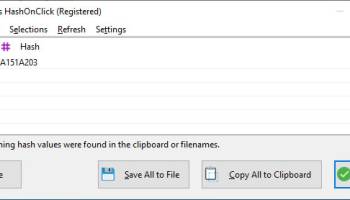
HashOnClick, developed by 2BrightSparks, is a streamlined and efficient utility designed for anyone who needs to verify file integrity with ease. This lightweight software offers a user-friendly interface that integrates seamlessly into the Windows context menu, allowing users to generate and verify hash values with just a couple of clicks.
One of the standout features of HashOnClick is its support for a wide range of hash algorithms, including MD5, SHA-1, SHA-256, and CRC32. This versatility ensures that users can choose the most appropriate hashing method for their specific needs, whether they are verifying downloads, checking for file corruption, or ensuring data integrity during transfers.
The software's integration into the right-click context menu is particularly noteworthy. This design choice means that users do not need to open a separate application to generate or verify hashes. Instead, they can simply right-click on any file or folder and select the desired hash function from the HashOnClick submenu. This convenience significantly streamlines the process, making it accessible even for those who may not be tech-savvy.
HashOnClick also excels in terms of performance. The software is optimized to handle large files efficiently, ensuring that hash calculations are performed quickly without compromising system resources. This makes it an ideal choice for professionals who deal with substantial amounts of data and require reliable and fast hash generation.
Another key feature is the ability to compare hash values directly within the software. Users can easily paste a hash value to compare it against the calculated hash of a file, providing a straightforward way to verify file integrity. This feature is particularly useful for verifying downloaded files or ensuring that backups have not been altered.
Security is a fundamental aspect of HashOnClick. The software ensures that hash values are generated accurately and reliably, providing users with confidence in the integrity of their files. Additionally, the software is regularly updated to support the latest hashing algorithms and security standards, ensuring that it remains a robust tool in the face of evolving security challenges.
In summary, HashOnClick by 2BrightSparks is a powerful yet simple tool that brings the essential function of hash generation and verification to the fingertips of Windows users. Its integration into the context menu, support for multiple hash algorithms, and efficient performance make it an invaluable utility for anyone concerned with data integrity and security. Whether you are a professional managing large datasets or a casual user verifying downloads, HashOnClick offers a reliable and user-friendly solution.
One of the standout features of HashOnClick is its support for a wide range of hash algorithms, including MD5, SHA-1, SHA-256, and CRC32. This versatility ensures that users can choose the most appropriate hashing method for their specific needs, whether they are verifying downloads, checking for file corruption, or ensuring data integrity during transfers.
The software's integration into the right-click context menu is particularly noteworthy. This design choice means that users do not need to open a separate application to generate or verify hashes. Instead, they can simply right-click on any file or folder and select the desired hash function from the HashOnClick submenu. This convenience significantly streamlines the process, making it accessible even for those who may not be tech-savvy.
HashOnClick also excels in terms of performance. The software is optimized to handle large files efficiently, ensuring that hash calculations are performed quickly without compromising system resources. This makes it an ideal choice for professionals who deal with substantial amounts of data and require reliable and fast hash generation.
Another key feature is the ability to compare hash values directly within the software. Users can easily paste a hash value to compare it against the calculated hash of a file, providing a straightforward way to verify file integrity. This feature is particularly useful for verifying downloaded files or ensuring that backups have not been altered.
Security is a fundamental aspect of HashOnClick. The software ensures that hash values are generated accurately and reliably, providing users with confidence in the integrity of their files. Additionally, the software is regularly updated to support the latest hashing algorithms and security standards, ensuring that it remains a robust tool in the face of evolving security challenges.
In summary, HashOnClick by 2BrightSparks is a powerful yet simple tool that brings the essential function of hash generation and verification to the fingertips of Windows users. Its integration into the context menu, support for multiple hash algorithms, and efficient performance make it an invaluable utility for anyone concerned with data integrity and security. Whether you are a professional managing large datasets or a casual user verifying downloads, HashOnClick offers a reliable and user-friendly solution.
OS: Windows 11, Windows 10 32/64 bit, Windows 8 32/64 bit, Windows 7 32/64 bit
Add Your Review or 64-bit Compatibility Report
Top File & Disk Management 64-bit downloads


FreeCommander XE Portable 2026 Build 941
FreeCommander XE Portable: A versatile file manager with dual-pane interface.
Freeware

Open Files from XLSX to XLS 5.2
Convert XLSX to XLS with Open files from XLSX to XLS program
Shareware | $29.00


WinFindr 1.9

Effortlessly locate files and folders with WinFindr's intuitive search.
Shareware | $23.00

Pitara 5.0.9579.1159
Pitara: Your all-in-one solution for seamless project management and collaboration.
Open Source


tail for Windows 2.1
tail for Windows is a UNIX/Linux like tail DOS Command for Windows.
Shareware | $29.99


FileMyster 1.2.5
Admin tool for seamless automatic sychronization between folders and computers
Freeware

Members area
Top 64-bit Downloads
-
HWiNFO64 6.28 B4200
x64 freeware download -
GRBackPro Server Backup
x64 11.2.0
x64 shareware download -
Windows 7 x64
x64 trialware download -
EasyTune6 B24.0119.1
x64 freeware download -
XtraTools Professional
x64 26.2.1
x64 shareware download -
DAR 2.7.14
x64 open source download -
BusDog x64 0.2
x64 freeware download -
PhotoRenamer 4.1
x64 freeware download -
Laplink DiskImage
Professional x64 10.0.71
x64 trialware download -
CIB pdf brewer 4.20.0
x64 freeware download
Top Downloads
-
FreeCommander XE
Portable 2026 Build 941
freeware download -
FURY CTRL 2.0.65.0
freeware download -
FMDiff 4.0.5
demo download -
Open Files from XLSX to
XLS 5.2
shareware download -
Shell Tools 2.0.1
freeware download -
Vim 9.2.0250
open source download -
AnyMP4 Data Recovery 1.5.12
shareware download -
PCtransfer 1.0.0.1033
freeware download -
Software to Data
Recovery 5.8.4.1
shareware download -
EaseUS Key Finder 4.1.6 Build 20240910
demo download -
HWiNFO64 6.28 B4200
freeware download -
Music Collection 3.9.7.2
freeware download -
WinFindr 1.9
shareware download -
File Compression 1.0
commercial download -
windows_exporter 0.31.5
open source download