
MicroSIP Lite - X 64-bit Download
Popular x64 Tags
- skype x64 download
- voip x64 download
- softphone x64 download
- software x64 download
- call x64 download
- tapi x64 download
- record x64 download
- answering machine x64 download
- phone x64 download
- download x64 download
- voip phone system x64 download
- recorder x64 download
- outlook x64 download
- call recording x64 download
- caller id x64 download
- sms x64 download
- mobile x64 download
- modem x64 download
- soft phone x64 download
- voice x64 download
- telephone x64 download
- voicemail x64 download
- contacts x64 download
- speech x64 download
- reverse x64 download
- dll x64 download
- pabx x64 download
- cid x64 download
- lookup x64 download
- callerid x64 download
MicroSIP Lite 3.22.5
Sponsored links:
license: Open Source
downloads: 58
size: 5.60 MB
updated: 2026-03-21
tags: MicroSIP Lite, download MicroSIP Lite, MicroSIP Lite free download, VoIP dial program, VoIP softphone, SIP softphone, softphone, telephone, phone, dial
Add to Basket

MicroSIP

MicroSIP Lite, developed by the innovative team at MicroSIP, is a streamlined, user-friendly VoIP (Voice over Internet Protocol) software that brings high-quality communication to your fingertips. Designed with simplicity and efficiency in mind, this lightweight application is perfect for users who need reliable voice calling without the bloat of unnecessary features.
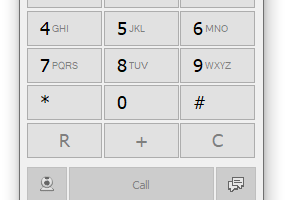
One of the standout features of MicroSIP Lite is its minimalistic design. The interface is clean and intuitive, making it accessible even for those who are not tech-savvy. Despite its simplicity, MicroSIP Lite does not compromise on functionality. It supports the SIP protocol, ensuring compatibility with a wide range of VoIP services and hardware. This flexibility makes it an excellent choice for both personal and professional use.
Performance-wise, MicroSIP Lite excels in delivering crystal-clear audio quality. The software leverages advanced codecs like Opus and G.711, which are known for their superior sound clarity and low latency. This ensures that your conversations are smooth and uninterrupted, even on less-than-ideal network conditions.
Another notable aspect of MicroSIP Lite is its efficiency. The application is incredibly lightweight, consuming minimal system resources. This makes it an ideal solution for older computers or systems with limited processing power. Moreover, its low bandwidth usage ensures that it can operate seamlessly even on slower internet connections.
Security is also a top priority for MicroSIP Lite. The software supports secure SIP (SIPS) and media encryption (SRTP), providing a robust layer of protection for your communications. This is particularly important for business users who need to ensure the confidentiality of their conversations.
MicroSIP Lite is also highly customizable. Users can tweak various settings to suit their specific needs, from adjusting audio codecs to configuring SIP accounts. This level of customization ensures that you can optimize the software for your particular use case, whether you're making a quick personal call or setting up a complex business communication system.
Installation and setup are straightforward, with a quick installation process that gets you up and running in no time. The software is compatible with Windows operating systems, and its small footprint means it won't take up much space on your hard drive.
In summary, MicroSIP Lite by MicroSIP is a powerful yet lightweight VoIP solution that excels in delivering high-quality voice communication. Its minimalistic design, excellent audio performance, low resource consumption, and robust security features make it a standout choice for anyone in need of reliable and efficient VoIP software. Whether you're a casual user or a business professional, MicroSIP Lite offers a seamless and secure communication experience.
One of the standout features of MicroSIP Lite is its minimalistic design. The interface is clean and intuitive, making it accessible even for those who are not tech-savvy. Despite its simplicity, MicroSIP Lite does not compromise on functionality. It supports the SIP protocol, ensuring compatibility with a wide range of VoIP services and hardware. This flexibility makes it an excellent choice for both personal and professional use.
Performance-wise, MicroSIP Lite excels in delivering crystal-clear audio quality. The software leverages advanced codecs like Opus and G.711, which are known for their superior sound clarity and low latency. This ensures that your conversations are smooth and uninterrupted, even on less-than-ideal network conditions.
Another notable aspect of MicroSIP Lite is its efficiency. The application is incredibly lightweight, consuming minimal system resources. This makes it an ideal solution for older computers or systems with limited processing power. Moreover, its low bandwidth usage ensures that it can operate seamlessly even on slower internet connections.
Security is also a top priority for MicroSIP Lite. The software supports secure SIP (SIPS) and media encryption (SRTP), providing a robust layer of protection for your communications. This is particularly important for business users who need to ensure the confidentiality of their conversations.
MicroSIP Lite is also highly customizable. Users can tweak various settings to suit their specific needs, from adjusting audio codecs to configuring SIP accounts. This level of customization ensures that you can optimize the software for your particular use case, whether you're making a quick personal call or setting up a complex business communication system.
Installation and setup are straightforward, with a quick installation process that gets you up and running in no time. The software is compatible with Windows operating systems, and its small footprint means it won't take up much space on your hard drive.
In summary, MicroSIP Lite by MicroSIP is a powerful yet lightweight VoIP solution that excels in delivering high-quality voice communication. Its minimalistic design, excellent audio performance, low resource consumption, and robust security features make it a standout choice for anyone in need of reliable and efficient VoIP software. Whether you're a casual user or a business professional, MicroSIP Lite offers a seamless and secure communication experience.
OS: Windows 11, Windows 10 32/64 bit, Windows 8 32/64 bit, Windows 7 32/64 bit, Windows Vista
Add Your Review or 64-bit Compatibility Report
Top Telephony 64-bit downloads


PC-Telephone 7.2
Free SoftPhone for VoIP/SIP and ISDN, Cheap PC-to-Phone/Fax calls
Shareware | $29.00

Android PC Sync Manager 1.3.1.153
Android Sync Manager on PC, transfer, backup Android data, free download apps
Freeware
MOBILedit Forensic Express 7.4.1.21502
All-in-one tool with an extremely easy to use interface
Demo | $1 500.00
Members area
Top 64-bit Downloads
-
Linphone 5.0.8
x64 freeware download -
WeChat 3.9.6
x64 freeware download -
MAPIViewer 64-bit 3.4
x64 freeware download -
MOBILedit Forensic
Express 7.4.1.21502
x64 demo download -
NK2Edit x64 3.46
x64 freeware download -
AdiIRC 64bit 4.4
x64 freeware download -
OutlookAddressBookView
x64 2.44
x64 freeware download -
KeyLemon 4.0.3
x64 trialware download -
Tweetings x64 1.4.5.0
x64 freeware download -
Netcam Studio x64 1.9.5.0
x64 freeware download
Top Downloads
-
Skype 8.150.0.125
freeware download -
VSee 4.28 (52330)
shareware download -
Paltalk 2.4.0 Build 112318
shareware download -
Find Unused Contacts 4.11
freeware download -
Clyton 37.0
shareware download -
Windows Communicator 3.1
shareware download -
Beeper 4.2.653
open source download -
cwtch 1.16.2
open source download -
Wavebox 10.146.26.2
demo download -
Total Webmail Converter 1.4
shareware download -
Linphone 5.0.8
freeware download -
PC SMS Software 8.0.1.3
shareware download -
LINE 9.9.0 Build 3633
freeware download -
Mail.dll 3.0
shareware download -
SMS4Mail 5.1
demo download