
Mouse Jiggler - X 64-bit Download
Popular x64 Tags
- free x64 download
- weather x64 download
- windows x64 download
- desktop x64 download
- news reader x64 download
- screen x64 download
- internet x64 download
- tray x64 download
- video x64 download
- monitor x64 download
- notes x64 download
- screen mate x64 download
- screen saver x64 download
- audio x64 download
- sports x64 download
- rss x64 download
- virtual girls x64 download
- dashboard x64 download
- virtual girl x64 download
- search x64 download
- desktop girls x64 download
- football x64 download
- college football x64 download
- deskmates x64 download
- virtua girl x64 download
- communicator x64 download
- college basketball x64 download
- olymipics x64 download
- usa x64 download
- athletics x64 download
Mouse Jiggler 3.0.0
Sponsored links:
license: Shareware
downloads: 50
size: 49.90 MB
updated: 2026-03-01
tags: Mouse Jiggler, download Mouse Jiggler, Mouse Jiggler free download, Mouse Pointer, Pointer Jiggler, Jiggle Pointer, Pointer, Jiggler, Jiggle, Mouse
Add to Basket

Alistair Young

Mouse Jiggler, developed by Alistair Young, is a simple yet ingenious utility designed to keep your computer awake by simulating mouse movement. This software is particularly useful for users who need to prevent their systems from going into sleep mode or triggering screensavers during periods of inactivity. Whether you're delivering a presentation, running a lengthy download, or simply stepping away from your desk for a moment, Mouse Jiggler ensures your system remains active without requiring constant interaction.
The software is lightweight and straightforward, offering an intuitive interface that even the most novice users will find easy to navigate. Upon launching Mouse Jiggler, users are presented with a minimalistic window featuring two primary options: "Enable Jiggle" and "Zen Jiggle." The "Enable Jiggle" mode visibly moves the cursor slightly, while the "Zen Jiggle" mode performs the same function invisibly, ensuring that your workflow remains undisturbed.
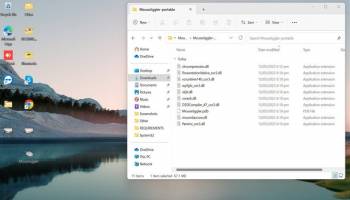
One of the standout features of Mouse Jiggler is its ability to run without installation, making it a portable solution that can be executed directly from a USB drive. This portability is particularly advantageous for professionals who frequently switch between different workstations and require a consistent tool to manage their computer's sleep settings.
Moreover, Mouse Jiggler is open-source, allowing users to explore and modify the code to suit their specific needs. This transparency not only fosters trust but also encourages a community of developers to contribute to its improvement and adaptation.
In terms of system resources, Mouse Jiggler is exceptionally efficient, consuming minimal CPU and memory. This efficiency ensures that the software can run seamlessly in the background without impacting the performance of other applications.
While Mouse Jiggler is a niche tool, its simplicity and effectiveness make it an invaluable asset for a variety of users. However, it's important to note that the software's functionality is limited to preventing sleep and screensaver activation; it does not offer additional features such as customizable jiggle intervals or integration with other system settings.
In conclusion, Mouse Jiggler by Alistair Young is a practical solution for anyone seeking to maintain their computer's active status without manual intervention. Its ease of use, portability, and open-source nature make it a compelling choice for both casual and professional users. Whether you're managing a presentation, monitoring a process, or simply avoiding interruptions, Mouse Jiggler provides a reliable and unobtrusive way to keep your system awake.
The software is lightweight and straightforward, offering an intuitive interface that even the most novice users will find easy to navigate. Upon launching Mouse Jiggler, users are presented with a minimalistic window featuring two primary options: "Enable Jiggle" and "Zen Jiggle." The "Enable Jiggle" mode visibly moves the cursor slightly, while the "Zen Jiggle" mode performs the same function invisibly, ensuring that your workflow remains undisturbed.
One of the standout features of Mouse Jiggler is its ability to run without installation, making it a portable solution that can be executed directly from a USB drive. This portability is particularly advantageous for professionals who frequently switch between different workstations and require a consistent tool to manage their computer's sleep settings.
Moreover, Mouse Jiggler is open-source, allowing users to explore and modify the code to suit their specific needs. This transparency not only fosters trust but also encourages a community of developers to contribute to its improvement and adaptation.
In terms of system resources, Mouse Jiggler is exceptionally efficient, consuming minimal CPU and memory. This efficiency ensures that the software can run seamlessly in the background without impacting the performance of other applications.
While Mouse Jiggler is a niche tool, its simplicity and effectiveness make it an invaluable asset for a variety of users. However, it's important to note that the software's functionality is limited to preventing sleep and screensaver activation; it does not offer additional features such as customizable jiggle intervals or integration with other system settings.
In conclusion, Mouse Jiggler by Alistair Young is a practical solution for anyone seeking to maintain their computer's active status without manual intervention. Its ease of use, portability, and open-source nature make it a compelling choice for both casual and professional users. Whether you're managing a presentation, monitoring a process, or simply avoiding interruptions, Mouse Jiggler provides a reliable and unobtrusive way to keep your system awake.
OS: Windows 11, Windows 10 64 bit
Add Your Review or 64-bit Compatibility Report
Top Other 64-bit downloads


Limages 2.0
Limages is a mediaplayer & slideshow program that works directly on your desktop
Shareware | $10.00
tags: slideshow, desktop, windows, tiles, widget, mediaplayer, sound volume, audio, video, DVD, player, transparency, Images, scrolled, automatically, wallpaper, style, change, photo, view, fullscreen, multiwindow


uWidgets 0.6.0 Beta
uWidgets: A versatile toolkit for creating customizable UI components.
Open Source


EarthView 7.14.0
Stunning dynamic wallpapers showcasing Earth’s beauty in real-time.
Trialware | $25.00


LightBulb 2.7
LightBulb: Adjust screen color temperature to reduce eye strain and improve sleep.
Open Source
Members area
Top 64-bit Downloads
-
Persclock 2.0
x64 freeware download -
bbLean (x64bit) 1.17.1
x64 freeware download -
Pixelscope 8
x64 freeware download -
Save.me x64 2.4.0
x64 freeware download -
TrayCD x64 1.2
x64 open source download -
KillKeys x64 1.2
x64 open source download -
VSLogonScreenCustomizer
64-bit 1.15.3.297
x64 freeware download -
magayo World Time
Weather (64-bit) 1.0.2.1
x64 freeware download -
Vanga Rengi Mangaro 1.2.7.875
x64 trialware download -
WMP12 - BLUE Theme X64
x64 freeware download
Top Downloads
-
Bonzi Buddy 1.7.0
freeware download -
Cloks and Time 2.0
demo download -
MouseScribe 1.4
trialware download -
CoordiPoint 1.0
freeware download -
uWidgets 0.6.0 Beta
open source download -
Limages 2.0
shareware download -
Persclock 2.0
freeware download -
IconPackager 10.03
trialware download -
f.lux 4.104
freeware download -
Sim Aquarium FREE! 3.7.55
freeware download -
PictureRiver 1.7.4.2
shareware download -
EarthTime 6.32.1
trialware download -
iPadian 10.1
freeware download -
Desktops 2.01
freeware download -
DesktopCal 3.16.203.6639
freeware download