
NoScript for Firefox - X 64-bit Download
Popular x64 Tags
- mozilla x64 download
- internet explorer toolbar x64 download
- browser x64 download
- netscape x64 download
- toolbar x64 download
- firefox x64 download
- ie toolbar x64 download
- free toolbar x64 download
- favorites organizer x64 download
- internet explorer x64 download
- favorites x64 download
- internet x64 download
- bookmarks x64 download
- add ons x64 download
- browser toolbar x64 download
- bookmark manager x64 download
- theme x64 download
- explorer x64 download
- addons x64 download
- cache x64 download
- skin x64 download
- web x64 download
- backup x64 download
- golf x64 download
- anarchy bar anarchy x64 download
- golf pro x64 download
- mhfs rss rss feed reader x64 download
- golf leader x64 download
- womens golf x64 download
- ladies golf x64 download
NoScript for Firefox 13.5.12
Add to Basket

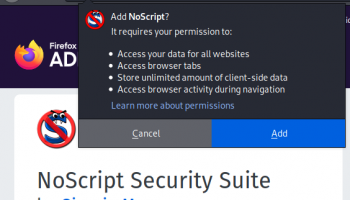
NoScript is an extension for Mozilla Firefox, designed to prevent JavaScript and Flash scripts from being executed by your browser. This tool can bring extra protection to your browser by blocking clickjacking and other potential threats.
You are not bothered by warning messages since the extension works in the background and stops the scripts that can be dangerous for your computer. You can configure the extension to display a short report with the blocked scripts in the add-on toolbar. If you would like to be notified when a script is blocked, then you can enable the audio feed back.
It is possible to select the websites you do not want to be affected by restrictions by adding them to a whitelist. It is a very easy to import a list of domains from a text file and you can also export the list if you want to back up the information. All privileges can be revoked if you want to be notified about all blocked items.
The types of scripts can be allowed or blocked from the "Options" window. If you are on a webpage and there are some important functions disabled by the extension, then it is possible to unblock the script temporarily with just a few clicks.
Some restrictions, such as blocking incoming objects, can be applied even to domains on the whitelist. If you have doubts about a certain website, then it can be marked as untrusted and subjected to additional restrictions.
Advanced users can limit untrusted websites in order to increase the extension's efficiency. You can use this section to create Anti-XSS (cross-site scripting) protection exceptions or to use external filters to check the webpage.
Overall, the extension is a very useful tool that allows you to browse the Internet with less interference from malicious scripts. It is mostly designed for experienced users, though.

Add Your Review or 64-bit Compatibility Report
Top Browser Tools 64-bit downloads


Members area
Top 64-bit Downloads
-
Internet Explorer 8 for
Windows Vista 64-bit and
Windows Server 2008
64-bit
x64 freeware download -
Adobe Flash Player 10
for 64-bit Windows Preview 2
x64 freeware download -
Firefox 64bit x64 127.0.2
x64 open source download -
SoftPerfect Bandwidth
Manager 3.3.0
x64 shareware download -
SSuite NetSurfer Extreme
x64 1.8.14.14
x64 freeware download -
Radio Downloader 64-bit 0.32
x64 open source download -
Google Chrome x64 bit 126.0.6478.127
x64 freeware download -
SSuite NetSurfer Browser
x64 2.30.16.8
x64 freeware download -
DameWare Mini Remote
Control 64bit 12.3.0.12
x64 trialware download -
Capivara x64 0.8.11
x64 freeware download
Top Downloads
-
Internet Explorer 8 for
Windows Vista 64-bit and
Windows Server 2008
64-bit
freeware download -
Adobe Flash Player 10
for 64-bit Windows Preview 2
freeware download -
X-Browser 1.4
freeware download -
Google Chrome 145.0.7632.110
freeware download -
Clockify Time Tracker
for Chrome 2.11.45
trialware download -
Firefox 64bit x64 127.0.2
open source download -
Yandex Browser 24.6.1.766
freeware download -
BrowseEmAll 9.7.0
trialware download -
NTP Server Tool 1.0
freeware download -
Portable iReasoning MIB
Browser Enterprise 14.0 B4717
trialware download -
LanguageTool for Chrome 10.1.1
shareware download -
Teleparty (formerly
Netflix Party) 5.5.7
trialware download -
uTorrent (µTorrent) 3.6.0 B47124
open source download -
TeamViewer QuickSupport 15.74.6
freeware download -
MultiDesk 3.16
freeware download