
PDF Editor - X 64-bit Download
Popular x64 Tags
- office x64 download
- microsoft x64 download
- importing x64 download
- exporting x64 download
- acrobat x64 download
- xls x64 download
- printer x64 download
- pdf x64 download
- pdf converter x64 download
- software x64 download
- word x64 download
- outlook x64 download
- excel x64 download
- powerpoint x64 download
- tool x64 download
- ppt x64 download
- adobe x64 download
- convert x64 download
- spreadsheet x64 download
- text x64 download
- create x64 download
- doc x64 download
- printing x64 download
- files x64 download
- add in x64 download
- open x64 download
- document x64 download
- data x64 download
- export x64 download
- saving x64 download
PDF Editor 5.5
Sponsored links:

CAD-KAS Kassler Computersoftware GbR


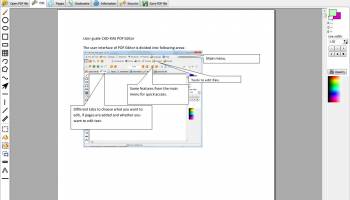
Edit PDF files now! How do you change existing PDF files? You don't know how? It is easy to edit existing PDF files with PDF Editor! You can add text in any font you want or change existing text to correct spelling errors or change old phone numbers. Just double click on a text object to edit it. You can select and drag and drop any object in the pdf file. To edit a picture you can simply double click on the picture and the program will show the picture in the integrated picture editor. Select, move and copy and paste text, picture and vector graphic objects with the pointer tool.
This is the only program available with which you can edit the document objects, annotate pdf files and manage the pages of pdf files in one program. Most other tools that call itself "PDF Editor" only allow you to annotate pdf files. This is nice but PDF Editor is the first real PDF Editor program (Version 1: 02/2003) that can edit the page objects too! Annotations can be removed and are not part of the document - real document objects are the solution. You can add text in any font you want or change existing text to correct spelling errors or change old phone numbers. Just double click on a text object to edit it. You can select and drag and drop any object in the pdf file. To edit a picture you can simply double click on the picture and the program will show the picture in the integrated picture editor. Select, move and copy and paste text, picture and vector graphic objects with the pointer tool.
You do not need to write everything again only because a price or an address has changed! You do not need to fill out form with hand after you print it out. Simply fill the form on the screen! Don't worry about documents which can not be printed out because of security settings. PDF Editor will print it for sure.
With PDF Editor you can underline, highlight and strikeout texts and edit the bookmarks. You are able to change the order of the pages or delete pages. Hide the information on a page so that it is invisible in the Acrobat Reader but can be unhidden later. You can change the page size or move the content. Add stamps like "Confidential" or "Top secret". The source code of the page (a language like HTML) is editable for you. Use the program to read and write encrypted pdf files. The program leaves the layout untouched after saving if you don't want to change it.
Now you can also create flip pages for your website. Simply click on File/Export as flipppage. It will create a html file and some pictures. You can upload the pictures to your website and upload the html code or insert the html code into your existing website.
FEATURES:
· Powerful text tools
· Add new text
· Change existing text (translation of pdf files)
· Delete existing text
· Move existing text
· Highlight, underline and strikeout Text
· Powerful picture tools
· Add new pictures
· Delete existing pictures
· Move existing pictures
· Edit existing pictures
· Powerful graphics tools (lines, rectangles etc.)
· Add new graphics
· Delete existing graphics
· Powerful comment tools
· Add new comments
· Change existing comments
· Delete existing comments
· Stamps
· Highlight, underline and strikeout Text (and write a comment)
· Fill out form fields
· Add new form fields (only "PDF Editor Pro" versions)
· Add links to websites and other pages
· Powerful page tools
· Add new pages (add pdf files)
· Change existing page order
· Delete existing pages
· Extract existing pages
· Hide pages (make them unvisible for Acrobat)
· Rotate pages
· Powerful bookmark tools
· Add new bookmarks
· Change existing bookmarks
· Delete existing bookmarks
· Powerfull security tools
· Encryption of pdf files
· Dencryption of pdf files
· Protect PDF files against copying, printing etc.
· PDF files
· Open PDF files
· View PDF files
· Change and edit PDF files
· Print PDF files
· Save PDF files - no quality lose
This is the only program available with which you can edit the document objects, annotate pdf files and manage the pages of pdf files in one program. Most other tools that call itself "PDF Editor" only allow you to annotate pdf files. This is nice but PDF Editor is the first real PDF Editor program (Version 1: 02/2003) that can edit the page objects too! Annotations can be removed and are not part of the document - real document objects are the solution. You can add text in any font you want or change existing text to correct spelling errors or change old phone numbers. Just double click on a text object to edit it. You can select and drag and drop any object in the pdf file. To edit a picture you can simply double click on the picture and the program will show the picture in the integrated picture editor. Select, move and copy and paste text, picture and vector graphic objects with the pointer tool.
You do not need to write everything again only because a price or an address has changed! You do not need to fill out form with hand after you print it out. Simply fill the form on the screen! Don't worry about documents which can not be printed out because of security settings. PDF Editor will print it for sure.
With PDF Editor you can underline, highlight and strikeout texts and edit the bookmarks. You are able to change the order of the pages or delete pages. Hide the information on a page so that it is invisible in the Acrobat Reader but can be unhidden later. You can change the page size or move the content. Add stamps like "Confidential" or "Top secret". The source code of the page (a language like HTML) is editable for you. Use the program to read and write encrypted pdf files. The program leaves the layout untouched after saving if you don't want to change it.
Now you can also create flip pages for your website. Simply click on File/Export as flipppage. It will create a html file and some pictures. You can upload the pictures to your website and upload the html code or insert the html code into your existing website.
FEATURES:
· Powerful text tools
· Add new text
· Change existing text (translation of pdf files)
· Delete existing text
· Move existing text
· Highlight, underline and strikeout Text
· Powerful picture tools
· Add new pictures
· Delete existing pictures
· Move existing pictures
· Edit existing pictures
· Powerful graphics tools (lines, rectangles etc.)
· Add new graphics
· Delete existing graphics
· Powerful comment tools
· Add new comments
· Change existing comments
· Delete existing comments
· Stamps
· Highlight, underline and strikeout Text (and write a comment)
· Fill out form fields
· Add new form fields (only "PDF Editor Pro" versions)
· Add links to websites and other pages
· Powerful page tools
· Add new pages (add pdf files)
· Change existing page order
· Delete existing pages
· Extract existing pages
· Hide pages (make them unvisible for Acrobat)
· Rotate pages
· Powerful bookmark tools
· Add new bookmarks
· Change existing bookmarks
· Delete existing bookmarks
· Powerfull security tools
· Encryption of pdf files
· Dencryption of pdf files
· Protect PDF files against copying, printing etc.
· PDF files
· Open PDF files
· View PDF files
· Change and edit PDF files
· Print PDF files
· Save PDF files - no quality lose
OS: Windows XP, Windows Vista, Windows Vista x64, Windows 7, Windows 7 x64, Windows 8, Windows 8 x64, Windows 10, Windows 10 x64

Add Your Review or 64-bit Compatibility Report
Top Office Suites & Tools 64-bit downloads


Quite Imposing Plus 6.0d
Effortlessly create and manage complex impositions for PDF documents.
Demo | $949.00

Seavus Project Viewer 19.0
Free to experience the best viewer for Micrsoft Project. Try our Project Viewer
Trialware | $29.50


SilentNotes 8.7.1
SilentNotes: Secure, offline note-taking app with encryption and cross-device sync.
Open Source

CZ Excel Converter 1.9.4.6366
CZ V: A powerful synth emulation with rich sounds and intuitive controls.
Demo | $149.00


callas pdfaPilot 14.2.400
Powerful tool for creating, validating, and optimizing PDF/A documents.
Trialware

mini PDF to TXT OCR Converter 3.2
PDF to TXT OCR Converter is a best OCR Converter
Shareware | $59.95

Enterprise Architect 16.1.1628
Provides powerful document generation and reporting tools
Trialware | $135.00
Members area
Top 64-bit Downloads
-
mbFXWords 2.80
x64 freeware download -
FontAgent Pro 10.0.15.0
x64 trialware download -
Microsoft Office 2016
x64 2405 B17628.20164
x64 trialware download -
Print to PDF Toolkit Pro 3.0
x64 shareware download -
Microsoft Office 2010
Service Pack x64 SP2
x64 freeware download -
CSV2IIF Portable 5.0.060
x64 demo download -
Foxit Reader 2023.3
x64 freeware download -
ABBYY FineReader
Professional 16.0.13
x64 trialware download -
Zed Axis 64bit 10.0
x64 trialware download -
WinEdt 11.2
x64 trialware download
Top Downloads
-
Quite Imposing Plus 6.0d
demo download -
Active Barcode and QR
code Generator 1.24.8.15
freeware download -
Seavus Project Viewer 19.0
trialware download -
Miro for Windows 0.11.110
shareware download -
Flipping Book Writer 2.6
shareware download -
Total CSV Converter 4.0
shareware download -
mbFXWords 2.80
freeware download -
SmarThru 4.04
freeware download -
SilentNotes 8.7.1
open source download -
LawTrust 5.1.1
shareware download -
HelpDesk 11.19.9557.25020
trialware download -
DeskWork Standard 4.0.2827
trialware download -
LiquiBase 5.0.2
trialware download -
CZ Excel Converter 1.9.4.6366
demo download -
Odoo 19.0.20260324
demo download