
WinEdt - X 64-bit Download
Popular x64 Tags
- office x64 download
- microsoft x64 download
- importing x64 download
- exporting x64 download
- acrobat x64 download
- xls x64 download
- printer x64 download
- pdf x64 download
- pdf converter x64 download
- software x64 download
- word x64 download
- outlook x64 download
- excel x64 download
- powerpoint x64 download
- tool x64 download
- ppt x64 download
- adobe x64 download
- convert x64 download
- spreadsheet x64 download
- text x64 download
- create x64 download
- doc x64 download
- printing x64 download
- files x64 download
- add in x64 download
- open x64 download
- document x64 download
- data x64 download
- export x64 download
- saving x64 download
WinEdt 11.2
Sponsored links:

Aleksander Simonic

WinEdt is a powerful and versatile text editor for Windows, with a strong predisposition towards the creation of [La]TeX documents. DO NOT, however, mistake WinEdt itself for a TeX system! You'll have to download and install a (free) TeX system for Windows (MiKTeX, or TeX Live). The Downloads page of this site has more information on WinEdt, TeX, and links to other programs needed to make TeX operational on the Windows platform.
As an editor WinEdt allows you to exploit its intuitive (customizable) predefined interface and graphic controls. If you are not too keen on the mouse interface, don't worry: WinEdt also offers the means to customize its keyboard interface, allowing you to use double keystroke shortcuts that can be associated with any menu item...
WinEdt is by default configured to run as a front end for MiKTeX. However, it is quite straightforward to configure the program for a different TeX System (eg. TeX Live), or even define a completely different set of accessories. By default, Options -> Configurations Menu already contains a few alternative configurations:
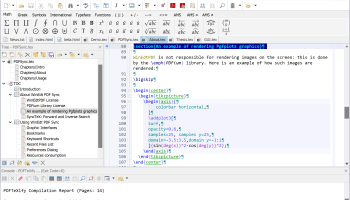
In the above illustration we see WinEdt as customized to work on its web pages. Note the non-standard background, the variable width font (Verdana 10) enabled for HTML mode, and the fixed right margin. WinEdt's Options Interface can be used to make modifications like these. The Options Interface is displayed above the Tree/ Navigation Bar Control. It's visibility can be toggled through the Options Menu.
WinEdt's Menu contains plenty of useful commands, and many are associated with Shortcuts. It is strongly recommended that you take your time and "walk" through the menu. If you don't know what is there you won't know how to use it. For example, it is easy to move a selected block of text left or right. It also easy to toggle Upper/ Lower Case, etc...
As an editor WinEdt allows you to exploit its intuitive (customizable) predefined interface and graphic controls. If you are not too keen on the mouse interface, don't worry: WinEdt also offers the means to customize its keyboard interface, allowing you to use double keystroke shortcuts that can be associated with any menu item...
WinEdt is by default configured to run as a front end for MiKTeX. However, it is quite straightforward to configure the program for a different TeX System (eg. TeX Live), or even define a completely different set of accessories. By default, Options -> Configurations Menu already contains a few alternative configurations:
In the above illustration we see WinEdt as customized to work on its web pages. Note the non-standard background, the variable width font (Verdana 10) enabled for HTML mode, and the fixed right margin. WinEdt's Options Interface can be used to make modifications like these. The Options Interface is displayed above the Tree/ Navigation Bar Control. It's visibility can be toggled through the Options Menu.
WinEdt's Menu contains plenty of useful commands, and many are associated with Shortcuts. It is strongly recommended that you take your time and "walk" through the menu. If you don't know what is there you won't know how to use it. For example, it is easy to move a selected block of text left or right. It also easy to toggle Upper/ Lower Case, etc...
OS: Windows 10, Windows 10 x64, Windows 11
Add Your Review or 64-bit Compatibility Report
Top Office Suites & Tools 64-bit downloads


Quite Imposing Plus 6.0c

Effortlessly create and manage complex impositions for PDF documents.
Demo | $949.00


Scribus 1.6.2
Scribus: Professional desktop publishing software for creating stunning layouts.
Open Source


Microsoft Office 2013 x64 15.0.4420.1017 RTM
Powerful new tools to express your ideas and connect with people
Trialware

Microsoft Power BI Desktop 2.151.1182.0
Power BI Desktop: Transform data into actionable insights with ease.
Demo | $14.00

Print to PDF Toolkit Pro 3.0
Enhance Microsoft Print to PDF with new features and make it comparable to Adobe
Shareware | $9.95


QueueExplorer Standard 5.0.70
Streamline message queue management with QueueExplorer Standard's intuitive tools.
Trialware | $149.00
Members area
Top 64-bit Downloads
-
Microsoft Office 2013
x64 15.0.4420.1017 RTM
x64 trialware download -
Print to PDF Toolkit Pro 3.0
x64 shareware download -
Hl7Spy 24.1.227
x64 trialware download -
Microsoft Office 2021 v2311
x64 demo download -
Bluebeam PDF Revu
Standard Edition x64 21.0.30
x64 trialware download -
pdfFactory Pro (x64) 8.44
x64 trialware download -
mbFXWords 2.80
x64 freeware download -
ViewCompanion Premium
x64 15.20
x64 trialware download -
CSV2IIF Portable 5.0.060
x64 demo download -
ABCpdf x64 13.1.0.1
x64 trialware download
Top Downloads
-
Quite Imposing Plus 6.0c
demo download -
SmarThru 4.04
freeware download -
Odoo 19.0.20260226
demo download -
Scribus 1.6.2
open source download -
GSA Website Contact 6.18
shareware download -
Stellar Repair for MySQL 9.0.0.6
demo download -
Forex Strategy Trader 3.6.0.0
freeware download -
Telist Pro 6.0.29
demo download -
Microsoft Office 2013
x64 15.0.4420.1017 RTM
trialware download -
Microsoft Power BI
Desktop 2.151.1182.0
demo download -
Print to PDF Toolkit Pro 3.0
shareware download -
Taskade 4.6.14
shareware download -
Database Browser
Portable 5.3.2.13
freeware download -
KS-ProjectPlanner 2010 4.0.5
freeware download -
AmiBroker 6.93.0
demo download