
Screen Recorder Lite - X 64-bit Download
Popular x64 Tags
- video x64 download
- video converter x64 download
- avi x64 download
- internet tv x64 download
- divx x64 download
- dvd x64 download
- online tv x64 download
- mov x64 download
- mpeg x64 download
- converter x64 download
- xvid x64 download
- 3gp converter x64 download
- psp x64 download
- download x64 download
- ipod x64 download
- mp4 x64 download
- wmv x64 download
- ipod video x64 download
- dvd ripper x64 download
- dvd to 3gp x64 download
- dvd to ipod x64 download
- swf x64 download
- dvd to psp x64 download
- 3gp x64 download
- asf x64 download
- iphone x64 download
- dat x64 download
- mpg x64 download
- video to ipod x64 download
- flv x64 download
Screen Recorder Lite 1.399.20.0
Sponsored links:
license: Demo ($2.99)
downloads: 78
size: 117.80 MB
updated: 2026-03-24
tags: Screen Recorder Lite, download Screen Recorder Lite, Screen Recorder Lite free download, Screen Recorder, Video Recorder, Audio Recorder, record, screen, video, audio
Add to Basket

Yellow Elephant Productions

**Screen Recorder Lite by Yellow Elephant Productions: A Comprehensive Review**
Screen Recorder Lite, developed by Yellow Elephant Productions, is a versatile and user-friendly screen recording software designed to cater to both novice and experienced users. This lightweight application offers a seamless experience for capturing high-quality video recordings of your screen activities, making it an ideal tool for creating tutorials, recording gameplay, or documenting software issues.
**User Interface and Usability**
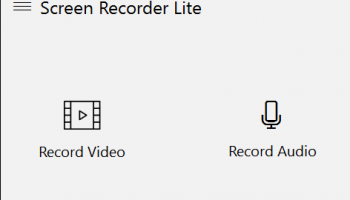
The first thing that stands out about Screen Recorder Lite is its intuitive and clean user interface. The design is straightforward, with clearly labeled buttons and a minimalistic layout that ensures users can easily navigate through the features without feeling overwhelmed. The simplicity of the interface does not compromise functionality, making it accessible for users of all skill levels.
**Key Features**
- **High-Quality Recording**: Screen Recorder Lite supports high-definition video recording, ensuring that every detail of your screen activity is captured with clarity. Whether you are recording a webinar, a video call, or a gaming session, the software delivers crisp and clear output.
- **Customizable Recording Area**: Users can choose to record the entire screen or select a specific area, providing flexibility depending on the task at hand. This feature is particularly useful for focusing on particular sections of the screen without capturing unnecessary background activity.
- **Audio Recording**: The software allows for simultaneous audio recording from both the system and an external microphone. This dual audio recording capability is perfect for creating instructional videos or commentary for gameplay.
- **Hotkeys and Shortcuts**: Screen Recorder Lite supports customizable hotkeys, enabling users to start, pause, and stop recordings without having to navigate through the software interface. This feature enhances the user experience by providing quick and easy control over the recording process.
- **Lightweight and Efficient**: True to its name, Screen Recorder Lite is a lightweight application that runs smoothly without consuming excessive system resources. This efficiency ensures that your computer's performance remains unaffected during recording sessions.
**Performance**
In terms of performance, Screen Recorder Lite excels with its stable and reliable operation. The software handles long recording sessions without crashes or significant slowdowns, making it a dependable choice for users who require consistent performance.
**Limitations**
While Screen Recorder Lite offers a robust set of features, it does have some limitations. The free version includes a watermark on the recorded videos, which may be a drawback for professional use. Additionally, advanced editing features are not available within the software, necessitating the use of third-party editing tools for post-production work.
**Conclusion**
Screen Recorder Lite by Yellow Elephant Productions is a commendable screen recording tool that strikes a balance between simplicity and functionality. Its user-friendly interface, high-quality recording capabilities, and efficient performance make it a valuable asset for anyone needing to capture screen activities. Despite some minor limitations, the software's strengths make it a worthy contender in the screen recording software market.
Whether you are a content creator, educator, or professional, Screen Recorder Lite provides the essential tools needed to produce high-quality screen recordings with ease.
Screen Recorder Lite, developed by Yellow Elephant Productions, is a versatile and user-friendly screen recording software designed to cater to both novice and experienced users. This lightweight application offers a seamless experience for capturing high-quality video recordings of your screen activities, making it an ideal tool for creating tutorials, recording gameplay, or documenting software issues.
**User Interface and Usability**
The first thing that stands out about Screen Recorder Lite is its intuitive and clean user interface. The design is straightforward, with clearly labeled buttons and a minimalistic layout that ensures users can easily navigate through the features without feeling overwhelmed. The simplicity of the interface does not compromise functionality, making it accessible for users of all skill levels.
**Key Features**
- **High-Quality Recording**: Screen Recorder Lite supports high-definition video recording, ensuring that every detail of your screen activity is captured with clarity. Whether you are recording a webinar, a video call, or a gaming session, the software delivers crisp and clear output.
- **Customizable Recording Area**: Users can choose to record the entire screen or select a specific area, providing flexibility depending on the task at hand. This feature is particularly useful for focusing on particular sections of the screen without capturing unnecessary background activity.
- **Audio Recording**: The software allows for simultaneous audio recording from both the system and an external microphone. This dual audio recording capability is perfect for creating instructional videos or commentary for gameplay.
- **Hotkeys and Shortcuts**: Screen Recorder Lite supports customizable hotkeys, enabling users to start, pause, and stop recordings without having to navigate through the software interface. This feature enhances the user experience by providing quick and easy control over the recording process.
- **Lightweight and Efficient**: True to its name, Screen Recorder Lite is a lightweight application that runs smoothly without consuming excessive system resources. This efficiency ensures that your computer's performance remains unaffected during recording sessions.
**Performance**
In terms of performance, Screen Recorder Lite excels with its stable and reliable operation. The software handles long recording sessions without crashes or significant slowdowns, making it a dependable choice for users who require consistent performance.
**Limitations**
While Screen Recorder Lite offers a robust set of features, it does have some limitations. The free version includes a watermark on the recorded videos, which may be a drawback for professional use. Additionally, advanced editing features are not available within the software, necessitating the use of third-party editing tools for post-production work.
**Conclusion**
Screen Recorder Lite by Yellow Elephant Productions is a commendable screen recording tool that strikes a balance between simplicity and functionality. Its user-friendly interface, high-quality recording capabilities, and efficient performance make it a valuable asset for anyone needing to capture screen activities. Despite some minor limitations, the software's strengths make it a worthy contender in the screen recording software market.
Whether you are a content creator, educator, or professional, Screen Recorder Lite provides the essential tools needed to produce high-quality screen recordings with ease.
OS: Windows 11, Windows 10 32/64 bit
Add Your Review or 64-bit Compatibility Report
Top Video Tools 64-bit downloads


VLC Media Player x64 3.0.20
VLC x64 is a free and open source multimedia 64bit player for Windows x64
Open Source

Screenbits 9.13.1.0
Screenbits: High-quality screen recording with intuitive controls and features.
Trialware


4Videosoft MTS Converter 6.2.22
Convert video to audio or convert audio to AAC, AC3 , AIFF, AMR, AU, and more
Shareware | $16.16

MonitorTest 4.0 Build 1002
Comprehensive tool for testing and calibrating monitor performance.
Trialware

Video Jaguar 1.0
Video Jaguar is the world's easiest video ad maker for businesses and agencies.
Shareware | $8.99

CamStudio 2.7.4 r354
You can use it to create demonstration videos for any software program
Open Source


PotPlayer 64bit 1.7.21397
A comprehensive video and audio player, that also supports TV channels
Freeware

VideoPad Free Movie and Video Editor 18.16
Free Video Editor and Movie Making Software for Windows anyone can use.
Freeware
tags: video editor, free video editor, movie maker, free movie maker, video editing, video editing software, free video editing software, free movie making software, free film editing, video editing software free pc, best video editing apps free, video cutting software mac, video production software, windows video editor, open source video editor, video and audio editing software, free video editing apps for pc, video capture and editing software, video and audio editor
Members area
Top 64-bit Downloads
-
Media Player Classic -
HomeCinema - 64 bit 2.3.0
x64 open source download -
VLC Media Player x64 3.0.20
x64 open source download -
MCEBuddy 2.6.3
x64 trialware download -
PotPlayer 64bit 1.7.21397
x64 freeware download -
GUITAR RIG 5 PRO 7.0.2
x64 demo download -
Voxengo Stereo Touch x64 2.17
x64 freeware download -
Voxengo Crunchessor x64 2.19
x64 demo download -
Devastor x64 2.3.2
x64 demo download -
Adobe PhotoShop CC x64 2024 25.9.1
x64 trialware download -
Blue Cat's Triple EQ x64 4.45
x64 freeware download
Top Downloads
-
FreeTube 0.23.15 Beta
open source download -
Little AlterBoy 5.4.1
trialware download -
Auremo 0.24.9
open source download -
Nero 7 Ultra Edition 7.10.1
shareware download -
Syrah 23.07.0.50310
trialware download -
ft2-clone 2.12
open source download -
Screenbox 0.18.1
open source download -
VLC Media Player x64 3.0.20
open source download -
Screenbits 9.13.1.0
trialware download -
Cyclop 1.3.7
demo download -
Melodics 5.0.139.0
demo download -
Media Player Classic -
HomeCinema - 64 bit 2.3.0
open source download -
PlayIt Live 2.17.2.5046
shareware download -
FineCut 1.0.2
demo download -
MCEBuddy 2.6.3
trialware download