
Stellar Outlook Pst Repair - X 64-bit Download
Popular x64 Tags
- email client x64 download
- email x64 download
- attachments x64 download
- outlook x64 download
- mailer x64 download
- e mail x64 download
- imap x64 download
- mail x64 download
- remailer x64 download
- download x64 download
- free x64 download
- sql x64 download
- mass x64 download
- address x64 download
- html x64 download
- bulk x64 download
- pop3 x64 download
- portable email client x64 download
- mailing x64 download
- marketing x64 download
- client x64 download
- sender x64 download
- smtp x64 download
- email marketing x64 download
- newsletter x64 download
- calendar x64 download
- pop x64 download
- usb based portable email x64 download
- bomber x64 download
- email verifier x64 download
Stellar Outlook Pst Repair 12.0.0.0
Sponsored links:

Stellar Information Systems Ltd.

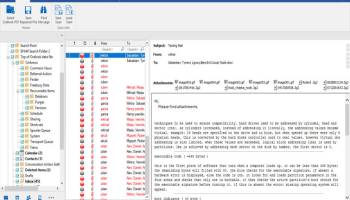
Stellar Phoenix Outlook Pst Repair is a powerful and easy to use software application that can help you restore data from damaged MS Outlook files. Microsoft Outlook stores email messages, contacts, notes and folders on the local drive as a .pst file.
This Outlook file recovery software scans the damaged .pst file and extracts and then saves information in a new usable .pst file, enabling PST File Recovery. In addition, Phoenix-Outlook mail recovery software allows you to recover accidentally deleted messages that have been emptied from the "Deleted Items" folder in Outlook. Phoenix-Outlook mail recovery software allows you to recover accidentally deleted messages that have been emptied from the "Deleted Items" folder in Outlook.
Symptoms of a PST Error
Microsoft Outlook stores all your emails, calendar entries, and contact data in a .PST file. PST error messages occur when this file fills up or becomes corrupted.
Outlook ScannerCause of .PST Errors
PST errors are rarely your fault. They occur due to corruption within the .PST file or because the .PST file has reached its size limit PST Repair
How to Repair PST File
PST corruption errors can be easily resolved by downloading and running the Outlook PST Repair Tool. We highly recommend this download.
What is an Outlook PST error?
Many Microsoft Outlook users have encountered an annoying problem called a PST error. A PST error basically means that the PST file cannot be accessed. Since the PST file contains all of the user’s important documents in Microsoft Outlook (including emails, calendar information, and contact entries), these PST errors essentially lock the user out of the program. Users may be unable to send or receive new emails, update information in their calendars, or add new contacts into their address book.
As you can imagine, the Outlook PST error is an incredibly frustrating problem. For those who use Outlook on a daily basis, it can cause immediate productivity loss. To make matters worse, all of your emails and personal data are at risk of being deleted if you can’t access your PST file.
Why do Outlook PST errors occur?
PST file errors occur because Outlook restricts the PST file to a certain limit. Unfortunately, this limit is quite small – generally around 2GB. When users hit or exceed that limit, they will be locked out of Outlook.
Outlook PST errors can also occur as a result of a corrupt file. If the PST file – or any of Outlook’s files – become corrupted, then the program will no longer be able to access the files it needs in order to run. This can lead to PST errors as well as strange, confusing error messages. Corruption can be caused by viruses, incorrect shutdowns, and countless other factors.
The benefits of using Stellar Phoenix PST Repair
Why is Stellar Phoenix PST Repair the number one Outlook repair solution? Here are a few reasons why people love using Stellar Phoenix to repair their PST problems:
-Fast: When you use Stellar Phoenix, you don’t have to uninstall and reinstall Microsoft Outlook, nor do you have to wait for hours for tech support to show up. Instead, you simply download it, install it, and start repairing your PST within minutes. It’s the fastest way to repair any PST problem.
-Effective: Of course, Stellar Phoenix doesn’t make speed a top priority. The program’s most important feature is its effectiveness. And in that department, Stellar Phoenix truly shines. The program repairs all PST-related errors and problems. Whether your PST file is suffering from corruption or it’s simply filled with too many files, Stellar Phoenix PST Repair gets the job done every time.
-Easy to use: Fortunately, you don’t have to read an instruction manual before running Stellar Phoenix PST Repair. The program is very easy to use.
This Outlook file recovery software scans the damaged .pst file and extracts and then saves information in a new usable .pst file, enabling PST File Recovery. In addition, Phoenix-Outlook mail recovery software allows you to recover accidentally deleted messages that have been emptied from the "Deleted Items" folder in Outlook. Phoenix-Outlook mail recovery software allows you to recover accidentally deleted messages that have been emptied from the "Deleted Items" folder in Outlook.
Symptoms of a PST Error
Microsoft Outlook stores all your emails, calendar entries, and contact data in a .PST file. PST error messages occur when this file fills up or becomes corrupted.
Outlook ScannerCause of .PST Errors
PST errors are rarely your fault. They occur due to corruption within the .PST file or because the .PST file has reached its size limit PST Repair
How to Repair PST File
PST corruption errors can be easily resolved by downloading and running the Outlook PST Repair Tool. We highly recommend this download.
What is an Outlook PST error?
Many Microsoft Outlook users have encountered an annoying problem called a PST error. A PST error basically means that the PST file cannot be accessed. Since the PST file contains all of the user’s important documents in Microsoft Outlook (including emails, calendar information, and contact entries), these PST errors essentially lock the user out of the program. Users may be unable to send or receive new emails, update information in their calendars, or add new contacts into their address book.
As you can imagine, the Outlook PST error is an incredibly frustrating problem. For those who use Outlook on a daily basis, it can cause immediate productivity loss. To make matters worse, all of your emails and personal data are at risk of being deleted if you can’t access your PST file.
Why do Outlook PST errors occur?
PST file errors occur because Outlook restricts the PST file to a certain limit. Unfortunately, this limit is quite small – generally around 2GB. When users hit or exceed that limit, they will be locked out of Outlook.
Outlook PST errors can also occur as a result of a corrupt file. If the PST file – or any of Outlook’s files – become corrupted, then the program will no longer be able to access the files it needs in order to run. This can lead to PST errors as well as strange, confusing error messages. Corruption can be caused by viruses, incorrect shutdowns, and countless other factors.
The benefits of using Stellar Phoenix PST Repair
Why is Stellar Phoenix PST Repair the number one Outlook repair solution? Here are a few reasons why people love using Stellar Phoenix to repair their PST problems:
-Fast: When you use Stellar Phoenix, you don’t have to uninstall and reinstall Microsoft Outlook, nor do you have to wait for hours for tech support to show up. Instead, you simply download it, install it, and start repairing your PST within minutes. It’s the fastest way to repair any PST problem.
-Effective: Of course, Stellar Phoenix doesn’t make speed a top priority. The program’s most important feature is its effectiveness. And in that department, Stellar Phoenix truly shines. The program repairs all PST-related errors and problems. Whether your PST file is suffering from corruption or it’s simply filled with too many files, Stellar Phoenix PST Repair gets the job done every time.
-Easy to use: Fortunately, you don’t have to read an instruction manual before running Stellar Phoenix PST Repair. The program is very easy to use.
OS: Windows Vista, Windows Vista x64, Windows 7, Windows 7 x64, Windows 8, Windows 8 x64, Windows 10, Windows 10 x64, Windows 11
Requirements: Microsoft Outlook 2019, 2016, 2013, 2010, 2007, 2003, 2002 & 2000
Add Your Review or 64-bit Compatibility Report
Top E-Mail Clients 64-bit downloads


The Bat! Voyager 11.2.1
Mobile Email Client based on the technology of The Bat Email Client
Shareware | $59.95


OE Classic 5.3.1 Classic
OE Classic: Effortlessly manage and recover Outlook Express emails.
Demo | $39.00

Microsoft Outlook 2016 16.0.6741
Stay connected to your world with our most up-to-date e-mail and calendar tools
Trialware | $109.99


GainTools PST Converter 1.0.1
Convert PST file to other file format with GainTools PST Converter Software
Shareware | $29.00

Foxmail 7.2.25 Build 528
Effortless email management with a sleek interface and powerful features.
Freeware

Howard Email Notifier 2.15
Receive email alerts for your outlook.com, live.com, or hotmail.com emails
Freeware

Public SyncTool 1.2
Public SyncTool: Synchronization for Outlook between notebook and PC.
Shareware | $52.00

Members area
Top 64-bit Downloads
-
Linphone 5.0.8
x64 freeware download -
ActiveXperts SendSMS x64 6.5
x64 freeware download -
Netcam Studio x64 1.9.5.0
x64 freeware download -
SIP Communicator for
Windows (x64 bit) 2.10.5550
x64 open source download -
MOBILedit Forensic
Express 7.4.1.21502
x64 demo download -
KeyLemon 4.0.3
x64 trialware download -
EasyMail for Gmail 3.1.6.0
x64 freeware download -
WeChat 3.9.6
x64 freeware download -
SysInfoTools Email
Converter x64 2.0
x64 shareware download -
MAPIViewer 64-bit 3.4
x64 freeware download
Top Downloads
-
Squiggle LAN Messenger 3.4
open source download -
The Bat! Voyager 11.2.1
shareware download -
GSM Mobile Phone SMS
Software 9.0.1.2
shareware download -
Address Magic Personal 9.0.434
shareware download -
Export Messages to MBOX
File 4.11
freeware download -
Mass SMS 9.0.1.3
shareware download -
IMVU 551.14 Classic
adware download -
iNETPHONE 1.2.1.3
freeware download -
Linphone 5.0.8
freeware download -
E-Mail Converter 26.0.9
shareware download -
Total Webmail Converter 1.4
shareware download -
Skype 8.150.0.125
freeware download -
Samsung Kies 3 3.2.16084_2
freeware download -
Linked Helper 2.102.30
demo download -
OE Classic 5.3.1 Classic
demo download