
SynthFont - X 64-bit Download
Popular x64 Tags
- ipod x64 download
- video x64 download
- avi x64 download
- software x64 download
- internet tv x64 download
- music organizer x64 download
- music x64 download
- audio x64 download
- codecs x64 download
- wma x64 download
- mpeg x64 download
- zip x64 download
- mp3 x64 download
- itunes x64 download
- organize music files x64 download
- file x64 download
- music file organizer x64 download
- fft x64 download
- organize x64 download
- music organizer download x64 download
- organizer x64 download
- music organizer software x64 download
- mp3 organizer x64 download
- tag x64 download
- files x64 download
- lite x64 download
- ogg x64 download
- album x64 download
- rename x64 download
- sort x64 download
SynthFont 2.9.0.2
Sponsored links:

Kenneth Rundt


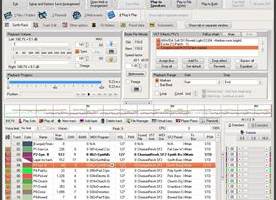
SynthFont is a program for playing midi files using SoundFonts. A midi file is different from - for instance - a MP3 file in that the file does not contain any audio data. The file is a collection of notes and instructions for how to play them. SynthFont combines this data with the audio data in a SoundFont to produce ("render") an audio version of the song.
· Explorer view, similar to Windows Explorer. Use this to search for mid files, arrangements or sound sources. You can easily play all files in a folder. There's also a separate playlist.
· Piano roll view, not only shows you the notes and controllers but also lets you do some basic midi file editing.
· Events view, shows a list of all midi events in a particular track. You can filter out certain events and also do some basic editing, like changing notes and programs. Good for "debugging".
· Tracks view. This view actually contains two parts: the synth engine and the tracks list. Use the synth engine part to add VST audio effects to on of the 16 channel busses or to the main effect. Use the tracks list to assign sound sources to the tracks. You can assign SoundFonts, GIGA files, DLS files, WAVE files and VST instruments. Each track can have its own set of sound sources. Here you can also add and delete tracks, mute track, play tracks solo, etc.
· Layers view, shows the preset layers of a sound source. Each layer corresponds to what is internally called an "instrument". Usually a preset contains only one layer, but for stereo presets there is often two, panned left and right.
· Splits view, shows the splits of an instrument (one preset layer). Here is where all the fun is. Each split references one - and only one - audio sample ("wave"). Each split also have range of parameters (called "generators") that you can edit.
· Wave view, shows the sample data referenced by a split. Here also you can do some basic editing.
· There is an additional tool for expert users: the SoundFont editor Viena (not to be confused with "Vienna"). Use this tool to create new SoundFonts from audio samples, or from presets and instruments in other SoundFonts. You can have four SoundFonts open at the same time and copy freely between them. There is also a Favorite Folders view and a Preset Cache for favorite presets. More info in the help file.
· Explorer view, similar to Windows Explorer. Use this to search for mid files, arrangements or sound sources. You can easily play all files in a folder. There's also a separate playlist.
· Piano roll view, not only shows you the notes and controllers but also lets you do some basic midi file editing.
· Events view, shows a list of all midi events in a particular track. You can filter out certain events and also do some basic editing, like changing notes and programs. Good for "debugging".
· Tracks view. This view actually contains two parts: the synth engine and the tracks list. Use the synth engine part to add VST audio effects to on of the 16 channel busses or to the main effect. Use the tracks list to assign sound sources to the tracks. You can assign SoundFonts, GIGA files, DLS files, WAVE files and VST instruments. Each track can have its own set of sound sources. Here you can also add and delete tracks, mute track, play tracks solo, etc.
· Layers view, shows the preset layers of a sound source. Each layer corresponds to what is internally called an "instrument". Usually a preset contains only one layer, but for stereo presets there is often two, panned left and right.
· Splits view, shows the splits of an instrument (one preset layer). Here is where all the fun is. Each split references one - and only one - audio sample ("wave"). Each split also have range of parameters (called "generators") that you can edit.
· Wave view, shows the sample data referenced by a split. Here also you can do some basic editing.
· There is an additional tool for expert users: the SoundFont editor Viena (not to be confused with "Vienna"). Use this tool to create new SoundFonts from audio samples, or from presets and instruments in other SoundFonts. You can have four SoundFonts open at the same time and copy freely between them. There is also a Favorite Folders view and a Preset Cache for favorite presets. More info in the help file.
OS: Windows XP, Windows Vista, Windows Vista x64, Windows 7, Windows 7 x64, Windows 8, Windows 8 x64, Windows 10, Windows 10 x64, Windows 11

Add Your Review or 64-bit Compatibility Report
Top Other 64-bit downloads


ft2-clone 2.11

A versatile clone of the classic FastTracker 2 for modern music creation.
Open Source


DSP Filters 1.18.9
Powerful audio plug-ins for mixing and mastering with innovative features.
Demo | $100.00


iTools 4.5.1.9
iTools: A versatile tool for managing iOS devices with ease and efficiency.
Shareware
tags: iTools, sync iPod, iTools free download, iPhone organizer, Thinksky, iPhone, tools, iOS, iPad, iPad manager, download iTools, software, iPod, management


DJ Jukebox 35.0
An essential tool for managing a song library and generating playlists.
Shareware | $25.00

Members area
Top 64-bit Downloads
-
Media Player Classic -
HomeCinema - 64 bit 2.3.0
x64 open source download -
VLC Media Player x64 3.0.20
x64 open source download -
MCEBuddy 2.6.3
x64 trialware download -
ProgDVB (64 bit) 7.60.9
x64 freeware download -
PotPlayer 64bit 1.7.21397
x64 freeware download -
Panopreter 64-bit 4.0.1.3
x64 shareware download -
Adobe PhotoShop CC 2024 25.9.1
x64 trialware download -
Renoise 64-bit 3.4.4
x64 demo download -
Voxengo Stereo Touch x64 2.17
x64 freeware download -
Blue Cat's Triple EQ x64 4.45
x64 freeware download
Top Downloads
-
FreeTube 0.23.14 Beta
open source download -
Little AlterBoy 5.4.1
trialware download -
ft2-clone 2.11
open source download -
Auremo 0.24.9
open source download -
Screenbits 9.13.1.0
trialware download -
DSP Filters 1.18.9
demo download -
Melodics 5.0.79.0
demo download -
Media Player Classic -
HomeCinema - 64 bit 2.3.0
open source download -
DSpeech 1.72
freeware download -
VLC Media Player x64 3.0.20
open source download -
Cyclop 1.3.7
demo download -
iTools 4.5.1.9
shareware download -
1X-AMP - MP3 Player
Software 2026 26.1.1
shareware download -
Nero 7 Ultra Edition 7.10.1
shareware download -
DVDFab Free Blu-ray
Ripper 11.0.5.1
freeware download