
Typora - X 64-bit Download
Popular x64 Tags
- docx to pdf x64 download
- to pdf x64 download
- pdf converter x64 download
- xlsx to pdf x64 download
- pdf to word x64 download
- doc to pdf x64 download
- excel to pdf x64 download
- pdf to text x64 download
- word to jpg x64 download
- powerpoint converter x64 download
- convert office x64 download
- excel converter x64 download
- image converter x64 download
- pdf conversion x64 download
- editor x64 download
- word to pdf x64 download
- rtf to pdf x64 download
- pdf to doc x64 download
- text x64 download
- txt converter x64 download
- word converter x64 download
- convert word to pdf x64 download
- jpg converter x64 download
- office converter x64 download
- txt to pdf x64 download
- htm html converter x64 download
- powerpoint to pdf x64 download
- rtf converter x64 download
- docm to pdf x64 download
- xlsm to pdf x64 download
Typora 1.12.4
Sponsored links:
license: Trialware ($14.99)
downloads: 91
size: 88.70 MB
updated: 2025-11-21
tags: Typora, download Typora, Typora free download, Markdown editor, Edit Markdown, Markdown Writer, Markdown, Editor, Writer, Highlither
Add to Basket

Abner Lee

Typora, developed by Abner Lee, is a minimalist yet powerful markdown editor that has quickly become a favorite among writers, developers, and anyone who values a clean, distraction-free writing environment. This software stands out for its seamless blend of simplicity and functionality, offering a unique writing experience that eliminates the clutter typically associated with markdown editors.
One of Typora’s most compelling features is its real-time rendering of markdown syntax. Unlike traditional markdown editors that separate the editing and preview panes, Typora integrates these into a single, unified interface. This WYSIWYG (What You See Is What You Get) approach allows users to focus on content creation without constantly switching between modes, making the writing process more intuitive and efficient.
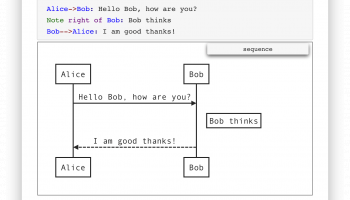
Typora supports a wide range of markdown features, including tables, code fences, mathematics (via LaTeX), diagrams, and more. Its support for custom themes and CSS allows users to tailor the appearance to their liking, enhancing both usability and aesthetic appeal. The software also includes a file tree panel and an outline panel, which are particularly useful for navigating large documents or projects.
Another standout feature is Typora's export capabilities. Users can easily convert markdown documents into various formats such as PDF, Word, and HTML, making it versatile for different publishing needs. The software also supports importing from other formats, ensuring smooth transitions from other writing tools.
Typora’s minimalist design does not compromise on functionality. It offers features like focus mode, typewriter mode, and a dark theme, which cater to different writing preferences and environments. These features help maintain concentration and reduce eye strain, which is crucial for long writing sessions.
The software is cross-platform, available on Windows, macOS, and Linux, ensuring that users can enjoy a consistent experience regardless of their operating system. This flexibility makes Typora an attractive choice for users who work across different devices.
Typora is also notable for its active development and community support. Regular updates ensure that the software remains up-to-date with the latest markdown standards and user needs. The community around Typora is vibrant, with users frequently sharing themes, tips, and extensions to further enhance the software’s capabilities.
In summary, Typora is a sophisticated markdown editor that strikes a perfect balance between simplicity and power. Its real-time rendering, extensive markdown support, and customizable interface make it an ideal choice for anyone looking to streamline their writing process. Whether you're a seasoned developer documenting code, a student taking notes, or a writer crafting your next novel, Typora provides the tools you need in a sleek, efficient package.
One of Typora’s most compelling features is its real-time rendering of markdown syntax. Unlike traditional markdown editors that separate the editing and preview panes, Typora integrates these into a single, unified interface. This WYSIWYG (What You See Is What You Get) approach allows users to focus on content creation without constantly switching between modes, making the writing process more intuitive and efficient.
Typora supports a wide range of markdown features, including tables, code fences, mathematics (via LaTeX), diagrams, and more. Its support for custom themes and CSS allows users to tailor the appearance to their liking, enhancing both usability and aesthetic appeal. The software also includes a file tree panel and an outline panel, which are particularly useful for navigating large documents or projects.
Another standout feature is Typora's export capabilities. Users can easily convert markdown documents into various formats such as PDF, Word, and HTML, making it versatile for different publishing needs. The software also supports importing from other formats, ensuring smooth transitions from other writing tools.
Typora’s minimalist design does not compromise on functionality. It offers features like focus mode, typewriter mode, and a dark theme, which cater to different writing preferences and environments. These features help maintain concentration and reduce eye strain, which is crucial for long writing sessions.
The software is cross-platform, available on Windows, macOS, and Linux, ensuring that users can enjoy a consistent experience regardless of their operating system. This flexibility makes Typora an attractive choice for users who work across different devices.
Typora is also notable for its active development and community support. Regular updates ensure that the software remains up-to-date with the latest markdown standards and user needs. The community around Typora is vibrant, with users frequently sharing themes, tips, and extensions to further enhance the software’s capabilities.
In summary, Typora is a sophisticated markdown editor that strikes a perfect balance between simplicity and power. Its real-time rendering, extensive markdown support, and customizable interface make it an ideal choice for anyone looking to streamline their writing process. Whether you're a seasoned developer documenting code, a student taking notes, or a writer crafting your next novel, Typora provides the tools you need in a sleek, efficient package.
OS: Windows 11, Windows 10 32/64 bit
Add Your Review or 64-bit Compatibility Report
Top Text / Document Editors 64-bit downloads


Vim 9.2.0061

A highly configurable text editor built to enable efficient text editing
Open Source
tags: Vim, download Vim, Vim free download, text editor, Unix console, Windows Terminal, console, Unix, script, Terminal

CodeNimble 2.5.0
CodeNimble: Streamline your coding workflow with intuitive tools and features.
Open Source

WinHex 21.6
Powerful hex editor and data recovery tool for digital forensics and analysis.
Demo | $156.90


TeXstudio 4.9.2
Powerful LaTeX editor with intuitive features for seamless document creation.
Open Source

AkelPad (x64 bit) 4.9.8
Is an open source editor for plain text. It is designed to be a small and fast
Open Source


Markdown Monster 4.1.6.2
Markdown Monster: A powerful Markdown editor with live preview and syntax highlighting.
Open Source | $79.00

EmEditor Professional 26.0.3
Powerful text editor with advanced features for programmers and writers.
Trialware | $60.00
Members area
Top 64-bit Downloads
-
Windows 10 x64 22H2
x64 trialware download -
SoftPerfect RAM Disk 26.2
x64 shareware download -
XtraTools Professional
x64 26.2.1
x64 shareware download -
Windows 7 x64
x64 trialware download -
Windows 8 x64 RTM Build 9200
x64 trialware download -
HWMonitor (64-bit) 1.53
x64 freeware download -
7-Zip (x64 bit) 24.07
x64 open source download -
Lenovo Vantage 10.2001.10.0
x64 freeware download -
BestSync Portable x64 2024 (19.0.1.5)
x64 trialware download -
AkelPad (x64 bit) 4.9.8
x64 open source download
Top Downloads
-
FreeCommander XE 2026 Build 941
shareware download -
Windows 10 x64 22H2
trialware download -
Windows 7 Service Pack 1 7601.17514.1011
freeware download -
Dr. Hardware 2026 26.0.0
shareware download -
FreeCommander XE
Portable 2026 Build 941
freeware download -
Thaiphoon Burner 17.4.1.2
freeware download -
Caffeine 1.98
freeware download -
BlueStacks 5 5.21.210.1023
freeware download -
RecoveryRobot Memory
Card Recovery 1.3.3
shareware download -
BIOS Agent Plus 2.2019.1.31
demo download -
Qemu Simple Boot 1.3
freeware download -
Revo Uninstaller 2.00
freeware download -
Fortect 7.3.4.6
trialware download -
SoftPerfect RAM Disk 26.2
shareware download -
tinyMediaManager 5.2.6
shareware download