
Windows XP Mode (Windows Virtual PC) - X 64-bit Download
Popular x64 Tags
- freeware x64 download
- windows x64 download
- free x64 download
- web x64 download
- software x64 download
- folder x64 download
- utility x64 download
- convert x64 download
- monitor x64 download
- download x64 download
- tool x64 download
- memory x64 download
- video x64 download
- audio x64 download
- text x64 download
- password x64 download
- editor x64 download
- file x64 download
- security x64 download
- image x64 download
- database x64 download
- jpeg x64 download
- icon x64 download
- organizer x64 download
- viewer x64 download
- data x64 download
- print x64 download
- edit x64 download
- search x64 download
- pim x64 download
Windows XP Mode (Windows Virtual PC) 1.3.7600.16423
Sponsored links:

Microsoft

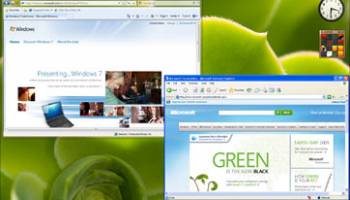
Windows XP Mode and Windows Virtual PC, available on Windows 7 Professional and Windows 7 Ultimate, allow you to run multiple Windows environments, such as Windows XP Mode, from your Windows 7 desktop.
What is Windows XP Mode?
Windows XP Mode for Windows 7 makes it easy to install and run many Windows XP productivity applications directly from your Windows 7-based PC. It utilizes virtualization technology, such as Windows Virtual PC, to provide a virtual Windows XP environment for Windows 7.
Microsoft has added several new features to Windows Virtual PC to make it easy to use and to help you run many older Windows XP applications in Windows 7.
* One click launch of Windows XP Mode applications
* USB support
Windows Virtual PC features:
Easy setup of Windows XP Mode
Once both the Windows Virtual PC and the virtual Windows XP environment are installed, Windows Virtual PC provides a simple wizard to set up Windows XP Mode with just a few clicks.
USB support
Users can access USB devices attached to the host directly from virtual Windows XP. These devices include printers and scanners, flash memory/sticks and external hard disks, digital cameras, and more.
Seamless applications
Publish and launch applications installed on virtual Windows XP directly from the Windows 7 desktop, as if they were installed on the Windows 7 host itself.
Folder integration between host and guest
Access your Windows 7 Known Folders: My Documents, Pictures, Desktop, Music, and Video, from inside the virtual Windows environment, such as Windows XP Mode.
Clipboard sharing
Cut and paste between your Windows 7 host and any virtual machine.
Printer redirection
Print directly to your attached printer from your seamless application or virtual machine.
What is Windows XP Mode?
Windows XP Mode for Windows 7 makes it easy to install and run many Windows XP productivity applications directly from your Windows 7-based PC. It utilizes virtualization technology, such as Windows Virtual PC, to provide a virtual Windows XP environment for Windows 7.
Microsoft has added several new features to Windows Virtual PC to make it easy to use and to help you run many older Windows XP applications in Windows 7.
* One click launch of Windows XP Mode applications
* USB support
Windows Virtual PC features:
Easy setup of Windows XP Mode
Once both the Windows Virtual PC and the virtual Windows XP environment are installed, Windows Virtual PC provides a simple wizard to set up Windows XP Mode with just a few clicks.
USB support
Users can access USB devices attached to the host directly from virtual Windows XP. These devices include printers and scanners, flash memory/sticks and external hard disks, digital cameras, and more.
Seamless applications
Publish and launch applications installed on virtual Windows XP directly from the Windows 7 desktop, as if they were installed on the Windows 7 host itself.
Folder integration between host and guest
Access your Windows 7 Known Folders: My Documents, Pictures, Desktop, Music, and Video, from inside the virtual Windows environment, such as Windows XP Mode.
Clipboard sharing
Cut and paste between your Windows 7 host and any virtual machine.
Printer redirection
Print directly to your attached printer from your seamless application or virtual machine.
OS: Windows 7, Windows 7 x64
Windows XP Mode (Windows Virtual PC) Reviews
| Software: | Windows XP Mode (Windows Virtual PC) professioal |
| Reviewed by: | frank riberry (Apr 27, 2010) |
| Rating: |   |
| Review: | this is a good experience |
Add Your Review or 64-bit Compatibility Report
Top Other 64-bit downloads


Caffeine 1.98
Keep your computer awake effortlessly with Caffeine, the ultimate productivity tool.
Freeware


Thaiphoon Burner 17.4.1.2
Designed for those who are in need of getting all available information
Freeware


Convert Document to Image 16.20
Convert DOC to Tiff, JPG, GIF, BMP etc. Fast & accurate. Batchable. Command line
Shareware | $549.95

Software Informer 1.1
Notifies about software updates, allows you to track comments and questions.
Freeware
tags: software, informer, updates, programs, developers, reviews, descriptions, system scan, monitoring, comments, questions
Members area
Top 64-bit Downloads
-
EasyTune6 B24.0119.1
x64 freeware download -
HWiNFO64 6.28 B4200
x64 freeware download -
BusDog x64 0.2
x64 freeware download -
HWMonitor (64-bit) 1.53
x64 freeware download -
Windows 7 x64
x64 trialware download -
SoftPerfect RAM Disk 26.2
x64 shareware download -
Disk Pulse Pro x64 16.1.28
x64 trialware download -
FixWin for Win 10 10.2.2.0
x64 freeware download -
7z SFX Builder x64 2.1
x64 freeware download -
PhotoRenamer 4.1
x64 freeware download
Top Downloads
-
Open Files from XLSX to
XLS 5.2
shareware download -
File Compression 1.0
commercial download -
Shell Tools 2.0.1
freeware download -
Hotkeycontrol 8.3
shareware download -
Caffeine 1.98
freeware download -
FMDiff 4.0.5
demo download -
Nomad.NET 3.2.0.2890
freeware download -
Music Collection 3.9.6.0
freeware download -
FastKeys 6.05
demo download -
WinToUSB 10.5 Build January 2
shareware download -
FURY CTRL 2.0.65.0
freeware download -
Vim 9.2.0167
open source download -
novelWriter 2.8.2
open source download -
Thaiphoon Burner 17.4.1.2
freeware download -
GoodSync 12.9.26
freeware download